

Screenshots

 Watch trailer on Steam ↗
Rolling Line
Gaugepunk Games · Published by Gaugepunk Games · Official site ↗
Overwhelmingly Positive — 96% positive (2,614 reviews)
Last updated 27 Sept 2026
Build your own model railway tracks and scenery or explore pre-made maps, including 1000s of player-made maps and mods on the Steam Workshop! Play solo and in multiplayer, both in virtual reality and on PC!
£15.49
Lowest price we've ever recorded
View on SteamPrices can lag the live Steam store — always confirm before buying.
Price history
Indie, Simulation, Casual · 2018 · More £15 - £30 games
Roll out your own railway adventures on pre-made maps or create new ones as a casual simulation from Gaugepunk Games. Experience the thrill of building and playing both in VR and on PC, offering solo and multiplayer options.
About this game
Rolling Line is a model railway simulator where you can build your own layouts and share them for others to play!
Explore and drive trains on pre-made official layouts, any one of 1000s of player-made layouts on the Steam Workshop, or create your own!
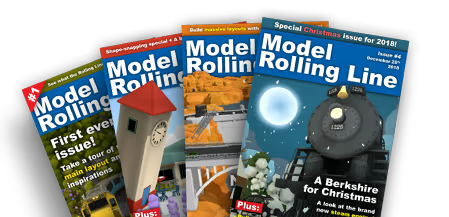
Read in-game magazines
Rolling Line has its own official magazine!
Read about updates, community content, layout building guides and much more. You can read these magazines in-game or view them online on the Gaugepunk Games website.
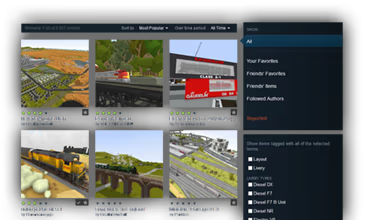
Download and share through the Steam Workshop
Layouts and liveries (train color schemes) can be shared and downloaded on the Steam Workshop. Browse over 7k layouts and over 20k mods + liveries made by countless skilled community members.
Simply click to subscribe to workshop items, and they will appear in-game, simple as that!

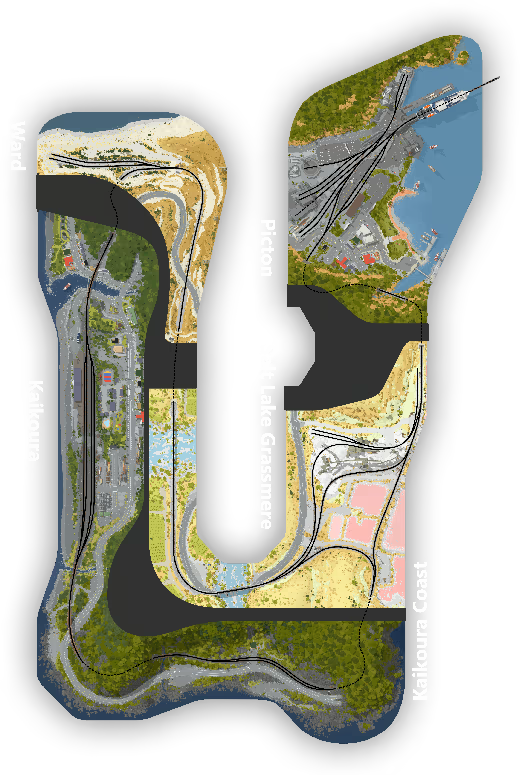
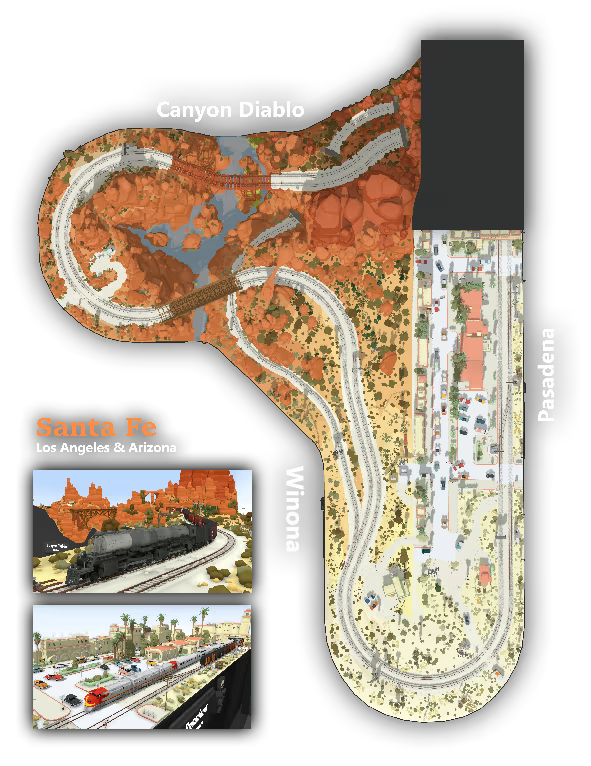
Explore pre-made official layouts
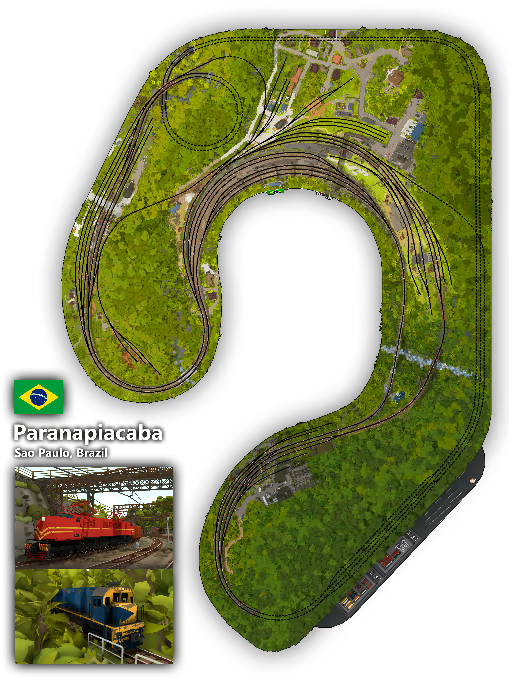
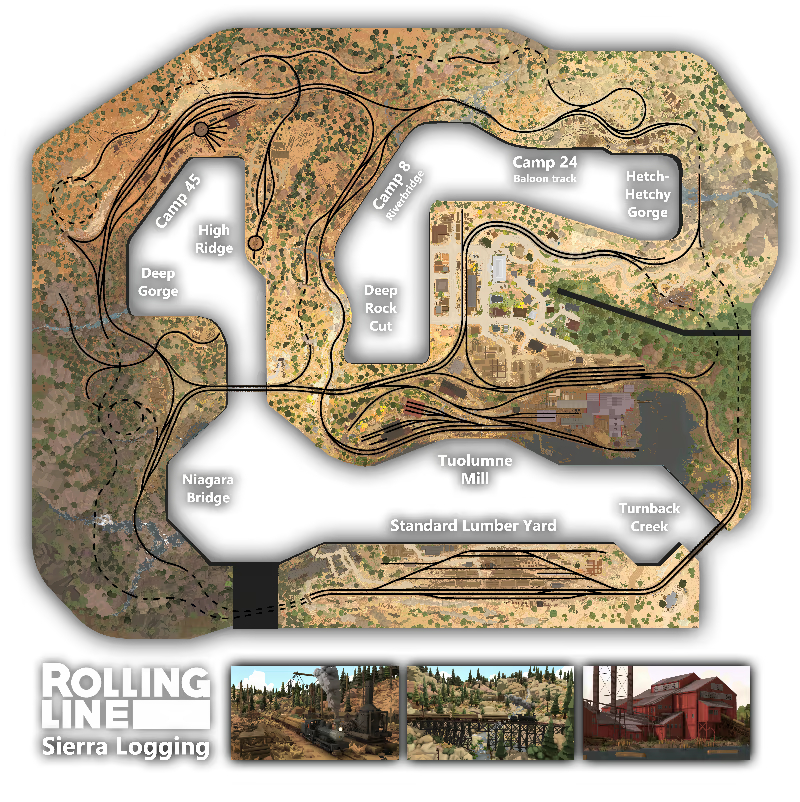
The built-in official layouts include scenery and trains from New Zealand, America, Brazil and lots of other places around the world!
Features:
Play on both PC (without VR) and in VR (HTC Vive, Valve Index (with finger tracking!), Oculus Rift and Windows Mixed Reality)
Play in multiplayer using a public server browser, or host private games between friends and over LAN
Build and share your custom layouts on the Steam workshop
Share and download custom train paint-schemes (liveries) on the Steam workshop
Operate table-top model railways standing in human-scale
Explore anywhere in your layout on foot in miniature scale
Drive trains in human-scale with hand-held controllers
Drive trains in miniature-scale from within the cab
Multiple trains to choose from (all completely free!) like diesel, steam and electric
Wide range of freight and passenger wagons
Pickup and throw wagons as physics objects
Sandbox style world, where custom tracks and scenery can be built anywhere
Dynamic day/night cycle
Dynamic weather
Set up working signals and level crossings
Overhead wires and track electrification
Simple color painting system, where you can create custom colors to paint props and scenery
Save files are in plain text, so you can easily copy and share them
Locomotive and wagon modding with custom 3D models and textures
Custom 3D terrain using modding to import your own 3D models
Read in-game magazines with information about updates and community content
Create your own electric circuitry, using logic gates, sensors, lights and more
Load and unload freight on to wagons, like logs, shipping containers and any in-game prop you want
Play in VR or on PC
Rolling Line has been built from the beginning to be both a PC game (first person style) and a VR game.
You can play with a keyboard a mouse just like any PC game or train sim, but if you have a VR headset (Oculus, Vive, Valve Index and WMR) connected then it will automatically launch in VR.
If you have the Valve Index controllers then you can even make use of full finger movement tracking!
VR controls can also be fully re-binded using the SteamVR Input System.

Just like a model railway
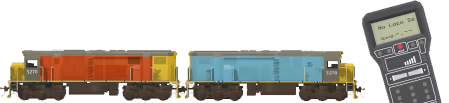
Layouts in Rolling Line are designed to look, feel and operate like a real hobbyists model railroad, with switch boards to control the tracks, portable hand-held controllers to drive trains, and complete control over the rooms lighting.
Freely push wagons around on the rails with your hands to build trains and take control of them using DCC-style hand-held controllers!
Build your own tracks and scenery
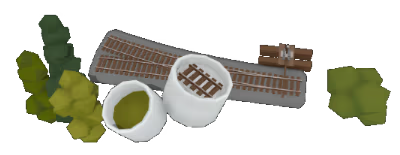
Place pieces of track and scenery to build your own huge (or tiny) railways!
Choose from a huge range of props like trees, buildings, vehicles, shapes, etc.
Paint different colors onto props and terrain using a simple color painting system.
Choose from a variety of colors or edit your own hues and palettes.
Place down chunks of terrain to build hills and path ways, or use external 3D modelling tools to create your own complex 3D terrain (via modding).
You can build your custom layouts entirely by hand in VR, or play on PC to make use of PC-only map making shortcuts.
You can share your layouts on the Steam workshop and easily download other peoples layouts.
All layouts you make can be easily backed up and shared in plain text, which means you can copy-paste an entire save game between friends!

Explore in human scale or miniature
Switch between human-sized room scale and railway-sized miniature scale at any time, any where. You are not limited to only driving trains in miniature, but can fully explore and entire layout at the scale of a person.
Drive trains from right inside the cab in miniature, and view the world from the driver's perspective!
Choices of VR locomotion
Choose between a range of locomotion options, including standard teleporting, grabbing the world around you to move yourself around and free directional movement with the trackpad.
Other options like manual rotation (if you cannot use room scale) and setting your player height help support a range of VR setups.

Rolling line offers an immersive experience of both controlling a model railroad and driving trains from within the world itself. Whether you enjoy exploring model railways, the joy of controlling model trains, the experience of a scenic railway journey or the freedom of building your own tracks and creations, then Rolling Line can deliver!
System Requirements
Will my PC run this? →Minimum
- OS *: Windows 7/8/10
- Processor: Intel i5 range or similar
- Memory: 8 GB RAM
- Graphics: GTX 980 or similar (VR) Any low-end graphics card (PC)
- Storage: 2 GB available space
- Sound Card: N/A
- VR Support: SteamVR
- Additional Notes: Running on PC (without VR) is possible on very low end systems.
Recommended
- OS *: Windows 7/8/10
- Processor: Intel i7 range or similar
- Memory: 8 GB RAM
- Graphics: GTX 1070 or similar (VR) GTX 660 or similar (PC)
- Storage: 2 GB available space
- Sound Card: N/A
- Additional Notes: Running on PC is significantly less demanding than running in VR!
Supported Languages
Latest news
AnnouncementsOfficial
Performance optimizations! v6.1
It's that time of year again where Rolling Line deserves some focused work entirely on optimization and background programming improvements. Since computer parts are getting horrifyingly expensive it's more important than ever that games are able to run as well as possible on low end hardware. I love the fact that Rolling Line is a train game that can run on very low end PC's and laptops (at least small maps can!) and I'm always looking for ways to improve performance as much as possible. This update is mainly all about performance optimization, but it also includes some new features and lots of quality-of-life fixes. The optimizations in this update are focused on these main things:Reducing draw calls caused by inefficient use of materials Reducing CPU bottlenecks from game logic More aggressive LOD (level of detail) to hide objects far away from the player Smoother loading of chunks (specifically for track)With this update you should see a noticeable framerate improvement on all maps, but certain maps will benefit much more than others.Specifically maps with a lot of complex interactable objects like circuitry will see HUGE improvements! Maps that use a lot of signals and freight loading will also see big improvements and much less stutter during gameplay. Various rendering improvements I've made will also have a larger effect on low-end PC's and laptops when using the low graphics settings in the game especially.The current main bottleneck for most maps will still be the number of moving trains (which use up the most performance). I've tried to optimize this as much as possible, but the next step is going to require a complete re-design of how train movement is handled when outside of view distance, and this will be a big job for another day. So if you find your maps are very laggy, try a test of removing all the trains (in the menu "pause menu -> manage saves -> delete all trains") and see how much of the lag is being caused by just the trains. here are some exa...Read full article on Community Announcements (Gauge)AnnouncementsOfficial
Scales & Gauges! v6.0
The scales & gauges update is here! With this update you can now fully customize how large the track, trains, props and player character are in the world. So it will finally be possible to accurately model real-world model railway scales in the game, like HO, G, N, Z, etc.You can make tiny N scale layouts all the way to huge G scale garden railways:How does it work?Firstly, if you just want to make maps and aren't concerned about real-world measurements, then you don't have to change anything! You can keep making maps and driving trains at the default scale and everything will look exactly the same as before. But if you want to switch to a real world model railway scale that uses accurate measurements, then you can now do this with the new scale feature. This system lets you customize two values, the "scale" and the "gauge".The scale controls how large the map is in relation to the real world. So if the scale is 1/100 (one hundredth of the size of real life) then a 5m high building will be 0.05m high on your map (5cm tall). For example, the most popular model railway scale "HO scale" is 1/87, which means that objects on an HO scale model railway are 87x smaller than real life. Meanwhile the gauge is the distance measured between the rails on track. For HO scale this would be 16.5mm, and for the much larger G scale this would be 45mm.Trains are automatically scaled to match the scale value, and their individual wheel blocks are scaled (only the width) to match the track gauge value. This means you can easily make narrow gauge track with a more narrow wheel gauge, while keeping the scale the same. (Here's an example made by Camoguy showing a tiny Z scale railway!)The game lets you customize both of these values, or choose from a range of real-world model railway scales (like HO, HOn3, N, Z, etc).You can pick from a preset list or set your own custom values directly:The "World scale' sets how large the player is in miniature mode, so if you are placing down N scale tra...Read full article on Community Announcements (Gauge)AnnouncementsOfficial
Custom model railway scales/gauges coming soon!
Coming up within the next few weeks is the much anticipated scales & gauges update! I'm announcing this now because the update is well into testing but still has a lot of work to do, and I want people to be aware of how this new scaling system will work and what to expect. My plan is to release this update on July 20th!The main feature of this update is that you can now fully customize how large the track, trains, props and player character are in the world. So it will finally be possible to accurately model real-world model railway scales in the game! Like HO, G, N, Z, etc.You can make tiny N scale layouts all the way to huge G scale garden railways! How does it work? This system lets you customize two values, the "scale" and the "gauge".The scale controls how large the map is in relation to the real world. So if the scale is 1/100 (one hundredth of the size of real life) then a 5m high building will be 0.05m high on your map (5cm tall). For example, the most popular model railway scale "HO scale" is 1/87, which means that objects on an HO scale model railway are 87x smaller than real life. Meanwhile the gauge is the distance measured between the rails on track. For HO scale this would be 16.5mm, and for the much larger G scale this would be 45mm.Trains are automatically scaled to match the scale value, and their individual wheel blocks are scaled (only the width) to match the track gauge value. This means you can easily make narrow gauge track with a more narrow wheel gauge, while keeping the scale the same. The game lets you customize both of these values, or choose from a range of real-world model railway scales (like HO, HOn3, N, Z, etc).You can pick from a preset list or set your own custom values directly:The "World scale' sets how large the player is in miniature mode, so if you are placing down N scale track and set the world scale to N as well, then you will be able to fit inside the cab and drive the trains. But if you set the world scale to HO, then your...Read full article on Community Announcements (Gauge)AnnouncementsOfficial
Color editing, drawer improvements and more! v5.48
Every now and then it's great to do a "spring cleaning" kind of update, that includes lots of quality-of-life improvements and fixes a ton of small jobs I've had on my to-do list for ages. This update includes a lot of changes, so I'll go through them one-by-one:Edit colors directly on props/menusThis is great quality-of-life improvement I've been meaning to add for ages! You can now open the custom color edit menu on any paintable object. So when you are editing a color in the multi-paint popup, track style menu, modding menus, settings, etc you can now press Shift + left click to open the color edit menu instead of spawning a copy of the color in your hand.From inside that menu you can adjust the color (hue, saturation, value, etc):You can also now set whether the material is transparent by changing the alpha value ("A") and this means you can also adjust how transparent it is, rather than it just being an on/off setting:You can also toggle whether the material emits light:Note: You can customize these keyboard bindings in the "Controls" menu. Also you can skip directly to the paint edit window by pointing at a prop and pressing Shift + ETo make things work easier with this new system, all props (even ones with just 1 paint slot) now have the option of opening the multi-paint window.Custom drawer improvementsYou can now use the transform edit mode (press F) to move, rotate and scale props that you have placed in a custom drawer! This means you can fully customize how a drawer looks instead of being restricted to just the grid:Custom drawers also now have an options menu, where you can set whether props auto-scale to fit the grid size or whether they keep their default size when placed in the drawer.Track style copy-paste fixWhen you copy a track style (by pointing at it and pressing Enter) and paint another piece of track with it, you might have noticed that it will override turnout levers and remove them.This is because the turnout lever is part of the track styl...Read full article on Community Announcements (Franks)AnnouncementsOfficial
Mountains and Rivers map jam favorites!
Congrats to everyone who took part in the Mountains and Rivers map jam event! There were 85 entries and it was really hard to narrow down my favorites to just a few.As with all these map making events, I always play through every single entry and then pick some to give shout-outs to at the end. So without further ado, here are my favorite entries (in no specific order):And here's also a list of runner-ups:Thank you to everyone who took part! I always love these map making events, It's a great chance to have a go at making something if you need some extra inspiration. I highly recommend having a look at the Steam Workshop yourself and giving the event entries a try. When choosing tags/categories on the Steam Workshop you can view the entries from this event as well as all the previous map making events too! This is just a news post and doesn't include any game feature updates, but keep an eye out because I've been working on a whole bunch of quality-of-life features that I'm about to release in the next update very soon! In the meantime, I hope you enjoy playing these great new community-made maps!Read full article on Community Announcements (Franks)


