

Screenshots

 Watch trailer on Steam ↗
Penkura
LionsArt · Published by LionsArt · Official site ↗
Very Positive — 90% positive (202 reviews) · 8 achievements
Last updated 27 Sept 2026
Penkura is a sci-fi base-building survival game where you construct a colony from a top-down command system, explore an alien world in first person, and use programmable bots to gather resources, build, repair, and keep your base alive.
£9.79
£13.99Lowest price we've ever recorded
View on SteamPrices can lag the live Steam store — always confirm before buying.
Price history
Action, Adventure, Indie, RPG, Simulation, Strategy, Early Access · 2018 · More £5 - £15 games
In Penkura, you command a base from above and venture into an alien landscape as a strategy-adventure RPG. Use bots to gather and survive in this early access indie gem.
About this game

Penkura seamlessly blends a top-down base building system with immersive first-person survival exploration. Easy to grasp yet challenging to master, the game employs classic death mechanics that strip you of equipment upon demise. To overcome this, players can craft custom robotic companions, essential for base construction, resource gathering, and safeguarding settlements.

It encourages players to choose from a variety of approaches through which to complete their goals. Players will find themselves becoming experts in areas entirely of their choosing. The intention is that, when the co-op is unveiled, players will find that the interaction of their unique skill sets with those of their peers creates capable and rewarding team gameplay.

Penkura offers a range of buildings, machines, bots, and items to construct using the "MMC" (Molecular Matter Converter) or "CCC" (Command Control Communication) for a top-down perspective to build your base. Take control of your bots to explore or perform repairs from the safety of your base. Unleash the potential of the CCC!
Dive into the immersive world of Penkura's campaign mode, offering rich adventures. While currently under development. In co-op mode, you'll have the ability to construct massive stations and explore additional maps outside of adventure mode for added challenges as you tackle the new world together.
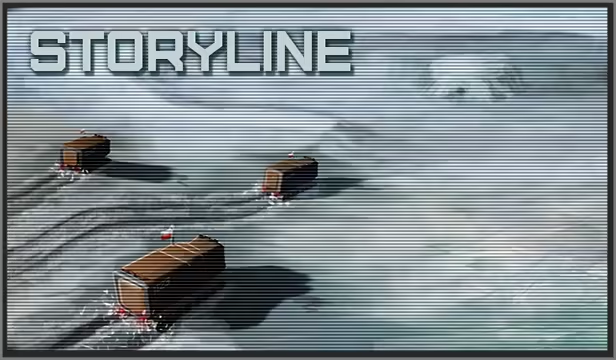
Deep beneath Antarctic ice, a Polish research team uncovers an ancient temple, a portal to a captivating new world.
As Earth faces overpopulation and devastation, Project "Gemini" initiates the migration of humanity to this promising planet. For 41 years, pioneers traverse the singularity, until contact is mysteriously severed.
Now, as a mercenary, you embark on a perilous journey through the unstable gateway,
tasked with survival and uncovering the secrets of the unknown world beyond.
System Requirements
Will my PC run this? →Minimum
- Requires a 64-bit processor and operating system
- OS: Windows 10, 11
- Processor: 2.6 GHz Quad Core or similar
- Memory: 4 GB RAM
- Graphics: NVIDIA GTX 670 2GB / AMD R9 280 better
- DirectX: Version 12
- Storage: 5 GB available space
Recommended
- Requires a 64-bit processor and operating system
- OS: Windows 10, 11
- Processor: i5 3GHz / Ryzen 5 3GHz
- Memory: 6 GB RAM
- Graphics: Nvidia GeForce GTX 980 / AMD R9 Fury
- DirectX: Version 12
- Storage: 5 GB available space
Supported Languages
*languages with full audio support
Latest news
Patch NotesOfficial
Patch Merging Part 12.1
{STEAM_CLAN_IMAGE}/33719675/e8f9171a7cd8033758763544c598067f6df4ab40.png Dev-Com Welcome, members of the Accord! Small patch fixing reported issues and adding improvements to the PRAWIA system based on player feedback. As always, for more information regarding the latest technical support, patches, and updates, please join our Discord Community. LINK ----> https://discord.gg/2ukYHQm Till the next Dev-Com over and out. Penkura Main Branch Adjustment --------------------- ⊞ Bugs/Errors ⊞ --------------------- ◈ Blufloir didn't convert to Blufloir Pistil when picking up, which prevented player for extracting seeds. This also prevented proper split stack. ◈ Medbay addon was being installed in the test mode. ◈ When player has a certain amount of items, the data provided by the inventory loops faster than the growbed seed check, allowing on rare occasion slip an item into seed container. ◈ Inventory and storage, had a refresh loop when setting a category. ------------------------------------------------- ⊞ Improvements / changes / additions ⊞ ------------------------------------------------- ◈ >check in the >follow code chunk, can now access target, self, and owner, inventory, and check the amount of a specific item. ◈ >if then else code chunk can now also check content of NPC's and buildings. for example. >if(owner)(item)(Golden Malok Fruit)(more)(5) then {>extract(Golden Malok Fruit)(1)} else {>loop} or >if(building)(T7206)(container)(Battery ST-1)(more)(0) then { >log(battery is ready) } else { >loop } ◈ Optimized inventory and storage UI, it should work much more smooth now. ◈ Transferring massive amount of items should cause much less of a performance hitch. ◈ If inspect window is open in the tablet, ESC button will now close it rather than lower the tablet. ◈ If inspect window is open in the storage UI, ESC button will now close it rather than lower the entire UI. ◈ Minor text change in >inline help section.Read full article on Community Announcements (LionsArt)Patch NotesOfficial
Patch Merging Part 12.02
{STEAM_CLAN_IMAGE}/33719675/e8f9171a7cd8033758763544c598067f6df4ab40.png Dev-Com Welcome, members of the Accord! Tiny patch fixing reported issues. As always, for more information regarding the latest technical support, patches, and updates, please join our Discord Community. LINK ----> https://discord.gg/2ukYHQm Till the next Dev-Com over and out. Penkura Main Branch Adjustment --------------------- ⊞ Bugs/Errors ⊞ --------------------- ◈ Items that could be used by both the bot and the player, were not useable from the inventory. ◈ Quick Slot didn't correctly trigger sound effects. ◈ Viledart was able to shoot while sleeping. ◈ Incorrect description of Biomass Powder Processor.Read full article on Community Announcements (LionsArt)Patch NotesOfficial
Patch Merging Part 12.01
{STEAM_CLAN_IMAGE}/33719675/e8f9171a7cd8033758763544c598067f6df4ab40.png Dev-Com Welcome, members of the Accord! Tiny patch fixing reported issues. As always, for more information regarding the latest technical support, patches, and updates, please join our Discord Community. LINK ----> https://discord.gg/2ukYHQm Till the next Dev-Com over and out. Penkura Main Branch Adjustment --------------------- ⊞ Bugs/Errors ⊞ --------------------- ◈ Code compiler didn't accept some of the standard commands.Read full article on Community Announcements (LionsArt)Patch NotesOfficial
Patch Merging Part 12
{STEAM_CLAN_IMAGE}/33719675/e8f9171a7cd8033758763544c598067f6df4ab40.png Dev-Com Welcome, members of the Accord! Patch Merging Part 12 brings the largest QoL improvements we have made to PRAWIA, together with the introduction of the new CODEX system and a considerable amount of work done behind the scenes. One of the biggest problems with PRAWIA was how difficult it could be for a new player to learn how to use it. Remembering every command, argument, target, item name, and the correct order in which everything needs to be written can become overwhelming. Unfortunately, Unreal Engine's standard widget system was not really designed for what we wanted to achieve here, so we had to create our own addition to it. Thanks to that, the PRAWIA Code Writing Window has been drastically improved. From now on, the moment the player starts typing, PRAWIA will automatically display possible commands and variables below the code line. The more the player writes, the more specific the suggestions become. {STEAM_CLAN_IMAGE}/33719675/399652f4863df47a10c178551ae622cf0cf4db73.png For example, after writing: >loot PRAWIA will immediately display an example of the full >loot command and explain what argument should be written next. Depending on the currently written variable, the system can also display all valid options available for it. Pressing TAB will automatically insert the selected option directly into the code line. {STEAM_CLAN_IMAGE}/33719675/0ac987c823d1c46a2be5231a7ddc88729a7e7aa9.png The system also understands individual code chunks and color-codes them based on their structure, making longer programs significantly easier to read. More importantly, it can now recognize certain problems inside the written code before the program is even executed. For example, some commands can prevent anything placed after them from ever being reached. PRAWIA can now recognize situations like this and gray out the unreachable part of the code, immediately showing the player that something i...Read full article on Community Announcements (LionsArt)Patch NotesOfficial
Patch Merging Part 11.42
{STEAM_CLAN_IMAGE}/33719675/e8f9171a7cd8033758763544c598067f6df4ab40.png Dev-Com Welcome, members of the Accord! A small QoL improvements to the PRAWIA language. Based on user feedback. As always, for more information regarding the latest technical support, patches, and updates, please join our Discord Community. LINK ----> https://discord.gg/2ukYHQm Till the next Dev-Com over and out. Penkura Main Branch Adjustment ------------------------------------------------- ⊞ Improvements / changes / additions ⊞ ------------------------------------------------- - From now on, both >Collect and >Harvest >Loot will now out check if the Bot has any space in it's storage, if no, it will print message "Overburden Triggered!" and continue with the code. - From now on when using the code chunk >Collect >Harvest >Loot >Plant it won't care about ( ) if it's located in the name of the item. Example 1: >loot(J302)(Seed Container (Golden Malok)) >loot(J302)(Seed Container Golden Malok) Both code chunks above will now be treated as correct. Example 2: >harvest(Y319)(Blufloir (Seedling)) >harvest(Y319)(Blufloir Seedling) Both code chunks above will now be treated as correct.Read full article on Community Announcements (LionsArt)


