

Screenshots

 Watch trailer on Steam ↗
King of the Eggs
Mr Alpaca Games · Published by Mr Alpaca Games · Official site ↗
Mostly Positive — 76% positive (25 reviews)
Last updated 27 Sept 2026
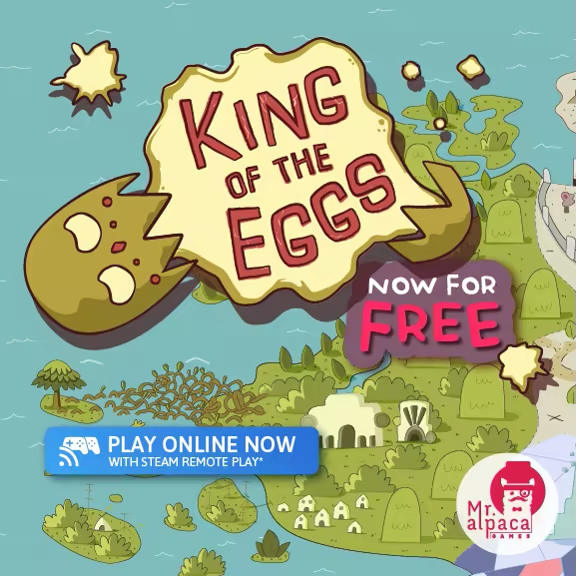
Play with your friends Online for FREE using Steam Remote Play. Welcome to Eggorias! A land where you and your friends will compete in the wildest most exciting egg smashing competition the world has ever seen.
Indie, Casual · 2018 · More free games
Join the chaos in King of the Eggs and battle it out with friends in Eggorias, a wild egg-smashing competition where teamwork and strategy reign supreme. Compete online for free using Steam Remote Play.
About this game
About this game

Hard boiled or raw these eggs just know how to party. And you are invited to their favorite party of all time, King of the eggs! The festivities include: Beating eggs, beating friends and sick beats (Disclaimer: Not to be confused with sick beets, Mr Alpaca Games does not endorse the consumption of disease ridden vegetables ). You’ll fight in a variety of stages, smashing the competition and proving yourself a worthy successor to the throne.
Crack went the king’s shell when he fell off his throne. Now the nations of Eggorias have sent their strongest champions to fight for the right to rule the kingdom. A competition like no other this tournament features different trails to test the might of these eggs: “King of the hill”, “Survival”, and “Hotball”. Prove yourself in each of these challenges and be crowned the King of the Eggs! Let’s just hope your rule lasts longer than the last...
For Online Multiplayer please use Steam Remote Play

This carton of eggs holds:
Four glorious heroes of the tournament ready to party
Three game modes: “King of the hill”, “Survival”, and “Hotball”. Each game mode features three different maps with their own unique twist.
Three ways to play: Play a “Quick match”, test your might in a “Tournament” or keep the good eggs rolling with “Endless”.
...And all the egg related shenanigans you could think of!
To fix resolution issues please refer to this post
System Requirements
Will my PC run this? →Minimum
- OS *: Windows 7
- Processor: Dual Core CPU
- Memory: 2 GB RAM
- Graphics: Integrated
- Storage: 2500 MB available space
Supported Languages
*languages with full audio support
Latest news
AnnouncementsOfficial
If you got resolution or controller problems with the game check this post
For controller problems go ahead to step #4. If you open the game and see that resolution doesn't fit like in the images below please follow this guide. http://cdn.akamai.steamstatic.com/steamcommunity/public/images/clans/31103311/f73c97009fe37bd63603aeacc9c8e2fdceb38371.jpghttp://cdn.akamai.steamstatic.com/steamcommunity/public/images/clans/31103311/388c3335b881397d13920f3cc3512fb07b182d99.jpg 1. Check your system resolution On your desktop, right click and then select display settings. There check your resolution and write it down. http://cdn.akamai.steamstatic.com/steamcommunity/public/images/clans/31103311/982aa219a165f79353f8789bf2124bd1c05a589a.png Please check if this resolution has a 16:9 aspect ratio, as King Of The Eggs only support this aspect ratio. Please refer to this site to check if your current resolution is supported: 16:9 Resolution List If your resolution is not supported please select one of the 16:9 resolutions that fits your system. We do recommend Full HD (1920x1080) or HD (1280x720) depending on your system. 2. Set the resolution on the game Now please go to the Steam app and search for King Of The Eggs. Then right click it and select properties and then select "Set Launch Options". There you will paste the following code, using the custom resolution you chose on step 1. Then click Ok. -screen-width 1920 -screen-height 1080 http://cdn.akamai.steamstatic.com/steamcommunity/public/images/clans/31103311/a36586d1cb1957aaef9538c462fde6ab7fd68032.png http://cdn.akamai.steamstatic.com/steamcommunity/public/images/clans/31103311/c76d523a953ed2d08ba2059e25d20dbadfee64e0.png http://cdn.akamai.steamstatic.com/steamcommunity/public/images/clans/31103311/817de5da4093ef2792fe9fe551d62e13a3f88a44.png 3. Enjoy the game Now you're ready to go! Enjoy! http://cdn.akamai.steamstatic.com/steamcommunity/public/images/clans/31103311/af6b579281a9016ecee8d5c5cf99083462f74bea.png 4. Controller Recommendations We do recommend using Xbox Controllers for playing this ga...Read full article on Community Announcements (IronSlayer)Patch NotesOfficial
If you got resolution or controller problems with the game check this post
For controller problems go ahead to step #4. If you open the game and see that resolution doesn't fit like in the images below please follow this guide. http://cdn.akamai.steamstatic.com/steamcommunity/public/images/clans/31103311/f73c97009fe37bd63603aeacc9c8e2fdceb38371.jpghttp://cdn.akamai.steamstatic.com/steamcommunity/public/images/clans/31103311/388c3335b881397d13920f3cc3512fb07b182d99.jpg 1. Check your system resolution On your desktop, right click and then select display settings. There check your resolution and write it down. http://cdn.akamai.steamstatic.com/steamcommunity/public/images/clans/31103311/982aa219a165f79353f8789bf2124bd1c05a589a.png Please check if this resolution has a 16:9 aspect ratio, as King Of The Eggs only support this aspect ratio. Please refer to this site to check if your current resolution is supported: 16:9 Resolution List If your resolution is not supported please select one of the 16:9 resolutions that fits your system. We do recommend Full HD (1920x1080) or HD (1280x720) depending on your system. 2. Set the resolution on the game Now please go to the Steam app and search for King Of The Eggs. Then right click it and select properties and then select "Set Launch Options". There you will paste the following code, using the custom resolution you chose on step 1. Then click Ok. -screen-width 1920 -screen-height 1080 http://cdn.akamai.steamstatic.com/steamcommunity/public/images/clans/31103311/a36586d1cb1957aaef9538c462fde6ab7fd68032.png http://cdn.akamai.steamstatic.com/steamcommunity/public/images/clans/31103311/c76d523a953ed2d08ba2059e25d20dbadfee64e0.png http://cdn.akamai.steamstatic.com/steamcommunity/public/images/clans/31103311/817de5da4093ef2792fe9fe551d62e13a3f88a44.png 3. Enjoy the game Now you're ready to go! Enjoy! http://cdn.akamai.steamstatic.com/steamcommunity/public/images/clans/31103311/af6b579281a9016ecee8d5c5cf99083462f74bea.png 4. Controller Recommendations We do recommend using Xbox Controllers for playing this ga...Read full article on Community Announcements (IronSlayer)


