

Screenshots

 Watch trailer on Steam ↗
The Painter's Playground
Next Zen Mechanics Limited · Published by Next Zen Mechanics Limited · Official site ↗
Very Positive — 97% positive (62 reviews) · 96 achievements
Last updated 27 Sept 2026
For creation and collection aficionados, The Painter’s Playground offers a game-based sandbox to craft and collect 2D artwork and share it with the online community. Strive to either be the buzz of the arthouse as a creator of sought-after works, or own the most coveted collection - or both!
£7.19
Lowest price we've ever recorded
View on SteamPrices can lag the live Steam store — always confirm before buying.
Price history
Indie, Simulation, Casual · 2018 · More £5 - £15 games
Dive into The Painter's Playground, a casual indie simulation from 2018 where you can craft and curate your own 2D masterpieces. Strive for fame in the art world or build the ultimate collection—both paths await.
About this game
Calling All Artists!
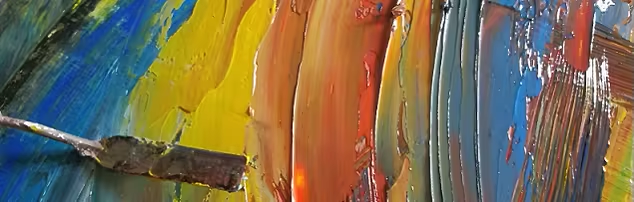
The Painter's Playground is a mashup of utility paint program with RPG-leveling up and clicker-inspired gameplay. While there is no fail state, there are certainly measures of success such as creating a painting that commands a high price in the online community, or owning a gallery of coveted works. Whether you are just someone who wants to doodle with a mouse or already have years of experience creating masterpieces with a drawing tablet - there is fun to be had creating and collecting in the zen coastal town of Painter's Port.
Come visit Painter's Port. Stay awhile. You'll be glad you did.
- With slow-burning clicker-inspired progress, you will be peeling away layers for dozens of hours.
- Create works of digital 2D art using a multitude of tools, paints, and canvases. Gain recognition for your efforts through the online community through ‘thumbs up’ artwork appreciation votes and/or selling your work.
- Manage your own gallery to ensure you have the most coveted collection of curated works; buy, sell, and vote on community-created works of art.
- Earn Renown (XP) through painting idle clicker-style, and Bits (money) from gallery sales. Spend these currencies on permanent upgrades, a variety of canvases, new painting tools, paint colors, votes on your favorite paintings in The Community Harbor, and much more.
- Invest Renown into progressing through 50 levels as a career artist. The unlock system caters to creative gamers that enjoy a slow-burning ‘lifestyle’ game.
- Vie for the top spot in a multitude of categories on the leaderboards.
- Enjoy the beautiful IRL hand-crafted oil painted world by renowned artist Russell Murray.
- Explore Oyster Mode to paint with absolutely no limitations.
- Supports Wacom drawing tablets out of the box. (*NOT* Required)
System Requirements
Will my PC run this? →Minimum
- OS: Modern version of Windows
- Processor: 2 GHz
- Memory: 4 GB RAM
- Graphics: Onboard graphics will work fine.
- Network: Broadband Internet connection
- Storage: 250 MB available space
- Sound Card: Anything
- Additional Notes: Number of paintings stored locally are only limited to hard disk space.
Recommended
- OS: Modern version of Windows
- Processor: 2 GHz and up
- Memory: 8 GB RAM
- Graphics: Onboard graphics will work fine.
- Network: Broadband Internet connection
- Storage: 250 MB available space
- Sound Card: Anything
- Additional Notes: Number of paintings stored locally are only limited to hard disk space.
Supported Languages
Latest news
AnnouncementsOfficial
TPP 1.04 Released!
A few changes have appeared in The Painter's Playground, especially for Daily Challenges! * New topics have been added * You can now use all tools on dailies * You can also use all colors * You have total freedom for the Daily Challenge! A few other more minor things have been changed or added, but you're not likely to actually notice them ;) Enjoy, Bob NZMRead full article on Community Announcements (IBOL17)AnnouncementsOfficial
Huion Tablet Winner! Big Congrats to Kirbyrocket!!!
...And Steam user Kirbyrocket has reached Artist Level 50! Big congrats to them, and everyone else who took part in the contest! The tablet is in the mail! http://cdn.edgecast.steamstatic.com/steamcommunity/public/images/clans/31140658/b20b7f74c09a9ac7b7cd0e411d9b935ec5c2424b.png Thank you all so very much for playing. Happy Painting!!Read full article on Community Announcements (Ryan Dorkoski)AnnouncementsOfficial
Huion Tablet Winner! Big Congrats to Kirbyrocket!!!
...And Steam user Kirbyrocket has reached Artist Level 50! Big congrats to them, and everyone else who took part in the contest! The tablet is in the mail! http://cdn.edgecast.steamstatic.com/steamcommunity/public/images/clans/31140658/b20b7f74c09a9ac7b7cd0e411d9b935ec5c2424b.png Thank you all so very much for playing. Happy Painting!!Read full article on Community Announcements (Ryan Dorkoski)Patch NotesOfficial
Patch Notes 1.03
Feb. 22 at Noon EST, The Painter's Playground 1.03 is available. A lot has been accomplished in the past two weeks, and we couldn't have done it without our awesome community of artists and collectors. Here are the patch notes, please read carefully, since it differs from the previous announcement. Fixed: Cleared up a bug that was causing improper displays in the leaderboards. Cleared up an even more insidious bug that was giving everyone the wrong number of "thumbs given". Changed: Zoom level has been increased. The base calculated price of paintings has been slightly decreased. You can now set the prices of your paintings *lower*, as has been requested. Removing a painting from being on sale can lower its market value. Seller beware! Noticed: Something I put in a long time ago, and forgot about... When you're in the Harbor, you can press 'S' on the keyboard to see which paintings *you* are selling. You can also press 'W' to see which paintings you are showcasing. I'm not sure whether this will be developed further, removed, or left alone. Added: There is now an "Are you sure" pop-up window when flagging a painting. You can now click on an artist's name in the Harbor or Community gallery, and see all their public paintings. You can now use the TAB key to scroll through your favorite colors, in addition to the existing 1,2,3,4,5,6 hotkeys. Press SHIFT while painting to save your work in progress. This happens automatically occasionally, but better safe than sorry ;) There are now "search modes" in the Community Showcase gallery! There is now a "folder" button in the lower right in Your Private Gallery. This opens the media folder on your computer where your local paintings are stored, to make it easy to share your work with the world. So please share your work with the world: twitter, instagram, deviant art, facebook, etc. Twittered: You can now tweet links to finished paintings: Go to "Settings" and turn Auto-Tweet On. Each time you finish a painting in your studio...Read full article on Community Announcements (IBOL17)Patch NotesOfficial
Patch Notes 1.03
Feb. 22 at Noon EST, The Painter's Playground 1.03 is available. A lot has been accomplished in the past two weeks, and we couldn't have done it without our awesome community of artists and collectors. Here are the patch notes, please read carefully, since it differs from the previous announcement. Fixed: Cleared up a bug that was causing improper displays in the leaderboards. Cleared up an even more insidious bug that was giving everyone the wrong number of "thumbs given". Changed: Zoom level has been increased. The base calculated price of paintings has been slightly decreased. You can now set the prices of your paintings *lower*, as has been requested. Removing a painting from being on sale can lower its market value. Seller beware! Noticed: Something I put in a long time ago, and forgot about... When you're in the Harbor, you can press 'S' on the keyboard to see which paintings *you* are selling. You can also press 'W' to see which paintings you are showcasing. I'm not sure whether this will be developed further, removed, or left alone. Added: There is now an "Are you sure" pop-up window when flagging a painting. You can now click on an artist's name in the Harbor or Community gallery, and see all their public paintings. You can now use the TAB key to scroll through your favorite colors, in addition to the existing 1,2,3,4,5,6 hotkeys. Press SHIFT while painting to save your work in progress. This happens automatically occasionally, but better safe than sorry ;) There are now "search modes" in the Community Showcase gallery! There is now a "folder" button in the lower right in Your Private Gallery. This opens the media folder on your computer where your local paintings are stored, to make it easy to share your work with the world. So please share your work with the world: twitter, instagram, deviant art, facebook, etc. Twittered: You can now tweet links to finished paintings: Go to "Settings" and turn Auto-Tweet On. Each time you finish a painting in your studio...Read full article on Community Announcements (IBOL17)


