

Screenshots

 Watch trailer on Steam ↗
Beasts of Bermuda
Sastrei Studios, LLC · Published by Sastrei Studios, LLC · Official site ↗
Mixed — 69% positive (9,763 reviews)
Last updated 27 Sept 2026
Play as a dinosaur and become part of a player-created ecosystem! Beasts of Bermuda is a multiplayer game where players endure catastrophic storms and fearsome foes while growing to monstrous sizes. Do you have what it takes to survive in the Bermuda Triangle?
£15.49
Lowest price we've ever recorded
View on SteamPrices can lag the live Steam store — always confirm before buying.
Price history
Adventure, Indie, Simulation, Massively Multiplayer, Early Access · 2018 · More £15 - £30 games
Explore the dangers of the Bermuda Triangle as a dinosaur in this indie, massively multiplayer simulation where you'll face fierce opponents and natural disasters. Can you thrive in Sastrei Studios' early access adventure?
About this game
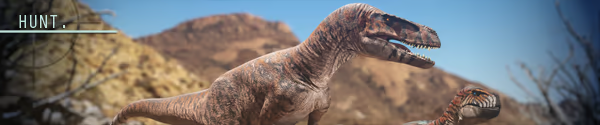
Beasts of Bermuda is a multiplayer survival game in which the player is a dinosaur or other prehistoric creature. A player can take the role of flyers, swimmers, herbivores, carnivores, and semi-aquatic creatures that fulfill different niches in the ecosystem. No matter what the player chooses to be, the objective of the game is to survive and grow up on the islands of Bermuda by using their particular creature's abilities. Predation from other players as well as intense environmental events are the antagonistic forces in the game the player must survive against.
There are currently three game modes in Beasts of Bermuda.

In Free Roam game mode the player selects a creature of choice and spawns into the world as a juvenile of that species. They must survive and gradually grow larger over time. As growth accumulates, they also earn talents, which can be spent to enhance different aspects of your creature's capabilities. In this mode growth is slower but resource management is easier.
In Life Cycle game mode the player selects a creature and spawns into the world as a juvenile of that species. You must survive and grow larger in a fast paced growth setting. As growth accumulates, you will earn talents to enhance different aspects of your creature's capabilities. After 1.32 growth you can choose to enter a stage called Gauntlet, where the difficulty of the game increases with growth in the form of food, water, and ailment management. In this mode growth is faster but resource management is harder. Compete on a monthly leaderboard to earn the top growth ranking for your species!
In Combat game mode players are pitted against one another with mechanics that are designed to reward conflict. Servers can use Deathmatch Maps which are smaller with close together spawn locations. The player spawns in as an adult creature of their choice and can accrue more talent points by killing other players and stealing their points. The game mode is endless and uses points and kill/death ratios to show who reigns supreme on the server.

System Requirements
Will my PC run this? →Minimum
- Requires a 64-bit processor and operating system
- OS *: Windows 8 or later, 64 bit only
- Processor: AMD X8 FX-8350 @ 4GHz / AMD Ryzen 3 1200 @ 3.1GHz / Intel Core i5-3470 @ 3.2GHz
- Memory: 8 GB RAM
- Graphics: AMD Radeon RX 5300 / Nvidia GeForce GTX 680 / Nvidia GeForce GTX 770 / Nvidia GeForce GTX 960
- DirectX: Version 12
- Network: Broadband Internet connection
- Storage: 20 GB available space
Recommended
- Requires a 64-bit processor and operating system
- OS: Windows 10 or later, 64 bit only
- Processor: AMD Ryzen 5 1400 @ 3.2GHz / Intel Core i7-4770 @ 3.4GHz
- Memory: 16 GB RAM
- Graphics: AMD Radeon RX 6600 / Nvidia GeForce GTX 980 / Nvidia GeForce GTX 1070 / Nvidia GeForce RTX 2060
- DirectX: Version 12
- Network: Broadband Internet connection
- Storage: 20 GB available space
Supported Languages
Latest news
AnnouncementsOfficial
DevBlog #01 - Customization & Chittering Chills
Hello Beasts! This is our first ever DevBlog and we're quite excited to talk to you about what we’ve been working on these past few months. We're quite a small team, so please, bare with us while we find our footing with this new venture. We hope you enjoy what we have to talk about in this blog.FAVOR STOREWe've been teasing the favor store and are happy to say it's coming along beautifully. Our art team has been hard at work creating lots of items you'll be able to purchase with favor points in-game, from scars to make your dinosaur look battle hardened to skull overlays to make you stand out amongst the crowd. With the addition of this new feature you can earn favor through play time, meeting certain objectives and trials. Each reward will be permanently unlocked for the species you've unlocked it on. You can only equip so much per dinosaur however due to texture slot limitations. We’ve looked into multiple ways to figure out how we could tackle this as we know players would like to equip multiple overlays at once, but due to our robust skin system and how many texture slots we’ve used already it isn’t a possibility as of right now.The favor store can be accessed via the character selection screen. Upon death you can purchase items from the store before resurrecting or reincarnating your dinosaur. While playing the game you can access the store via your character O menu, you cannot buy cosmetics while alive but you can buy different features like reskins and regenders.You'll also be able to view your DLC items through the favor store. Anything you've purchased on this menu will show up greyed out whilst things you've not purchased or are new to the DLC store will be displayed as normal. Keep track of what new packs or DLC's we may release in the future through this page!ZUPAYSAURUSZupaysaurus has been a fun creature to begin implementing. With its fearful gaze and chattering calls, it's been haunting all of our QA testers’ nightmares. We're happy to say that progr...Read full article on Community Announcements (Korvinox)AnnouncementsOfficial
Character Migrations for Official Servers!
Character Migrations on Official Servers +Added Character Migrations to the Official servers. Migrations allow players to move characters from one Official server to another (excluding the Combat server). Migrated characters will be marked dead upon receipt at their destination, as the process of this migration is incredibly perilous. Additionally, if players have not unlocked cosmetics on the recipient server, they will be removed from their character. They can re-equip any cosmetics removed if they earn those cosmetics on the corresponding server, or if they move their character back to a server where they own the cosmetic. This applies to cosmetics such as burn scars. Mutations such as bio will always transfer, and will not be lost. -You can have up to three characters migrating at a time -You cannot receive migrating characters on a server where you do not have an open save slot -Characters get their Favor set to zero upon migration. Note that we plan to reset Favor when we add the Favor Shop anyways, so right now it is not a useful resource and will be lost anyways. -Characters that migrate to other maps will spawn in at a randomly-selected, appropriate spawn point for that character -We have taken great precaution to ensure characters cannot be deleted or lost in this system. Characters placed into the migration system are never deleted, just archived, so if something happens and your character disappears while using this system, we encourage you to open a ticket so we can investigate and restore the character. We believe we have all the bugs worked out of this system, but this is our failsafe. -Characters are marked dead to prevent players from growing on easier servers and then transferring to higher populated servers at higher growths -We may extend it for community server usage, not to and from Officials but to and from one-another so long as both parties agree in their configs QoL +Swapped out generic loading widget for a Speed Deity-themed one Balance Ch...Read full article on Community Announcements (Soals)Patch NotesOfficial
Springtime Tune-up Hotfix
+Fixed (public): You can now spend talent points you earned with Score in the Combat game mode +Fixed (public): Listen Server hosts now see weather work properly, and all weather-related console commands should now respond correctly on listen servers +Fixed (public): Listen server hosts can now see Saichania's Spiky Shield effect +Increased range a player can drink from a water source from before they get disconnected. This should prevent players from being disconnected when drinking from certain bodies of water. +Fixed (public): The "you are full" notification should now show up when you are eating meat at the correct time (update build ID) +Fixed (public): You now receive comfort bias decreases while eating spoiled meat (update build ID) +Fixed (public): Players should now lose their buffs when exiting a world event area +Fixed (public): Foliage.sav files duplicating their saved foliage data under certain conditions +Fixed (public): Grabbing now works properly on listen servers +Fixed (public): When un-hovering on a moused-over, saved skin or when closing the skin editing user interface after mousing over a saved skin without applying it, your previous skin is now properly re-applied +Fixed (public): Server-side "LogScript: Warning: Accessed None trying to read property K2Node_DynamicCast_AsCarcass_1" log spam when players eat from carcasses +Fixed (public): Server crash related to eating from carcasses +Fixed (public): Listen servers now operate in the game mode they are broadcasting properly +Fixed (public): The world event border now shows properly for listen server hosts +Fixed (public): Elasmo can now reliably eat carcasses without being disconnected from the server +Fixed (public): Common server-side crash that would happen while the server was trying to execute a save tick +Fixed (public): Listen servers with passwords now can be joined properly by other players who type in the correct password +Fixed (public): Listen server host UI now has the correct tool...Read full article on Community Announcements (Soals)AnnouncementsOfficial
Springtime Tune-up!
{STEAM_CLAN_IMAGE}/31308067/b51f4cd394d22f5e1daf749dfaa45c622e22e948.png Sharing of Saved Skins via Steam Workshop You can now submit a skin to the Steam Workshop by pressing a new "Submit Skin" button that has been added to the user interface! This button is present on both the main menu and in-game versions of this user interface. When you select "Submit Skin," it will bring up a window where you can name your skin and input a description. Additionally, clicking the large button at the bottom will allow you to take a preview screenshot that will be used for the Steam Workshop item. It automatically will tag the Steam Workshop item as a "BoB_Workshop_Skin," a "Skin," tag it for whichever dinosaur you're submitting it for, and apply tags for all the base skins that have contributed layers to the skin. You can only submit skins to the Steam Workshop if you own all the skins that contributed layers to the skin. You can only equip skins from the Steam Workshop if you own all the skins that contributed layers to the skin. If you subscribe to skins that have layers present that you do not own, they will not show up in the Saved tab of the skin customization UI. Players can now save mixed / nested skins so long as they do not have any layers present that the player does not own the skins for. These skins can also be submitted to the Steam Workshop Skins with mutations (bio, melanistic, albino, etc) cannot be submitted to the Steam Workshop, nor saved. Skins you have subscribed to do not save to your USER_SKINS.sav file. They are downloaded by Steam and put in their own separate folder. We have unlocked true black, allowing players to customize skins with the darkest black. *Note that while the files used on Steam Workshop are JSON files, all saved skins now have an anti-tamper placed on them. This means if anything about a saved skin is changed, the skin will no longer load. This applies to both Steam Workshop skins and skins in the local USER_SKINS.sav file. Unfortunatel...Read full article on Community Announcements (Soals)AnnouncementsOfficial
The May Flowers!
+For a limited time, players will be able to earn the 2026 Spring Event skin: Primrose Saichania, as well as all previous year's Spring Event Skins: Granite Gladiator Velociraptor, Skal Archelon and Spring Guardian Apatosaurus. - The new skin was made by Krymsonfeather & A.L, with flower equips by Kari - The skins have a glowing, bioluminescent layer. - The skins unlock separate equippable cosmetic overlays: Viney Tangle for Saichania, Mossy Covers for Apatosaurus & Velo, as well as Algae Bloom for Archelon. The unlocked overlays can go on any skin of their corresponding species. - Some skins have equippable meshes: Flowers for Saichania & Velociraptor, Armor for Velociraptor, and Corals for Archelon {STEAM_CLAN_IMAGE}/31308067/11ecd52fb68e2036a30896fd8e0a040586629862.png Earning the Skins: +To unlock the skins and their overlays, players need to find and collect golden dinosaur idols scattered around the map. Gathering the idols will allow the player to progress through achievements associated with earning the skins. Apatosaurus Idols will unlock the Apatosaurus Seasonal Skin Archelon Idols will unlock the Archelon Seasonal Skin Saichania Idols will unlock the Saichania Seasonal skin Velociraptor Idols will unlock the Velociraptor Seasonal skin + The idols will be spawning on all servers and on both Life Cycle and Free Roam game modes. + Completing the achievement on any server will unlock access to the skin and cosmetics game-wide. {STEAM_CLAN_IMAGE}/31308067/d20bc29eddd1f5b03ebcb053791da0c24c4bda36.png Idol Collecting Tips! The newest skin: Primrose Saichania will require gathering 3 idols to unlock. This number got leaked through our testing servers, but we figure everyone could use a break... a spring break! So enjoy this low idol count for this season exclusively. All previous year's seasonal skins will require 35 idols to unlock. The idols belonging to the newest skin will have a special compass icon different from the others. It looks like a gold star-burst ...Read full article on Community Announcements (Soals)


