

Screenshots

 Watch trailer on Steam ↗
World Climate Lab
World Climate Lab Dev · Published by None
8 user reviews — 100% positive (8 reviews)
Last updated 29 Sept 2026
World Climate Lab is a real-time planetary climate simulator. Import your own terrain or sculpt a world in the topography editor, then watch a living climate emerge from physics: winds, oceans, cloud bands and ice. Every climate is calculated, not painted.
£12.00
Lowest price we've ever recorded
View on SteamPrices can lag the live Steam store — always confirm before buying.
Price history
Indie, Simulation, Early Access, Casual · 2026 · More £5 - £15 games
About this game
World Climate Lab
World Climate Lab is a real-time planetary climate simulator. Build a world or bring your own, set its star, rotation, and atmosphere, then watch a complete climate system develop from physical first principles. Nothing here is hand-painted or faked. Winds, ocean currents, cloud bands, rainfall, and ice form because the physics says they must.
Bring your own world, or build one here
Import your own terrain and discover the climate it would truly have, or shape a world from scratch in the built-in topography editor. Raise mountain ranges, carve oceans, and position continents, then let the simulation reveal the winds, rains, and temperature your world produces. For worldbuilders, this is the answer to a question maps alone can never settle: what would the weather actually be?
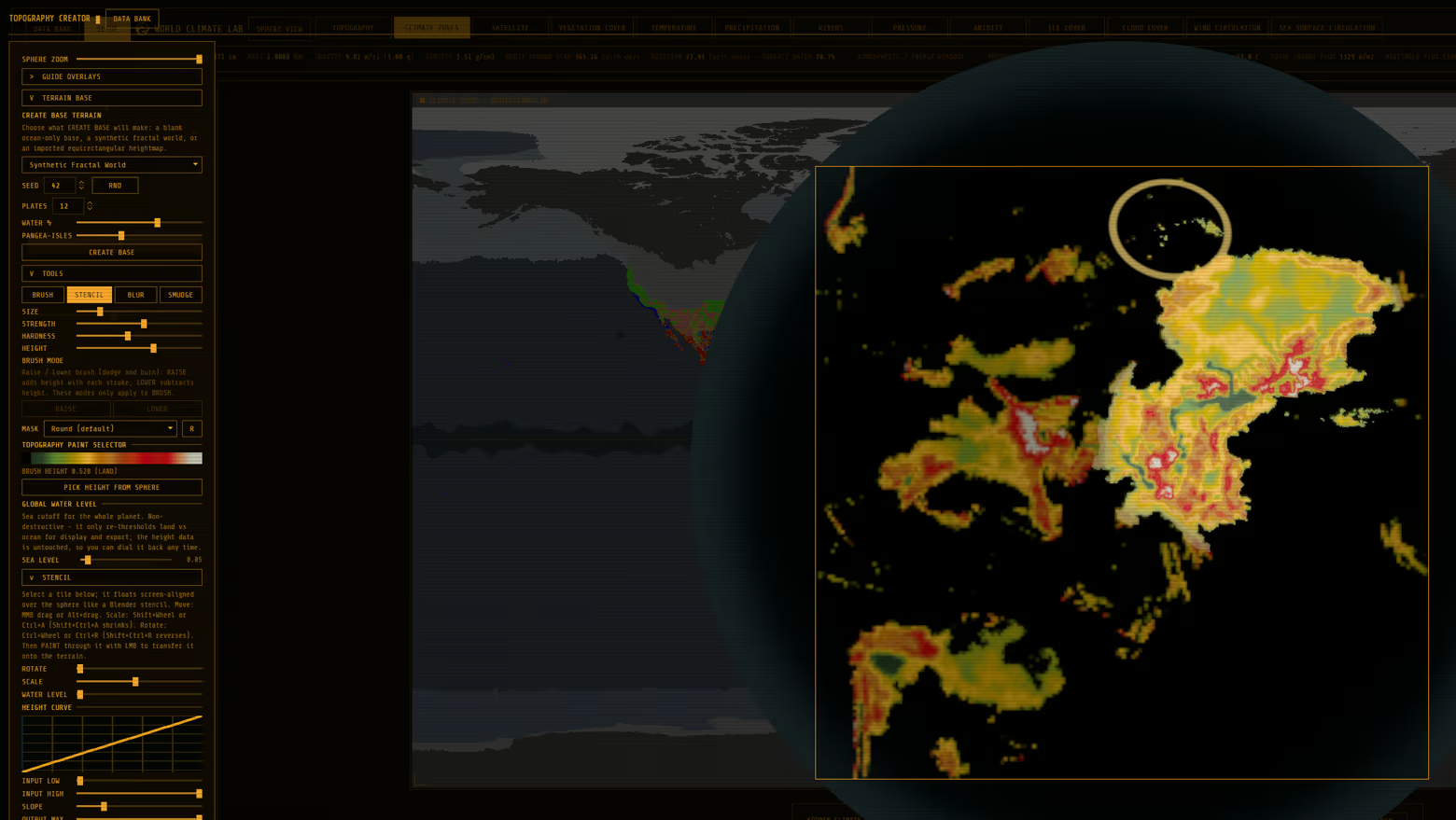
Build a world, then watch it breathe
Adjust a planet's spin and watch its weather reorganise in real time. Slow a world's rotation and see its circulation widen into vast climate bands. Lock it to its star and watch a permanent storm ring form along the line between endless day and endless night. Thicken the atmosphere, move the oceans, change the sunlight, and the whole system responds.
Terraform real worlds
Take Venus from a crushing greenhouse to a temperate world with oceans and weather. Warm a frozen Mars until rivers run. World Climate Lab models real planetary bodies, so you can test what these worlds might become.
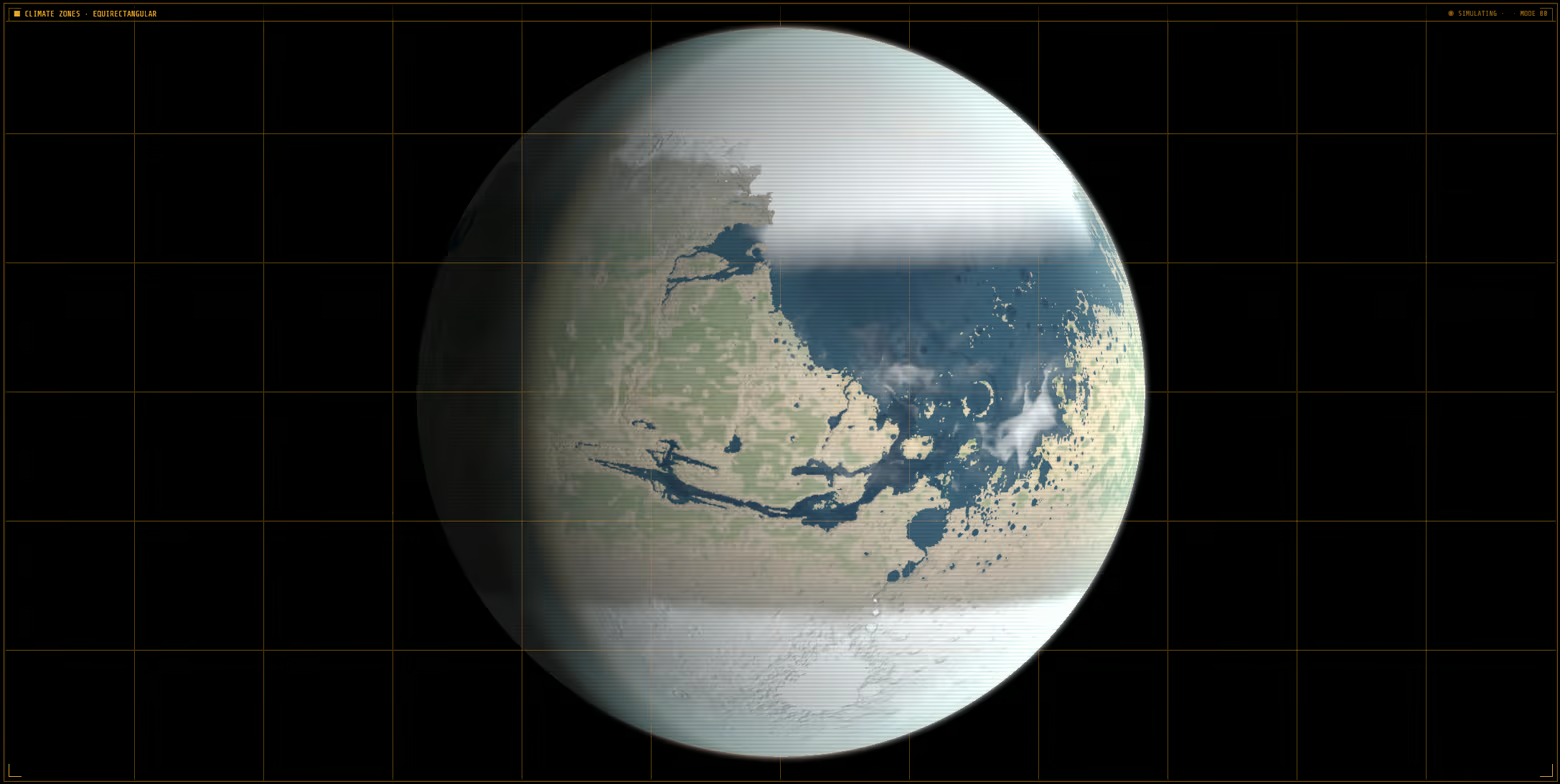
Explore climates beyond Earth
Earth's familiar climate zones are only one possibility. World Climate Lab introduces a complete classification system for worlds that don't behave like ours, including fast rotators, slow rotators, and tidally locked planets where the rules of weather change entirely.
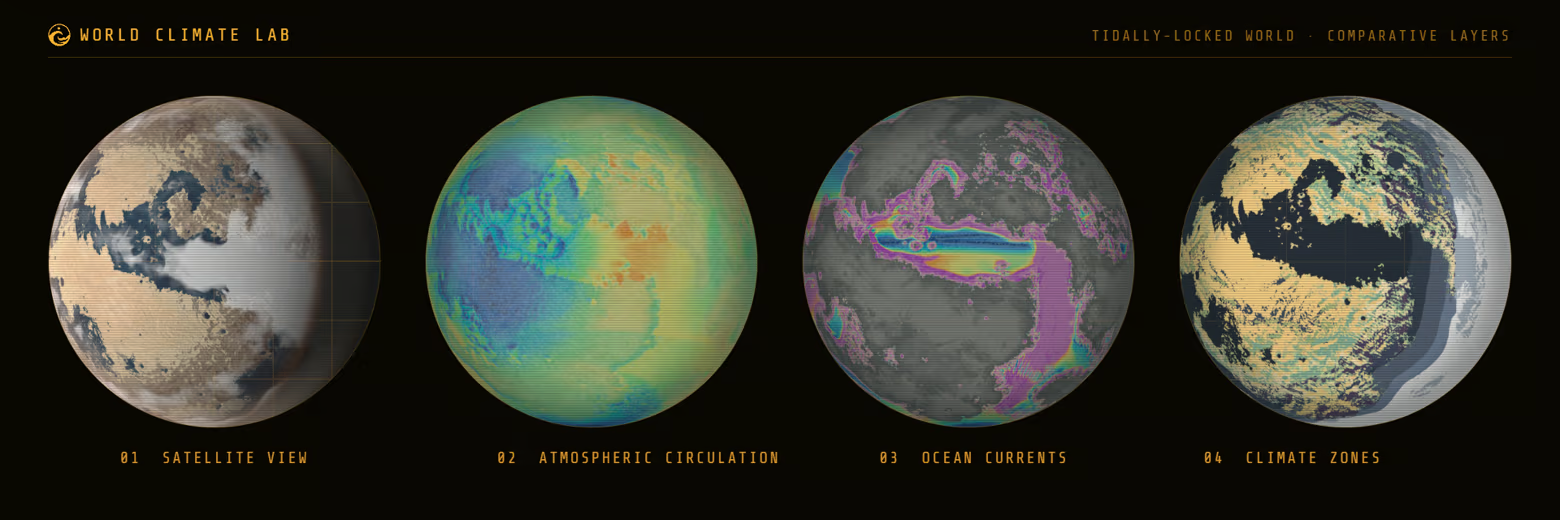
Real science, made visible
Every world is calculated from genuine atmospheric and physical models, then rendered with a planet shader that derives its colours, oceans, and atmospheric glow from the simulation itself. What you see is the physics, made beautiful.
Whether you are a worldbuilder testing a map you have drawn, a student of climate and physics, or someone who simply wants to watch a world come alive, World Climate Lab turns planetary science into something you can hold in your hands and play with.
System Requirements
Will my PC run this? →Minimum
- Requires a 64-bit processor and operating system
- OS: OS Version: Windows 10 64-bit
- Processor: Intel Core i5-8400 / AMD Ryzen 5 2600
- Memory: 16 GB RAM
- Graphics: Vulkan-compatible dedicated GPU with 6 GB VRAM, NVIDIA GTX 1660 / AMD RX 5600 XT or better
- Storage: 2 GB available space
- Sound Card:
- Additional Notes: Requires a Vulkan-compatible graphics driver. Large exports, cinematic frame dumps, and generated maps may require additional disk space.
Recommended
- Requires a 64-bit processor and operating system
- OS: Windows 10 or Windows 11 64-bit
- Processor: Intel Core i5-12400 / AMD Ryzen 5 5600
- Memory: 32 GB RAM
- Graphics: NVIDIA RTX 3060 12 GB / AMD RX 6700 XT 12 GB or better
- Storage: 4 GB available space
Supported Languages
Latest news
Patch NotesOfficial
World Climate Lab 0.1.2 - The Living Climate Update
World Climate Lab 0.1.2 - The Living Climate UpdateWorld Climate Lab now runs the same kind of physics as academic models run. The primitive equations of a rotating atmosphere, solved on ten levels, with radiation, moisture, cloud, a slab ocean and sea ice: the physics academic models are built from, on your graphics card, settling a world in minutes instead of overnight on a cluster. Set it loose on Earth, and it reproduces the world's climate zones about as closely as published academic models do.Every world gets its weather from that model now, and every layer you look at comes out of the same run. Temperature, rainfall, cloud, pressure, winds at two heights, sea ice, snow, soil moisture, and vegetation agree with one another because they come from one solution.You can watch it happen. Load a world, and the map fills in day by day as the climate settles, with the first year forming before you.What your air is made of decides the climate. Every gas does to light what it really does. Air scatters sunlight according to what it is made of and how much of it there is, and gases hold heat in their own absorption bands and through collisions between molecules, which on some worlds is the only warmth there is. Build a world out of carbon dioxide, methane or hydrogen and it behaves like one. Thick atmospheres behave like thick atmospheres, and a world built to run hot runs as hot as its own air and sunlight make it.New gases to build with. A blend of manufactured fluorocarbons joins the composition list, closing the part of the infrared window the common gases leave open. Ammonia warms a world from the middle of that window, so a trace goes a long way. Sulphur dioxide does both of its jobs: it traps heat in a band of its own, and it turns to droplets that scatter sunlight away, so a little warms a world while a lot makes it bright and cold.The oceans move. A new Paths view on the Sea Circulation layer follows the water itself, tracing streamlines through the currents the ...Read full article on Community Announcements (Wol)AnnouncementsOfficial
Requested App Discord
A new Discord for the app has been created. Please come onboard for support or to share your creationsDiscord Community PageRead full article on Community Announcements (Wol)Patch NotesOfficial
Update - Climate transport, maps, and topography based on feedback
Climate simulation Corrected an equatorial moisture-budget error that allowed small seas and lakes to sustain rainfall across unrealistically large tropical regions. Amongst other model fine-tuning improvements Maps, Satellite view, and exports Added mouse-wheel zooming, mouse-drag panning, and double-click reset controls to flat maps. Flat-map zoom is now rendered from the source layer at the current view, keeping terrain and climate detail sharper when magnified. Added visible map-control reminders so zooming and panning are easier to discover. Added a flat equirectangular Satellite map and a control for showing or hiding its cloud layer. Added still-image export choices at 2048, 4096, and 8192 pixels. Saves and exports now use a clearly named `World Climate Lab` folder under Documents instead of creating folders on the desktop. Topography Creator Fixed brushes becoming unresponsive after importing terrain and changing the global water level. The climate simulation now pauses while the Topography Creator is open. Added 73 bundled terrain brushes across basin, dendritic, dune, erosion, folded-ridge, irregular, noise, ridge-valley, and smooth families. Replaced the brush-shape list with a visual thumbnail grid. Added a live brush-shape preview on the planet, manual rotation, and optional random rotation for each stroke. Decoupled editor input from the map behind it, preventing brush-size and rotation controls from moving or zooming the underlying simulator. Improved the editor backdrop, planet-edge halo, control guidance, and Topography Creator tutorial.Read full article on Community Announcements (Wol)Patch NotesOfficial
World Climate Lab 0.1.1 The Living Climate Update
Two intensive days of climate model development and tuning (With lack of sleep), interface polish, localisation, and release preparation have brought the improved atmospheric model into the main build. Climate simulation Improved how moisture crosses mountain ranges, rains out during uplift, descends into interior basins, and recovers farther downwind. Refined seasonal tropical rainfall, stable marine inflow, and winter coastal and plateau moisture routes. Added thermodynamic sea-ice feedback. Earth-like worlds now reproduce the broad observed climate pattern more closely. The Gran Chaco and Río de la Plata basin, the Horn of Africa, and the western United States remain the most notable regional deviations from observed Earth climate. Satellite and orbital views Satellite view now opens at a more readable 260-degree light angle. Reduced solid polar cloud sheets while retaining finer, wispy cloud structure. Tidally locked worlds now stop rotating in Satellite view and begin with the light angle aligned to the terminator; users can still adjust either control manually. Changing a tidally locked planet into a simulated moon now clears its star lock, preventing the moon from becoming unintentionally locked to both its parent and the star. Topography Creator Imported heightmaps can now use a custom peak elevation. Leaving the field blank uses the highest physically supported value, and larger entries are safely capped. Interface and map fixes Added an option to hide the map scanline effect --- in settings. Added clearer labelling for precipitation display choices, including snowfall, snow fraction, and precipitation phase. Added visible, styled scrollbars and improved spacing across the Data Bank and Topography Creator. Fixed Settings, Music, and Error Console panels sometimes failing to close or stretching to the bottom of the window. Localisation - Added German, Russian, and Traditional Chinese localisations.Read full article on Community Announcements (Wol)Patch NotesOfficial
Patch notes
Patch list Settings, accessibility, and performance Added a dedicated Settings menu for interface size, language, GPU load, and simulation rate. Preferences are saved between sessions. Interface scaling can now be set from 100% to 200%. Scaling covers the welcome screen, simulator controls, Topography Creator, Data Bank, diagrams, tooltips, and dialogues. Added Automatic, Reduced, and Full GPU Load choices. Reduced mode lowers the visual cost of maps, wind, and ocean-current animation while leaving the physical climate calculations unchanged. Added 60, 30, 20, and 10 Hz Simulation Rate choices. Lower rates can make the application much more responsive on slower computers, although the climate will take proportionally longer in real time to settle. The welcome screen now pauses the simulation until the user is ready, shows the active performance settings, and provides a direct route to the recommended Reduced GPU Load and 10 Hz options if running appears extremely slow or frozen. The Settings menu is scrollable, keeping every option accessible at larger interface scales and in smaller windows. Export improvements Fixed still-image and animated GIF exports sometimes producing white noise or corrupted frames. Animated exports now capture clean map frames across the world's orbit, saving the individual PNG source frames alongside the finished GIF. Interface and map fixes Climate Zones hover information now always describes the colour visible beneath the pointer, including Köppen, Demeter, Erebus, and water classes. Localisation Added automatic system-language detection and a manual language selector, with English used whenever a matching translation is unavailable. World Climate Lab is now localised in French and Spanish. German and Russian localisations are planned for future updates.Read full article on Community Announcements (Wol)


