

Screenshots

 Watch trailer on Steam ↗
Silent Shark
John Goering · Published by John Goering · Official site ↗
Very Positive — 98% positive (130 reviews) · 32 achievements
Last updated 28 Sept 2026
A tactical, map-based WWII submarine sim set in the Pacific Theater: Approach, intercept, strike unseen, withdraw into the deep. With realistic instruments, a Torpedo Data Computer (TDC), and including a full campaign with missions, patrol zones, radio intel, and more.
£15.99
Lowest price we've ever recorded
View on SteamPrices can lag the live Steam store — always confirm before buying.
Price history
Indie, Simulation, Strategy · 2026 · More £15 - £30 games
About this game
Silent Shark is a tactical and realism-focused WWII submarine simulator built around plotting, estimation, and submarine command, set in the Pacific Theater.
Track contacts by hydrophone, work out their course and speed, identify ships through the periscope, estimate range with a stadimeter, and build your firing solution from imperfect information. The game is played on a tactical chart with period-inspired instruments and deliberate controls.
A good attack takes preparation. You need to approach from the right angle, manage depth and speed, account for visibility and sea state, set up the torpedoes, and leave yourself a way out before escorts respond.
If destroyers do locate you, be prepared for evasive maneuvers and paying attention when to go hard and fast, or slow and silent.
Core Features
Map tools like compass, ruler, timestamped points, and angles help you to hunt for the perfect course to intercept.
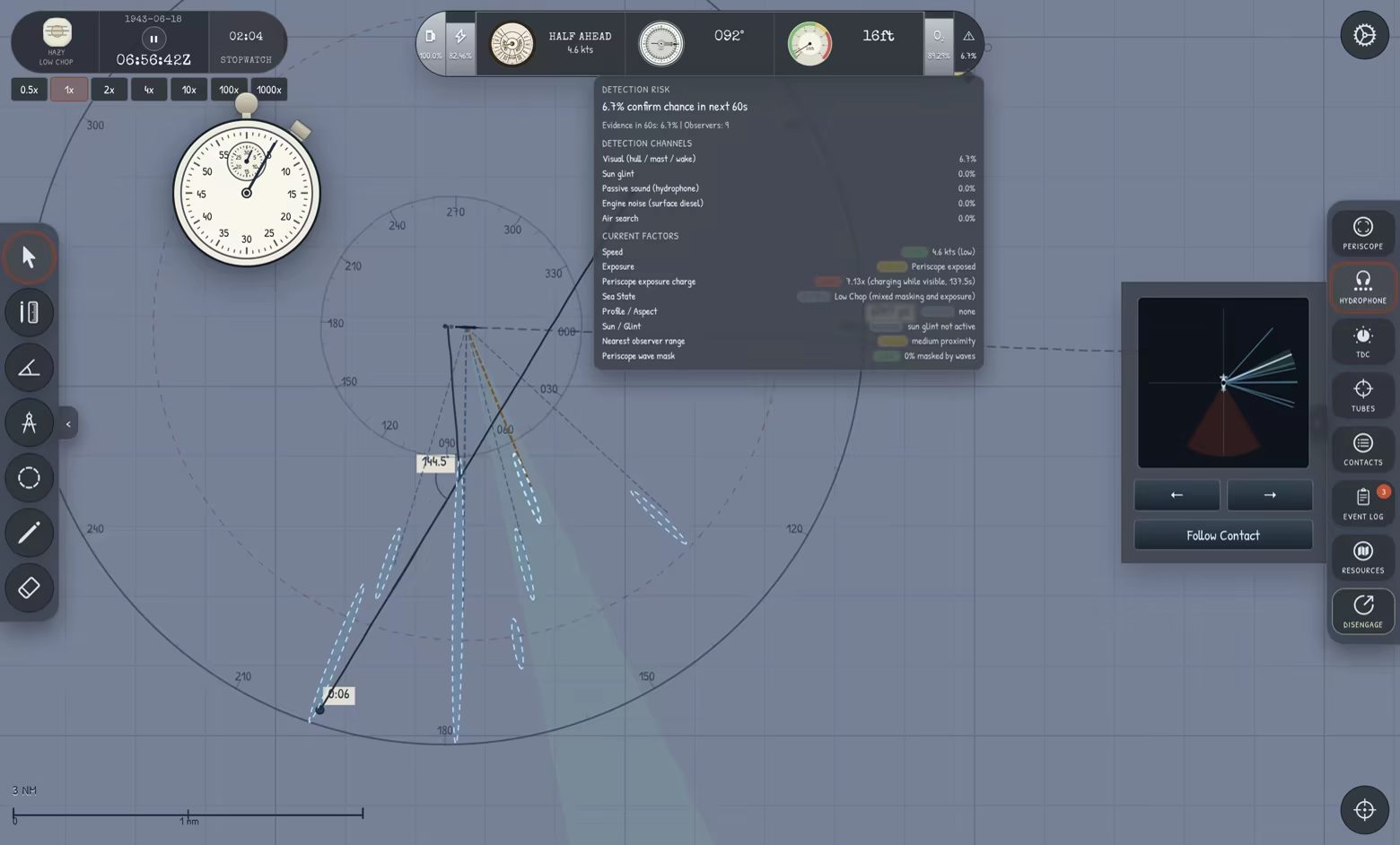
Realistic replicas of historical instruments such as the engine telegraph, depth meter, and stopwatch.
Periscope with 1.5x and 6x zoom shows a stylized 3D view of contacts within visibility range.
Hydrophone for tracking ships and convoys by sound - tell the difference between freighters and escort by pitch.
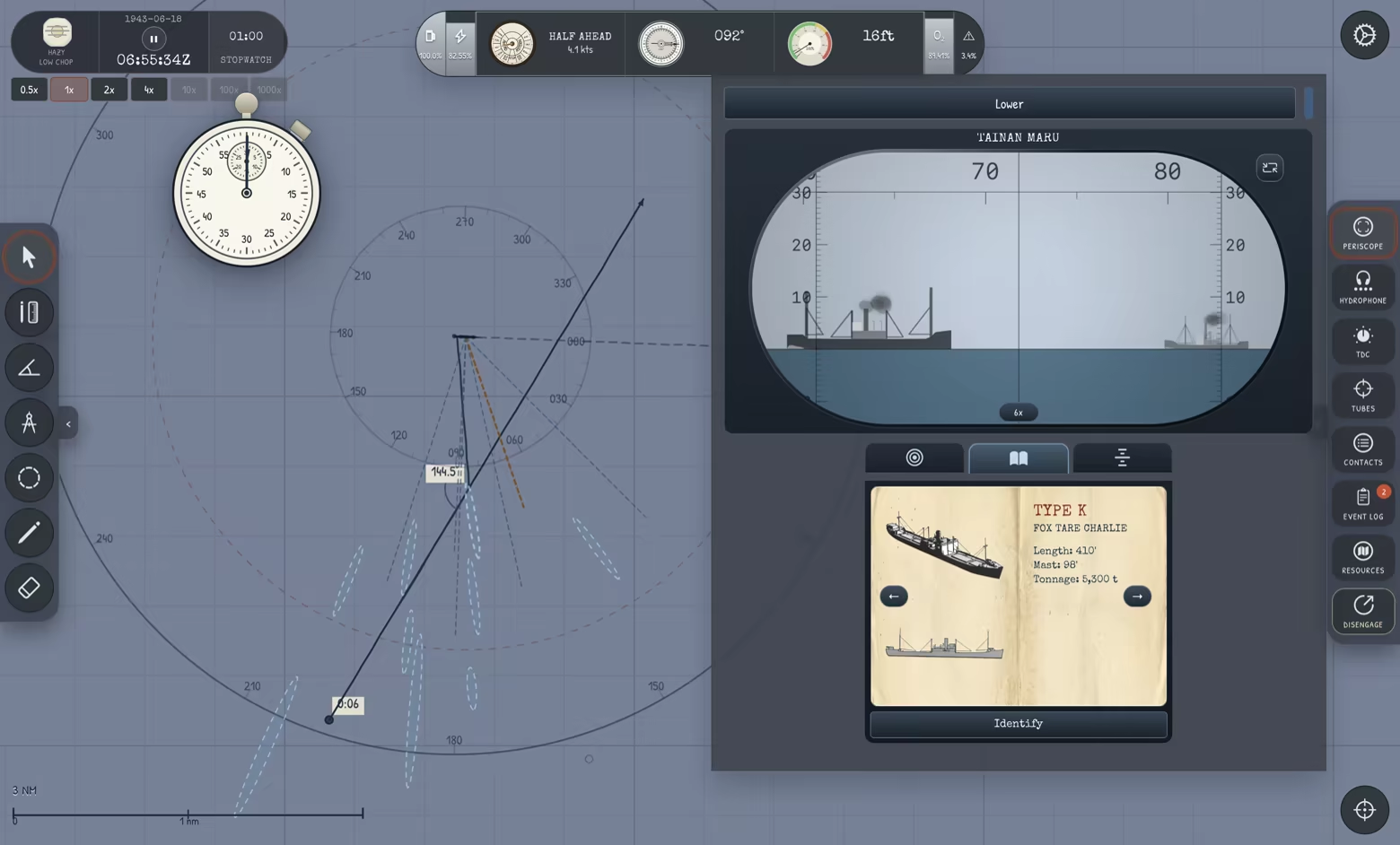
Manual range estimation of ships with a fully functional stadimeter: identify the ship to get its mast height, then auto-calculate the distance by observing the angle to the top of the mast.
Torpedo Data Computer (TDC) with a Position Keeper: Enter angle-on-bow, target speed, target bearing, and target distance to fire torpedoes that will hit their targets.
Torpedo tube flooding, gyro angle, spread, and salvo control with a torpedo firing box modeled after the real thing.
Sea state, weather, time-of-day, all have a significant effect on visibility and stealth
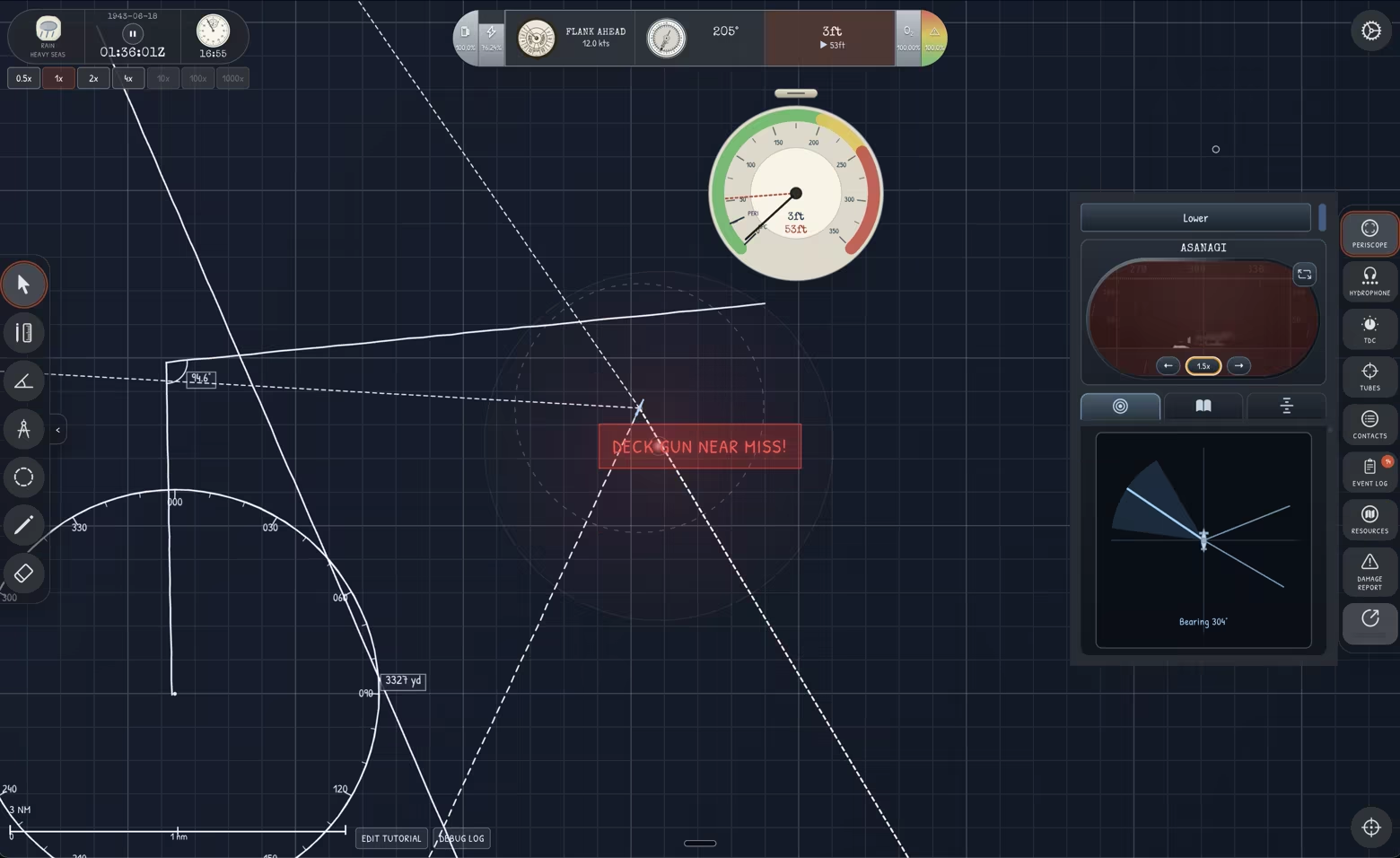
Dynamic thermal layers based on time of day and region, measured by bathythermographic readings
Destroyer escorts, aircraft, merchant traffic, and convoy encounters. Destroyers act on their own predictions of your location based on a realistic sonar model and their own hydrophone readings.
Tutorials, standalone scenarios, and a scenario editor
Dynamic music based on Holst's Planets.
Full Campaign
Pacific Theater patrol campaign with assigned patrol zones and long-range mission planning
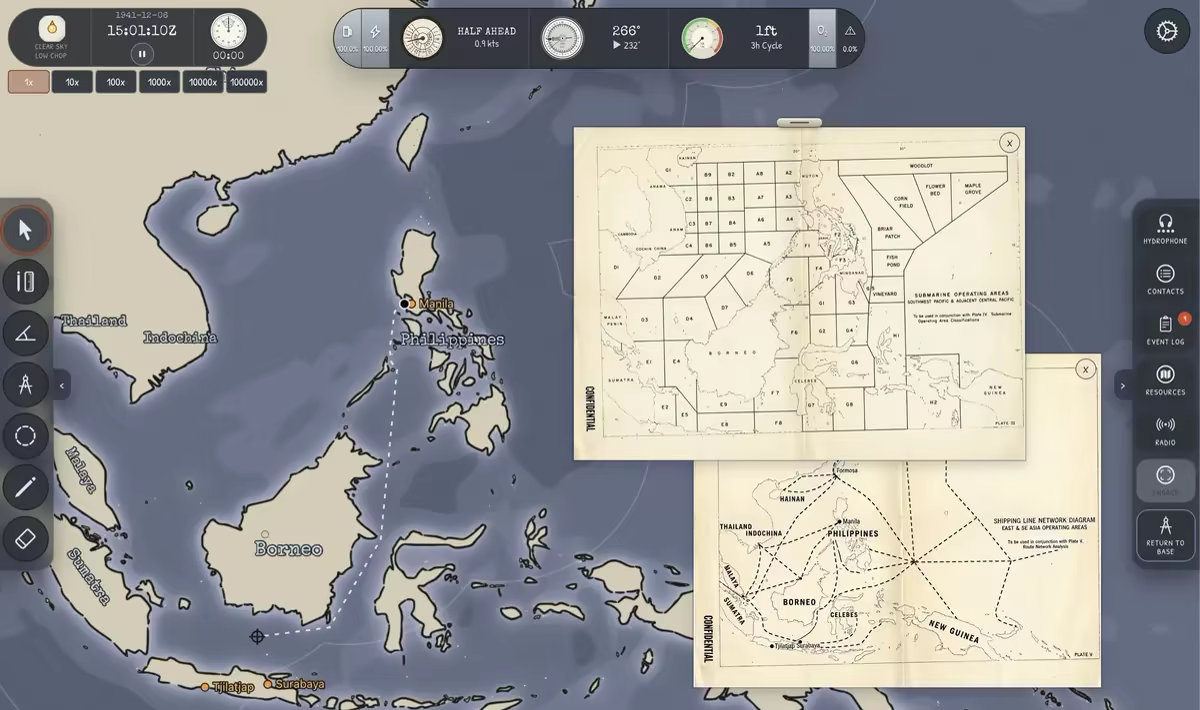
Radio intelligence updates providing situational awareness and contact hints
Historical events affecting strategy, including early-war base losses in Manila and Sumatra
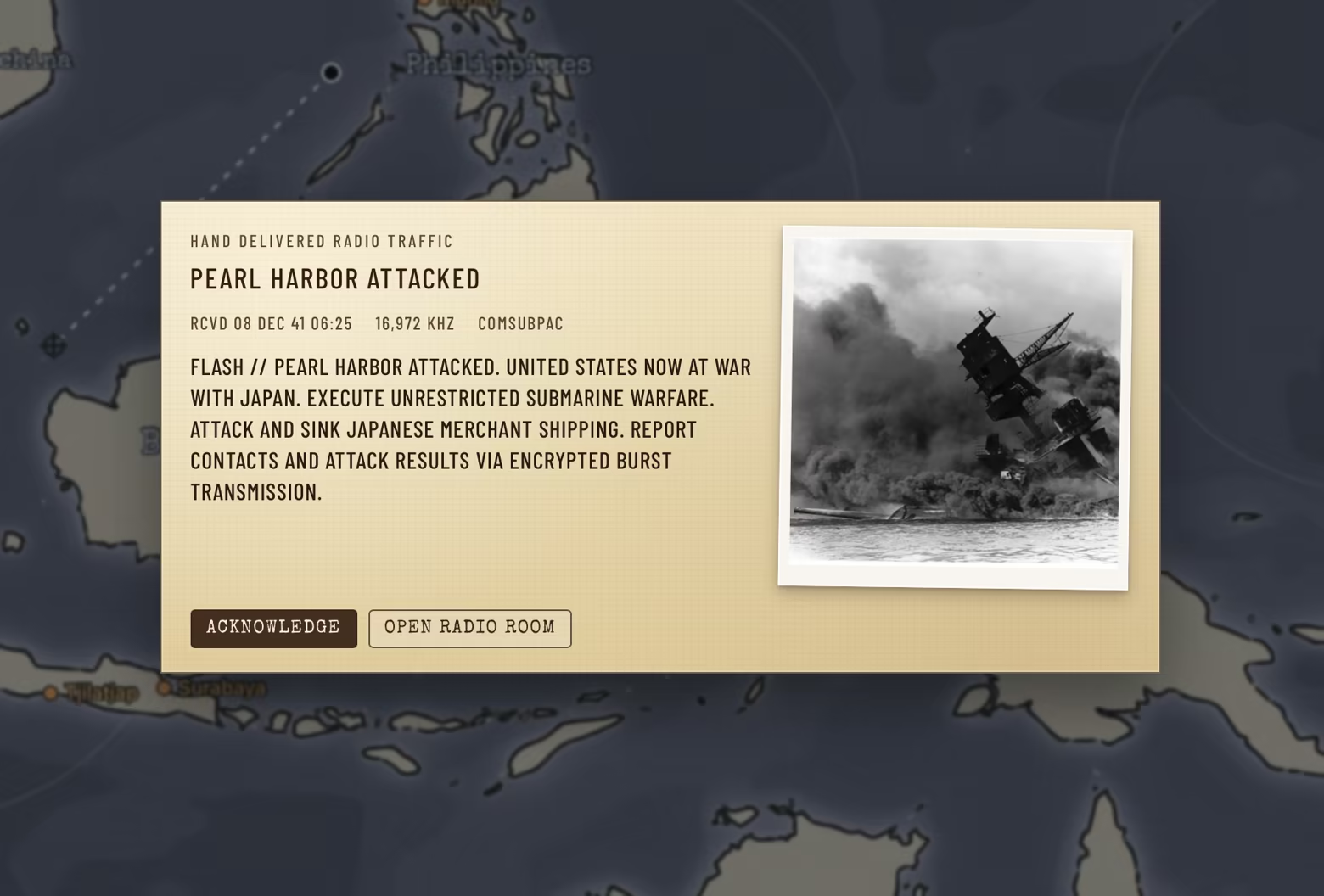
Reputation-based progression system featuring 6 submarines, from Porpoise-class to Balao-class
Resource management across extended war patrols, including fuel, torpedoes, and fresh air
Dynamic base operations with relocation as the war progresses
Aircraft threat management requiring careful dive timing and surface discipline
Evolving enemy presence with changing convoy routes, escort strength, and patrol density
Historically named enemy ships with persistence - sunk ships do not return later in the patrol
Long-term survival challenge: navigate the full duration of the Pacific war campaign
Cribbage mini-game for some variety on long patrols.
Silent Shark is designed for players who like naval history, tactical simulations, manual targeting, and games where the interesting part is keeping a clear head despite incomplete information.
The Developer
Silent Shark was created with lots of love by John Goering - indie developer from Berlin. John is the creator of the head tracking app SmoothTrack and the thought organizing app Mindscope. He thinks it's a bit strange to talk about himself in the third person, but doesn't really know how else to write this section.
He grew up playing the sub sim Silent Service II on Atari, then later discovered Silent Hunter IV, and more recently, UBoat - he then decided to take the parts he loved most about these games - the map mode - and double down on that and turn it into the sub sim of his own dreams.
System Requirements
Will my PC run this? →Minimum
- Requires a 64-bit processor and operating system
- OS: Windows 10 64-bit
- Processor: Dual-core 2.0 GHz
- Memory: 4096 MB RAM
- Graphics: DirectX 11 compatible integrated or dedicated GPU
- DirectX: Version 11
- Storage: 1024 MB available space
- Sound Card: Windows-compatible audio device
- VR Support: N/A
- Additional Notes: Requires a 64-bit processor and operating system
Recommended
- Requires a 64-bit processor and operating system
- OS: Windows 10/11 64-bit
- Processor: Quad-core 2.5 GHz
- Memory: 8192 MB RAM
- Graphics: Dedicated or modern integrated DirectX 11 compatible GPU
- DirectX: Version 11
- Storage: 2048 MB available space
- Sound Card: Windows-compatible audio device
- VR Support: N/A
Supported Languages
*languages with full audio support
Latest news
Patch NotesOfficial
v1.0.3 - "Crew Reports" Update
Lots of awesome new stuff in this update - my personal favorite is that I've turned the "Event Log" into a "Crew Reports" panel where the various stations of your submarine will be calling out information in the correct order. I found an original recording of the USS Sealion making an attack run, so mirror the callouts based on that. This includes things like "Time to target" and lots of other cool stuff: {STEAM_CLAN_IMAGE}/46121476/6b2743cb46b92c310e58365eb7693090817e19ca.png But there's a lot of other cool stuff as well! Check out the full list below: Bugs Fixed Sea state now changes gradually at normal 1× speed instead of becoming stuck until higher time compression is used. Bearings that round past 359° now wrap to 000° instead of displaying 360°. Submerged 1/3 and 2/3 engine-order speeds are now more accurate, based on the U.S. Navy's Current Doctrine for Submarines. Blind Hunter now remembers surfacing and visual-optics use when you save and reload during an encounter, preventing false unlocks. Submerged battery endurance now drops sharply at high speed, reflecting the limits of WWII lead-acid batteries: a fully charged Gato-class boat lasts about an hour at Full Ahead and 36 minutes at Flank Ahead, while economical-speed endurance remains unchanged. Periscope vertical reticles now use the intended fine subdivisions at both 1.5× and 6× magnification, while the fixed surface optics retain their original scale. Resizing map lines, angles, and compass circles now switches to a precision crosshair, while moving a whole annotation keeps the hand cursor. Improved Simplified Chinese text across the app. Added a very missing acknowledgment to my wife who would like everyone to know she doesn't want to hear the Mars theme ever again if possible. Fun New Stuff Crew reports have had a full realism pass grounded in the surviving USS Sealion attack recordings “Attack on Battleship Kongo” and “Attack on oiler,” along with the U.S. Navy’s “Shipboard Calls and Commands” train...Read full article on Community Announcements (Epaga)Patch NotesOfficial
v1.0.2 "Quality of Life" Update is out!
Releasing a big update today with a lot of awesome stuff - lots of it as a result of ideas and feedback by all of you. Thanks for all your Steam reviews, all your ideas, suggestions, and bug reports, both on the Steam discussions and the Discord! Highlights Multi-step patrol route plotting {STEAM_CLAN_IMAGE}/46121476/3821e3eec920bd4a61fff20a5a00cff38a6f7cd7.png When you hold Shift, double-clicking or right-clicking on the map creates an extra leg on your route By Shift-double-clicking on an existing node, It is also possible to create a cycle that the ship will then continue on until you command otherwise. Fast-forward {STEAM_CLAN_IMAGE}/46121476/62394c28f9fa795a76f18e7aa4b2ba58680ac47a.png When you open up your stopwatch, you will find a new fast-forward button that lets you fast-forward time to a specific point in the future. It will cause time compression to automatically be set so as to get to exactly that point as quickly as possible If any warning occurs during the fast-forward or if you make any changes to the time compression rate, it will cancel the fast-forward Lasso deleting map annotations {STEAM_CLAN_IMAGE}/46121476/dff876c99fe062038d3a39d9986c22ecd4b7e4a4.png When you have the eraser tool selected, you can now drag open a "lasso" area which will then delete all annotations inside. Any annotations that are touched by the area will be deleted (they do not need to be fully inside) Map annotation colors {STEAM_CLAN_IMAGE}/46121476/518302bc9c71627429d2e12259c18b9074ea5f54.png Double-clicking on map annotations opens up their detail panel, which now contains a color chooser for you to color your annotations as needed Complete List Bugs Fixed The stopwatch now keeps its position after reloading a game and collapses back into its compact control instead of the top-left corner. Radioed contact reports will avoid estimating ship and convoy positions on land. Deployment orders now count every torpedo aboard - larger boats no longer get paperwork intended for Porp...Read full article on Community Announcements (Epaga)Patch NotesOfficial
v1.0.2 "Quality of Life" Update
Bugs Fixed The stopwatch now keeps its position after reloading a game and collapses back into its compact control instead of the top-left corner. Radioed contact reports will avoid estimating ship and convoy positions on land. Deployment orders now count every torpedo aboard - larger boats no longer get paperwork intended for Porpoise vessels. Reopening the periscope on the stadimeter tab now restores a locked target immediately, without briefly drawing the yellow target box in the wrong position. The stadimeter reticle line now disappears when waves obscure the scope or while the periscope is not fully raised. Zooming in on the map no longer causes severe frame-rate drops when long lines, annotations, or patrol routes extend far beyond the visible area. Commanding a heading directly behind the submarine while it is turning no longer makes it snap around and turn 180° in a single frame like some alien craft. Once the Basic Tutorial parks the freighter on the red arrow, it blocks the unpause button until the final firing step in an yet another attempt to protect newbies from themselves. Depth keyboard shortcuts now match the dynamic blue periscope-depth band, while Ctrl+3 commands the submarine’s caution depth on the keel gauge instead of overshooting by the keel offset. Map annotation labels and dots now remain visible above ships and smoke while annotation lines, circles, and angle guides stay beneath them. Drawing and erasing with map tools now consistently leave the periscope, hydrophone, and other right-side panels open. Campaign return reports now classify Damage Sustained from hull damage only: Light below 30%, Moderate below 70%, and Heavy from 70% onward; flooding no longer inflates the result. Fun New Stuff The expanded stopwatch now offers Fast Forward jumps from 30 seconds to 24 hours. It automatically slows as the target approaches, pauses on arrival, and cancels if the playback speed is changed. Map line, point, and compass-circle annotations can now u...Read full article on Community Announcements (Epaga)Patch NotesOfficial
Update 1.0.1 is out!
I got a bunch of improvements and bug fixes for you as I wade through the mountains of awesome feedback and ideas you guys have sent in. Thanks to all the beta testers! Huge thanks also to all of you who have left such kind words in the (100% positive!!!) Steam reviews - they are such an encouragement to read and super helpful to get the word out about Silent Shark. Here's what's in this new version. Let me know in the comments or in our Discord if you run into any issues! Bugs Fixed Fixed save games in encounter mode potentially duplicating enemy ships so that they could come back after having been sunk. Fixed mixed-language localization issues, made Learning Hub articles English-only for now, instead of mixed. Fixed Hydrophone Ascend and Send getting stuck below the surface after a map hydrophone encounter, so reports can complete normally. Fixed the UI size setting so map annotation and tutorial text now scale with the rest of the interface. Fixed rapid-hit achievement timing after reloading a save during a torpedo attack, so discarded attempts no longer count. Fixed lazy plurals in labels like "1 radio contact(s)" Improved the contrast of the fine 1° periscope bearing marks. Disengaging from an encounter is now blocked while the submarine is in the danger-depth zone; rise to a safe depth before returning to patrol. Paused engine-order changes no longer stack stale telegraph bells; only the final selected order is announced when the game resumes. Fixed duplicated Type K fore and aft kingposts in the AOB Recognition Trainer; each end now shows one historically correct kingpost. Fixed small screen AOB dial dragging so it no longer scrolls or rubber-bands the page. Fixed repeated input errors during mouse-wheel map zooming, reducing unnecessary overhead while zooming. New Fun Stuff Added "darker mode" toggle in the interface settings which darkens the screen for all you basement dwellers. Added definite-sinking feedback when a ship is confirmed to be sinking, includ...Read full article on Community Announcements (Epaga)Patch NotesOfficial
Update 1 - Bug Fixing
{STEAM_CLAN_IMAGE}/46121476/56afe57f444e988d726d02d28f054e906e2a2536.png The first of many updates to come! Here's the changes list. Huge thanks to all for reporting them! Enemy escorts are a bit less prone to enthusiastically smack right into sinking freighters, killing themselves in the progress...improved their evasion algorithm. Destroyers have been reminded that hydrophones listen in every direction. They should no longer miss a loud, nearby submarine just because their bow—or an outdated contact estimate—is pointing the wrong way. Completing the Advanced Tutorial by sinking the freighter and escaping the destroyer should now reliably finish the tutorial and award its achievement. The wall clock and stopwatch now keep updating smoothly while binoculars or a raised periscope are open. The stopwatch hand also moves smoothly in these views instead of becoming choppy or jumping forward afterward. Choosing Quit from the desktop main menu now saves pending progress and closes the application cleanly. Autosaves now preserve the last playable state instead of the death screen, and campaign save dates no longer appear twice. The desktop window now opens within the primary display's usable area, including multi-monitor layouts whose primary display is not at the origin. The periscope and AOB Recognition Trainer now fit correctly on 1920×1080 displays using 125% scaling, without unwanted scrollbars or clipped controls. Improved Japanese text wrapping in tutorial instructions and narrow controls, and localized previously untranslated import, delete, and dossier labels. P.S. Thanks to bidschbadsch for the awesome screenshot!Read full article on Community Announcements (Epaga)


