

Screenshots

 Watch trailer on Steam ↗
5YN-OS
5 Years Now · Published by 5 Years Now · Official site ↗
Last updated 7 Nov 2026
Dive into a sandbox operating system simulator and learn to code with FantasyLang. Personalise your desktop, build and tweak apps, uncover hidden secrets, and venture into the darknet. Shape the system however you like. Your OS, your rules.
Indie, Simulation, Early Access, Casual · More free games
About this game
A Fictional Operating System Sandbox
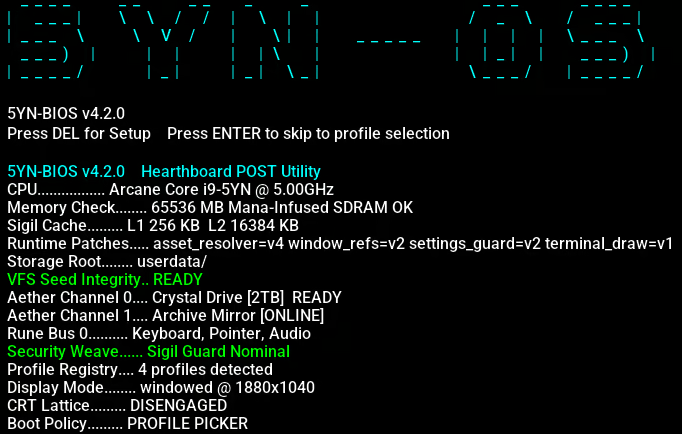
5YN-OS is a fully simulated fictional operating system you can live inside.
Boot it up, explore the desktop, open apps, dig through the file system, browse the simulated web, customise
the interface, run strange commands, break things, fix them again, and uncover secrets buried throughout
the system. It is designed as a sandbox first: a desktop world built for experimentation, curiosity, and
player freedom.
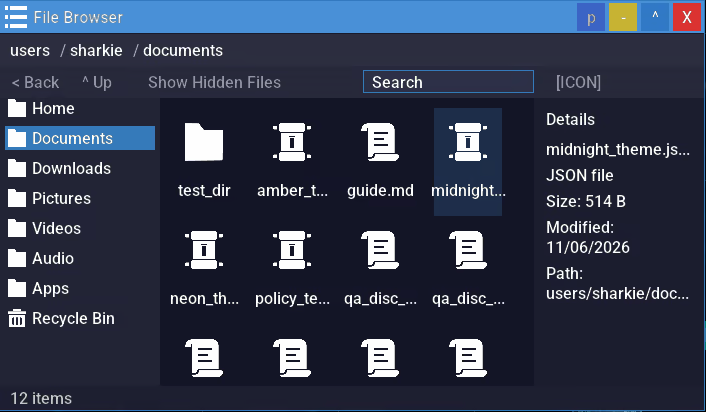
This is not a static UI mockup. 5YN-OS is a hands-on OS simulation with draggable windows, a persistent
file system, global search, right-click menus, deep desktop customisation, in-world websites, hidden
files, odd behaviours, and plenty of room to tinker.
Learn Programming Inside the OS
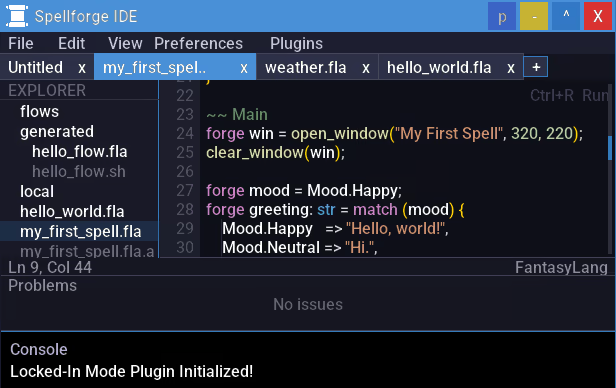
At the heart of 5YN-OS is FantasyLang, a custom scripting language built directly into the operating
system. The Spellforge IDE is a custom in-game development environment for building apps and scripts directly
inside the game. It supports plugins for extending functionality and includes a built-in linter to help
keep code clean and error-free.
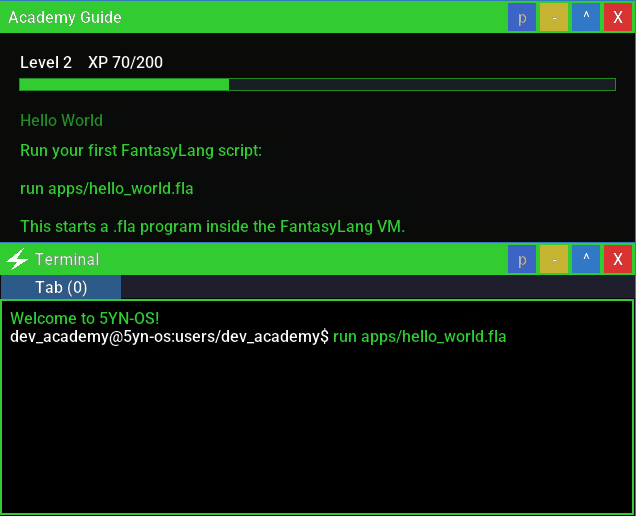
If you want more than exploration, the OS also works as a programming learning tool. Use the in-game
tutorial to go from complete beginner to writing your own scripts and apps without leaving the desktop.
FantasyLang uses a fantasy-themed vocabulary, but the concepts are real:
Variables, conditionals, loops, and functions
Arrays, structs, imports, and multi-file projects
File I/O, GUI windows, event handling, and OS integration
Error handling, debugging, and building interactive tools
The built-in IDE includes syntax highlighting, diagnostics, and integrated tooling, and several parts of
the OS are open to inspection and modification. You are not just reading about programming concepts, you
are using them inside the world of the game.
And when you are ready to make your own things, 5YN-OS is built to support that. Create your own
FantasyLang apps, tools, widgets, and experiments, then share them through Steam Workshop so other players
can download, run, and explore what you have made.
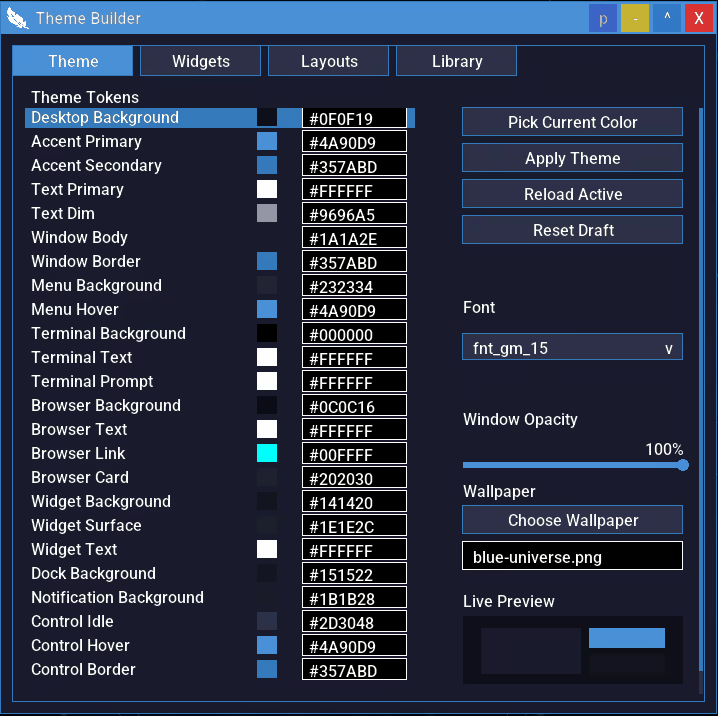
It takes inspiration from familiar software such as Zsh and Tmux in the Terminal, and Rainmeter in the Theme Builder.
Take Your Fantasylang Scripts Beyond the Game
Download the standalone version of the Fantasylang runtime and run your scripts inside the game or out. Allowing you to create real-world apps for real-world problems.
For Power Users Too
If you want to go deeper, 5YN-OS has room for that too.
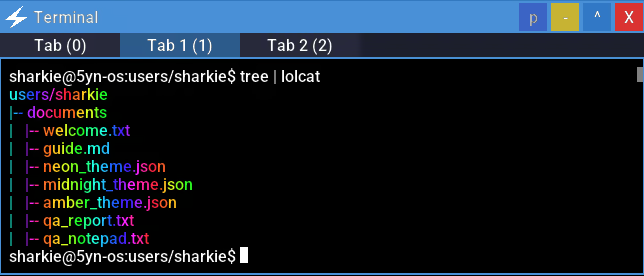
The Terminal is more than a novelty window. It supports real shell-style workflows including pipes,
redirects, aliases, shell scripts, command chaining, tab completion, and multi-session work through the Tmux-like Tweave.
FantasyLang also goes beyond beginner scripting. Once you are comfortable with the basics, you can work
with larger multi-file projects, structured data, event-driven apps, and more advanced object-oriented
patterns through its tome system, including fields, methods, lifecycle hooks, and richer app architecture.
You may even try your hand at custom desktop widgets, or plugins for the Spellforge IDE.
A Desktop Full of Systems
5YN-OS is built like an operating system, not a menu screen.
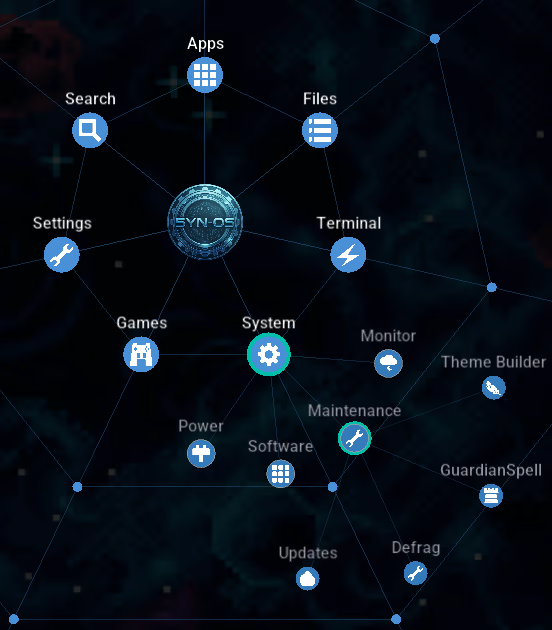
Spider Web Start Menu: a distinctive animated navigation hub for apps, files, settings, and notifications.
Windowed Applications: draggable, resizable apps with minimise, maximise, and multi-window support.
Persistent File System: create, move, copy, hide, inspect, and organise files and folders across a deep filesystem.
Simulated Internet: browse hand-crafted in-world websites across the 5yn:// network.
Terminal: a full shell experience with scripting, pipes, redirects, command chaining, and power-user workflows.
Built-In Apps: browser, terminal, media tools, editor apps, system utilities, antivirus, and more.
Deep Customisation: themes, wallpapers, keybinds, spider-web settings, screensavers, system identity options, desktop layouts, widgets, and broader OS presentation controls.
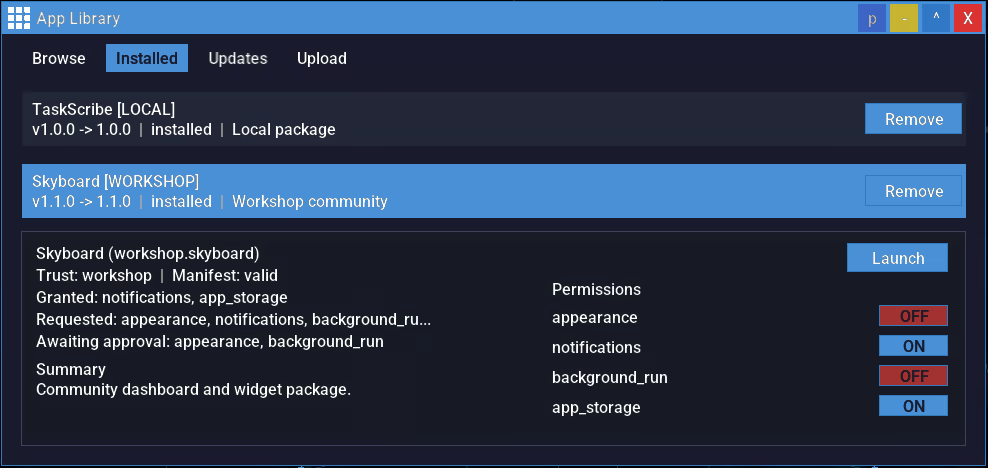
Steam Workshop Support: create, share, and download FantasyLang creations from the community.
Whether you want to write code, reorganise your desktop, explore hidden directories, mess with strange
apps, or just see how far the simulation goes, the OS gives you space to play with it.
Explore the Darknet
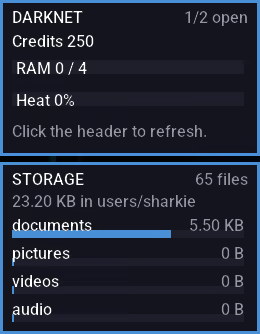
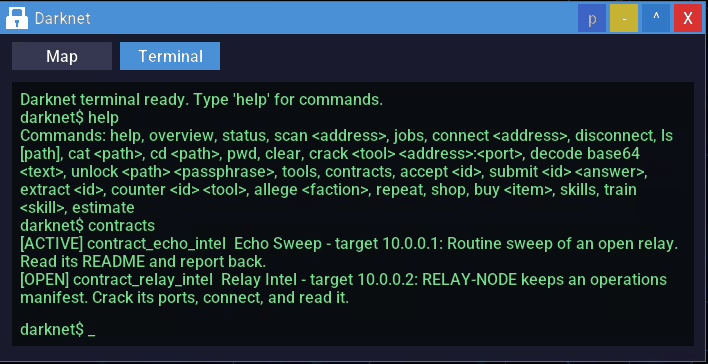
The Darknet app simulates a world of hacking. Break into other systems and complete contracts through a progressive system that unlocks more content the further you progress.
Play the in-built Games
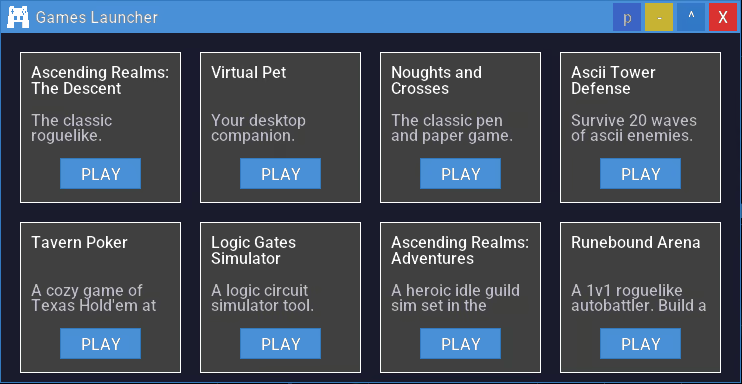
From noughts and crosses to dungeon crawler roguelikes in ascii artwork and adventurer idle games. Play the games and read their source code. Maybe you will make some games of your own.
Puzzles, Secrets, Glitches, and Strange Behaviour
5YN-OS rewards curiosity.
Hidden files, fake system lore, easter eggs, suspicious commands, unlockable content, and strange side
effects are scattered throughout the machine. GuardianSpell Antivirus protects the system from fake
threats, but some commands can deliberately introduce infections with visible consequences. Scan,
quarantine, clean up the mess, or keep poking at things you probably should not.
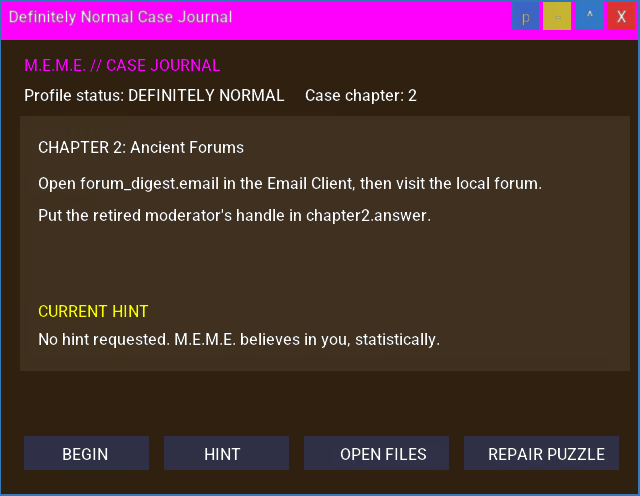
Explore the numerous puzzles and discover content thought lost to time.
A Living OS
New content arrives through real Steam updates that appear in-game as OS system updates.
Install an update, and discover what changed inside the fiction of the OS itself: new apps, new sites, new content, new secrets, and new things to experiment with. The fiction does not stop at launch; the operating system keeps evolving.
Your OS, your rules.
System Requirements
Will my PC run this? →Minimum
- OS: Windows 10 / Windows 11
- Processor: Intel Core 2 Duo / AMD Athlon 64 X2
- Memory: 1 GB RAM
- Graphics: Integrated graphics (Intel HD 3000 or better)
- DirectX: Version 10
- Storage: 100 MB available space
- Sound Card: Integrated sound card
- Additional Notes: Mouse and keyboard recommended
Recommended
- OS: Windows 11
- Processor: Intel Core i3 / AMD Ryzen 3 or better
- Memory: 2 GB RAM
- Graphics: Any dedicated GPU (e.g., NVIDIA GeForce GTX 660, AMD Radeon HD 7850, or better)
- DirectX: Version 11
- Storage: 200 MB available space
- Sound Card: Integrated or better
- Additional Notes: Mouse and keyboard recommended
Supported Languages
Latest news
Patch NotesOfficial
v0.1.2 Demo Patch
Patch notes can also be read here: https://5yearsnow.com/games/5YN-OS/patch/v0.1.2-demoGeneralAdded gamepad controls for the desktop and Doomlike, including a virtual cursor, window controls, scrolling, and text entry.Added remappable controller buttons, cursor speed, and deadzone settings. Controller support has been tested on Steam Deck and a Logitech controller and should work across most controllers.Added a first-boot notification pointing new players toward Definitely Normal, Darknet, and Doomlike.Added short descriptions to the boot profile picker. (suggested by Timaroa)Demo content limits now explain what comes next in the full game and provide a Wishlist button.The demo completion screen now appears after finishing either story path or playing for 20 minutes. Playtime is saved between sessions.Added screenshot and trailer capture controls to Settings. Captures hide the demo version suffix.Improved locked-app tooltips with descriptions of the full-game content.Bug FixesFixed Doomlike weapon sounds ignoring app volume and master mute settings. Volume changes now take effect during gameplay. (reported by Timaroa)Fixed invalid CRT settings and malformed saved or scripted numeric values causing crashes.Added safeguards against excessive XP loops and oversized scripted canvas allocations.Fixed terminal aliases, pipelines, and indirect commands bypassing demo restrictions.Fixed FantasyLang canvas pixel reads always returning black.Fixed demo trailer capture being blocked by locked apps.Thank you for your continued support!Read full article on Community Announcements (Dr Sharkie 🦈)AnnouncementsOfficial
Demo is now available!
The Steam Demo for 5YN-OS is now available! If you have any questions feel free to reach out on the 5 Years Now Discord server: https://discord.com/invite/URsQvAdYRN For FantasyLang documentation check it out on the official website here: https://5yn-os.com/fantasylang If you encounter any issues, bugs, or crashes please let us know either in the #bug-reports Discord channel or email support@5yearsnow.com.Enjoy!Read full article on Community Announcements (Dr Sharkie 🦈)Patch NotesOfficial
v0.1.1 Demo Launch Day Patch
Newly UnlockedUpdates app is now accessible in the demo.Theme Builder app is now accessible in the demo.GeneralAllow manual game window resizing, capped at a minimum of 1200x800 resolution. (Suggested by I'm an issue)Logs app now displays a desktop notification when you press export instead of a text message within the app window.Bug FixesFixed Logs app export not creating the exported log file. (Reported by I'm an issue)Fixed Scratch Scroll app text not being hightlightable/selectable.Fixed Scratch Scroll app scrollbar not being click and draggable, mouse scroll was working however.Fixed an issue where you could fullscreen the game but the display stays pinned to the surface of the chosen resolution, which could result in the game being stretched or blurry.Fixed Light Mode when enabled, in some apps resulting in dark text on a dark background rendering the text unreadable.Patch notes can also be read here: https://5yearsnow.com/games/5YN-OS/patch/v0.1.1-demoRead full article on Community Announcements (Dr Sharkie 🦈)AnnouncementsOfficial
Dev Log 10 - Build a Desktop Widget in FantasyLang
Three lines get a chromeless window running on your desktop. A dozen more make it visible. About a hundred make it a registered widget that draws, remembers where you put it, has a right-click menu, and can be published to the Workshop.Read Dev Log 10 in full here: https://5yn-os.com/blog/blog-post-01-09-2026Read full article on Community Announcements (Dr Sharkie 🦈)AnnouncementsOfficial
Dev Log 9 - Nine Games Inside an Operating System, and You Can Read Their Source
A roguelike, an idle guild sim, an autobattler, tower defence, poker, a logic simulator, a desktop pet, noughts and crosses, and a Doom-like. Eight of the nine are written in the operating system's own language, and they are sitting in your file system right now. Read the full blog post here: https://5yn-os.com/blog/blog-post-28-08-2026Read full article on Community Announcements (Dr Sharkie 🦈)


