

Screenshots

 Watch trailer on Steam ↗
Crab Kingdom
Northmeadow Games · Published by Northmeadow Games · Official site ↗
3 user reviews — 67% positive (3 reviews)
Last updated 28 Sept 2026
The crab king needs your help to protect his treasure in this underwater tower defense!
£2.65
Lowest price we've ever recorded
View on SteamPrices can lag the live Steam store — always confirm before buying.
Price history
Strategy · 2026 · More under £5 games
About this game
Save the Crab Kingdom!
Dive into the water and protect the kingdom's treasure. You will only succeed if you place your towers strategically and use your power-ups wisely!

Game Features
Explore 20 levels with different themes and mechanics
8 unique towers to unlock
10 temporary power-ups to unlock
21 different types of enemies
Choose your favorite playable character
Play solo or couch co-op with a friend
Choose Your Towers

Use Your Power-ups
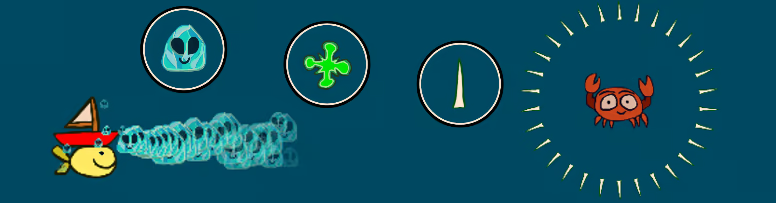
Become a Champion of Crab Kingdom
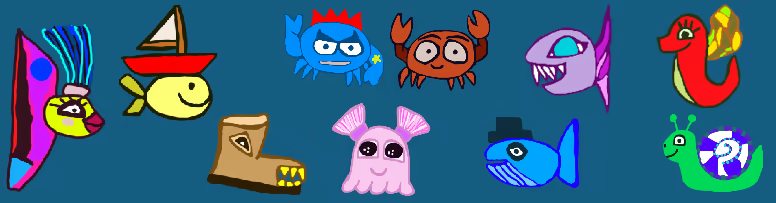
System Requirements
Will my PC run this? →Minimum
- OS *: Windows 7
- Processor: Intel Core 2 Duo E8200 or AMD Athlon XE BE-2300
- Memory: 2 GB RAM
- Graphics: Intel HD 5500 or AMD Radeon R5
- Storage: 150 MB available space
Recommended
- OS: Windows 10 or Windows 11
- Processor: Intel Core i5-6600K or AMD Ryzen 5 1600
- Memory: 4 GB RAM
- Graphics: NVIDIA GeForce GTX 1050 or AMD Radeon RX 460
- Storage: 250 MB available space
Supported Languages
Latest news
Patch NotesOfficial
Version 1.2
Added icon for alternative dash button in the tutorial. Added license files to the game project folder. Cleaned up the code to optimize the game.Read full article on Community Announcements (accounts)Patch NotesOfficial
Version 1.1
Fixed bug where pearls from the previous level would be added to the next level. Added possibility for player to move by holding left and right mouse buttons (when using keyboard/mouse). Added auto-detection for gamepad button icons in the start menu and player selection menu. Added a progress list to the tutorial. Updated power-up descriptions.Read full article on Community Announcements (accounts)


