

Screenshots

 Watch trailer on Steam ↗
Between Worlds: challenging puzzles
Novy · Published by Novy
Last updated 24 Oct 2026
"Between Worlds" is a 2D puzzle game where you reshape the boundary between two intertwined worlds to reach the goal. Turn characters into terrain to create paths, but every change affects both sides of the world. Use logic, shifting gravity, and creative thinking to solve complex puzzles.
Action, Indie · 2026 · More free games
About this game
"Between Worlds" is a 2D puzzle game where you reach the goal by reshaping the boundary between the front and back sides of the world.
The characters in this puzzle can use an action called "Fix" to transform themselves into part of the terrain.
If a wall blocks your path, turn a character into a platform and build your own staircase forward.
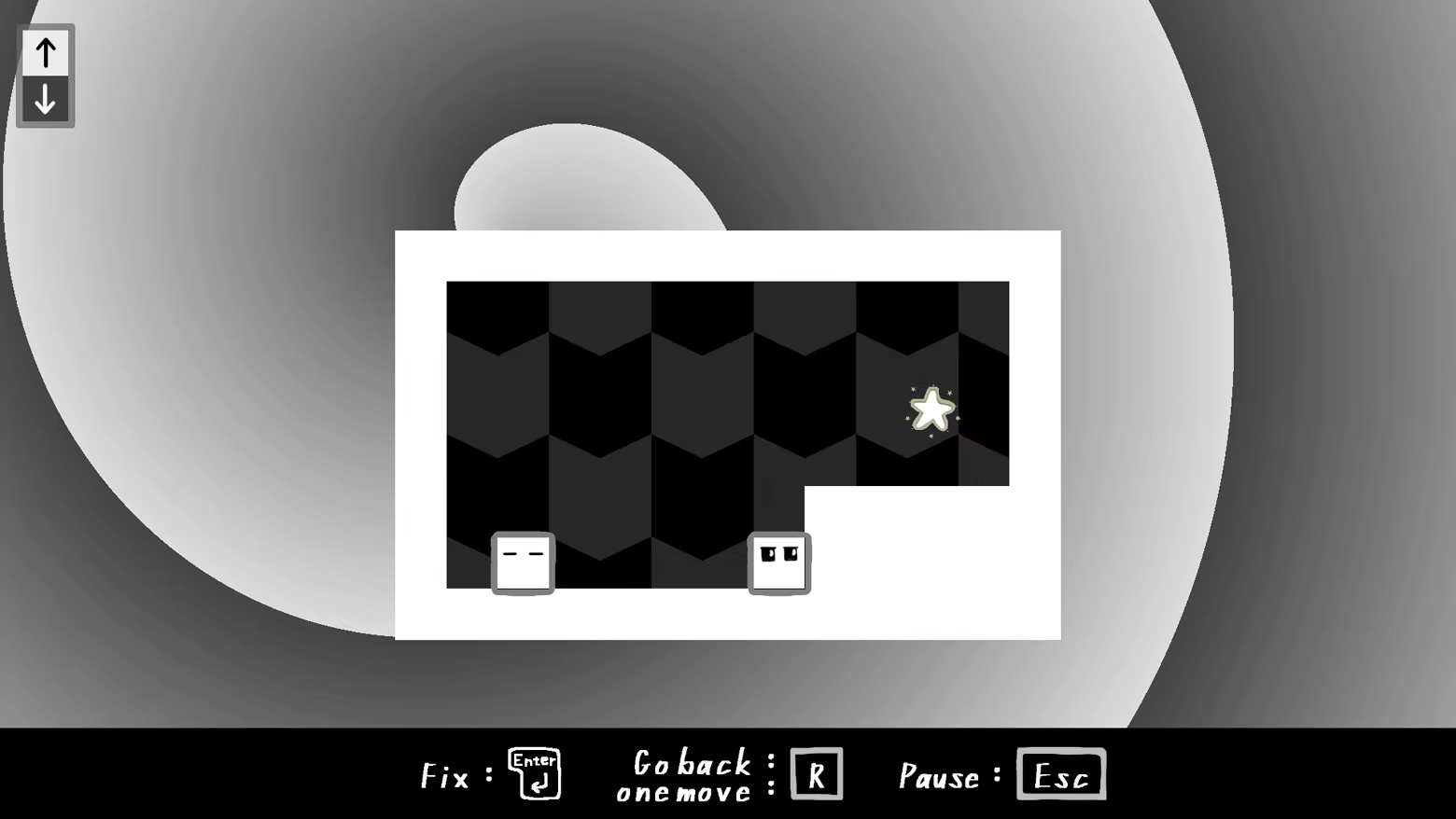
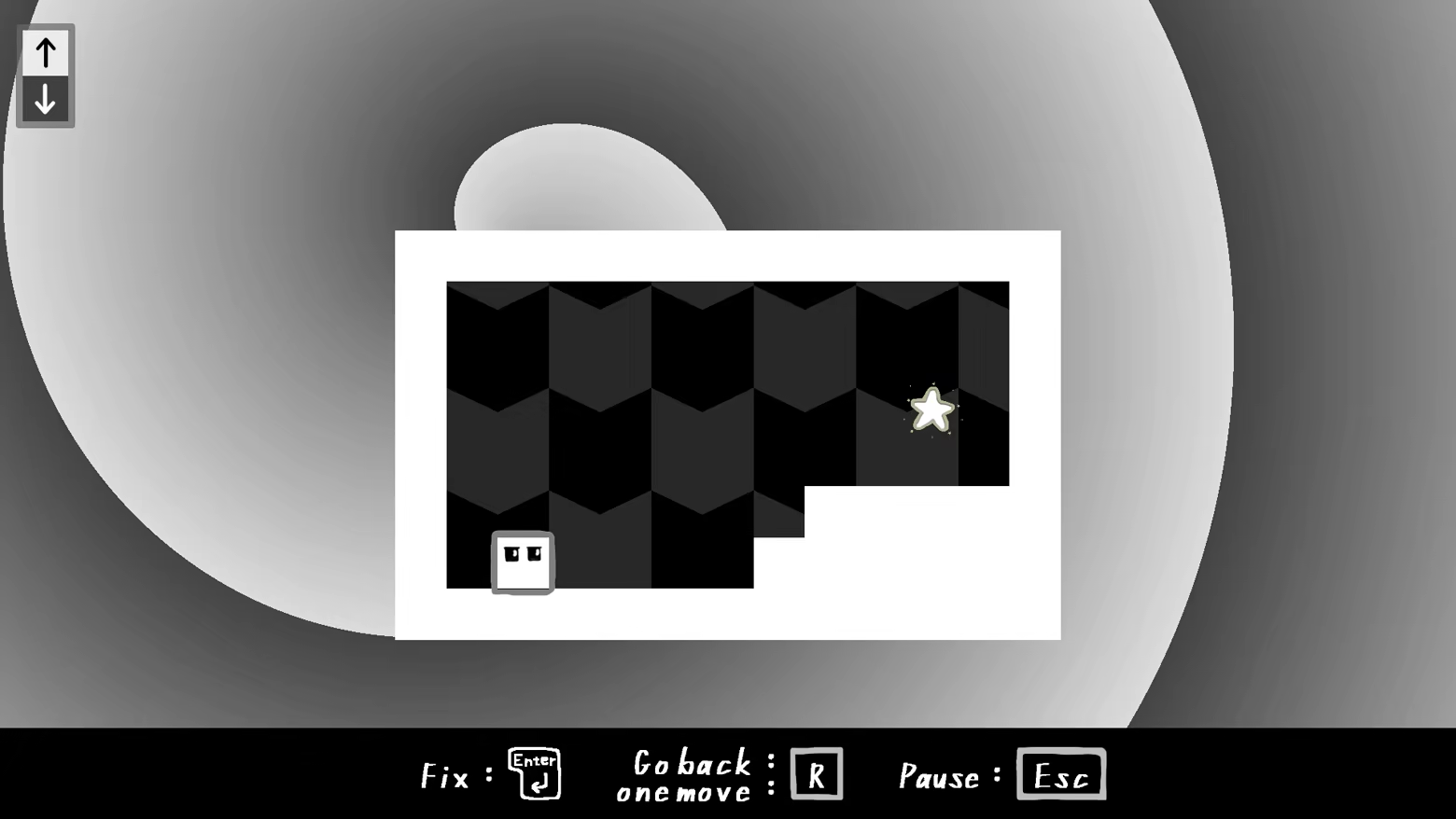
A platform created in the front world becomes a hole in the back world.
Changes made in one side of the world will also affect the other.
Understanding the puzzle from both perspectives — front and back — is the key to finding a solution.
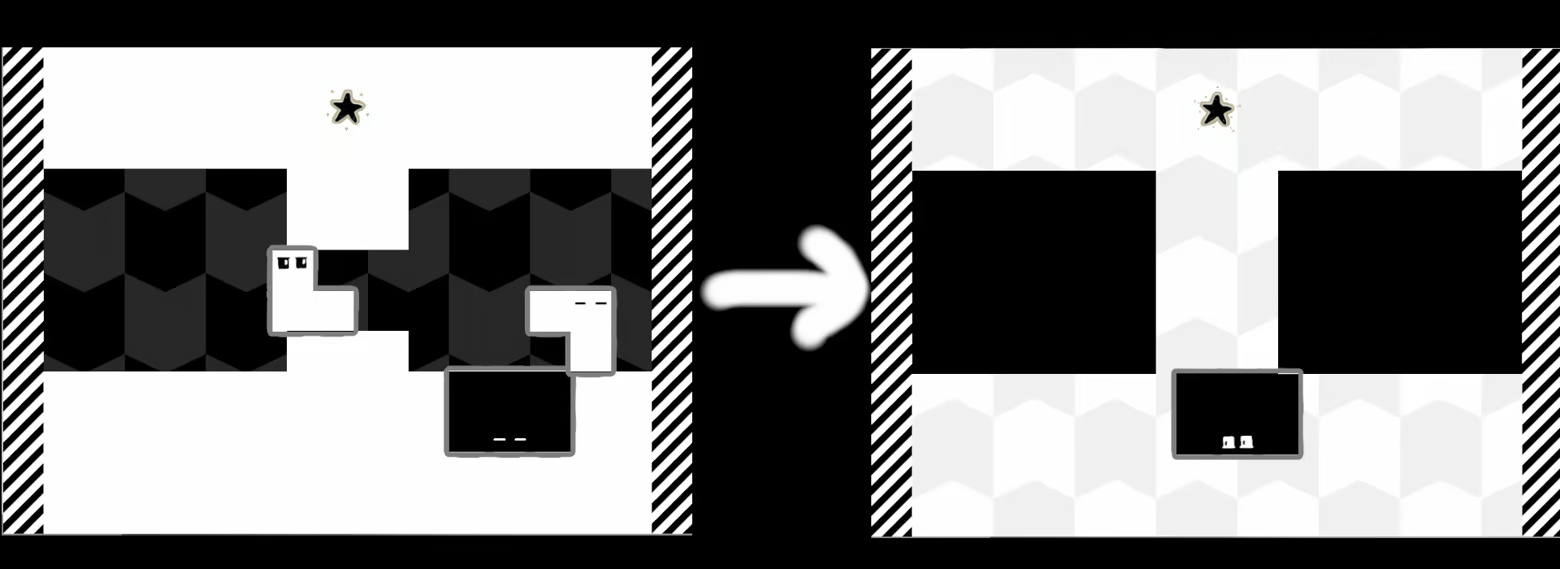
The puzzles are filled with a variety of gimmicks, including gravity-altering switches and warp holes.
These elements intertwine across the front and back worlds, challenging the player's understanding and creativity.
Even situations that seem impossible at first may reveal a new path once you change your perspective.
And if you ever get completely stuck, hints are available!
Level Editor
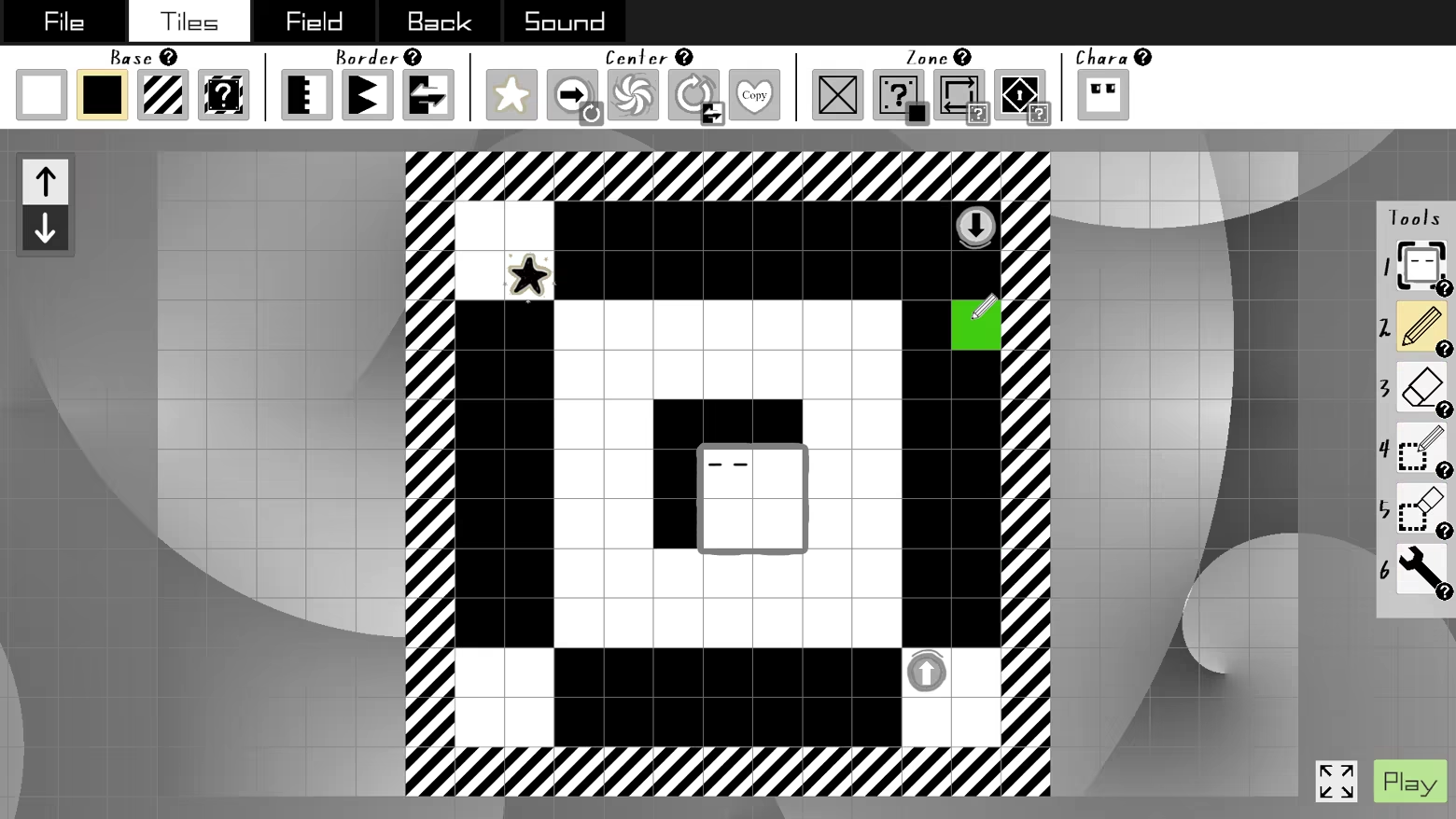
This game also features a level editor that lets you create your own original puzzles!
Unleash your creativity and design entirely new challenges of your own.
Created puzzles can be saved as JSON files.
(*Online sharing functionality is not currently implemented.)
System Requirements
Will my PC run this? →Minimum
- OS: Windows 10
- Processor: Intel Core i3
- Memory: 4 GB RAM
- Graphics: Intel HD Graphics 4000
- DirectX: Version 11
- Storage: 500 MB available space
Recommended
- OS: Windows 10 or later
- Processor: Intel Core i5
- Memory: 8 GB RAM
- Graphics: NVIDIA GeForce GTX 750 / equivalent
- DirectX: Version 11
- Storage: 1 GB available space
Supported Languages
Latest news
Patch NotesOfficial
Editor Update
Adjusted the Save/Load UIPreviously, you could save created levels to any location you liked, but the save location is now fixed.Saved levels now appear in a list when you press the Load button, making them easy to find.You can still load levels from any location you choose by pressing the "Other" button on the load screen.(You can also play levels created by others via this button by downloading their files.)Undo & RedoYou can now Undo and Redo actions in the level editor. Use Ctrl+Z to Undo and Ctrl+Y to Redo. You can also perform these actions by clicking the newly added Undo/Redo buttons.New TilesYou can now use "Mirror" tiles in the demo version's level editor as well.Staff CreditsWe have listed the sources of the audio assets used at the end of the demo.Arrow Key SupportWe have fixed an issue where the arrow keys were not functioning, following reports from players in the community. We would like to sincerely thank everyone who brought this to our attention.About Online SharingWe developed a feature to share levels created in the editor via Steam Workshop!However... it proved difficult to allow users who don't own the full game license to access Steam Workshop, so we unfortunately decided not to implement the online sharing feature in the demo version. We apologize for this.In the full version, you should be able to play stages created by other users using the online sharing feature... hopefully...So, please stay tuned for the release of the full version.We aim to release the full version sometime this year! We really want to!Look forward to it!Read full article on Community Announcements (shimizus235813)


