

Screenshots

 Watch trailer on Steam ↗
Distributrains
Oddwarg · Published by Oddwarg
Positive — 100% positive (36 reviews) · 74 achievements
Last updated 23 Oct 2026
A railroad simulation game with roguelike elements. Use resources wisely to expand your infrastructure and satisfy industries, contracts, citizens, and engines. Respond quickly to ever-changing circumstances and don't get kicked out of your office.
£9.99
Lowest price we've ever recorded
View on SteamPrices can lag the live Steam store — always confirm before buying.
Price history
Simulation, Strategy · 2026 · More £5 - £15 games
About this game
Congratulations, you have been elected to manage the distribution of resources within your region. Build an efficient and sustainable network of industries and railroads to satisfy the needs of the people.
Distributrains is a game for enjoyers of classic tycoon games who want a more goal-oriented, challenging and fast-paced experience. It is a game about building a beautiful little resource distribution network while balancing a growing number of concerns.
Resources must be carefully managed to satisfy the inputs and outputs of industrial processes, or your supply chains will grind to a halt.
Contracts and citizen demands exert constant pressure to perform your best, or risk getting voted out of office.
Every run is different, with randomised map generation, resource deposits, contracts, and cards.
For confident players there is Challenge Mode, a race to achieve a victory condition of your choice within 140 minutes.
Strive for brutally difficult achievements requiring mastery of different playstyles.
Invite friends to join your game in online cooperative multiplayer if you need additional arms.
Contracts and Cards
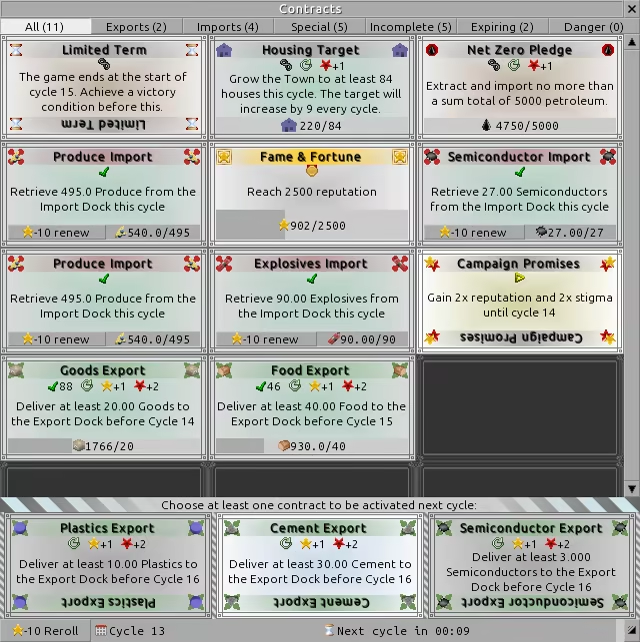
Contracts are essential to the gameplay loop, providing you with burdens, goods and reputation, as well as the path to victory, all within their specified time constraints. Juggle a growing number of contracts, or keep them to a minimum and strive for self sufficiency.
Beware: Breaching your contracts gives you stigma, potentially getting you kicked out of office.
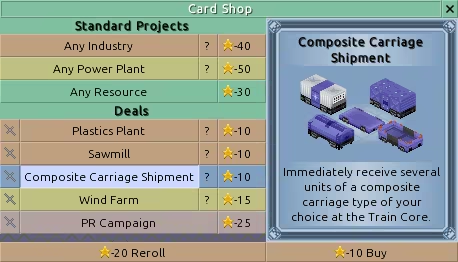
Use your reputation to purchase cards, granting you extraordinary powers.
Railroads and Trains
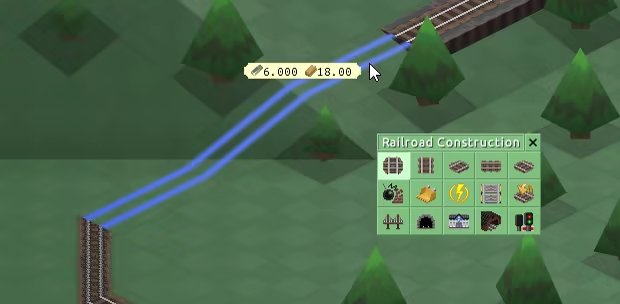
Build railroad lines using simple tools that do not make your decisions for you.
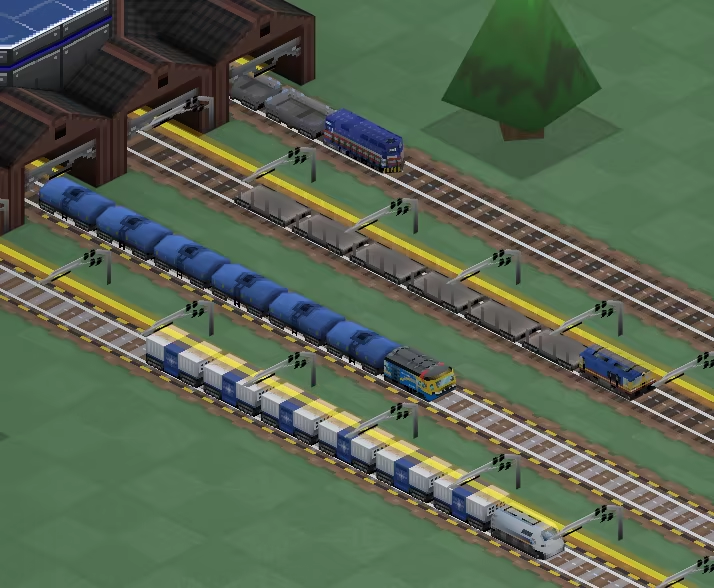
Build power plants and electrify your rails to gain access to powerful electric engines, reinforce your rails to support high-speed trains, or both!
Every engine type has a use case, and different types can even be combined within a single train for basic synergies.
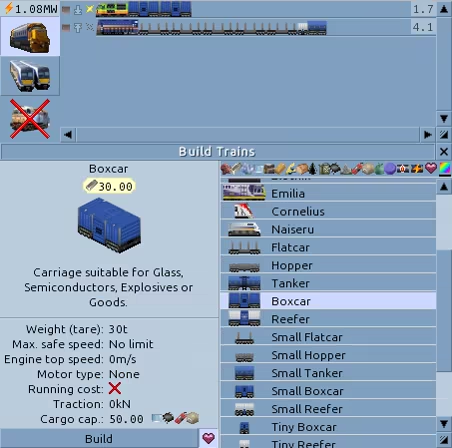
Build and rearrange trains with a simple drag-and-drop interface. Schedule train modifications with the Shunting feature.
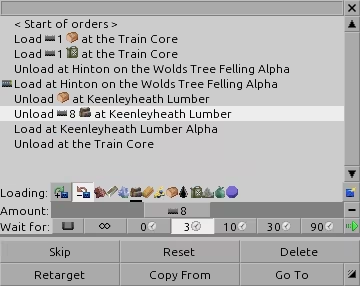
Program your trains with an order system that is simple, yet flexible enough to optimize for time and resource management. Trains will often handle several resource types and can perform complex supply runs if needed.
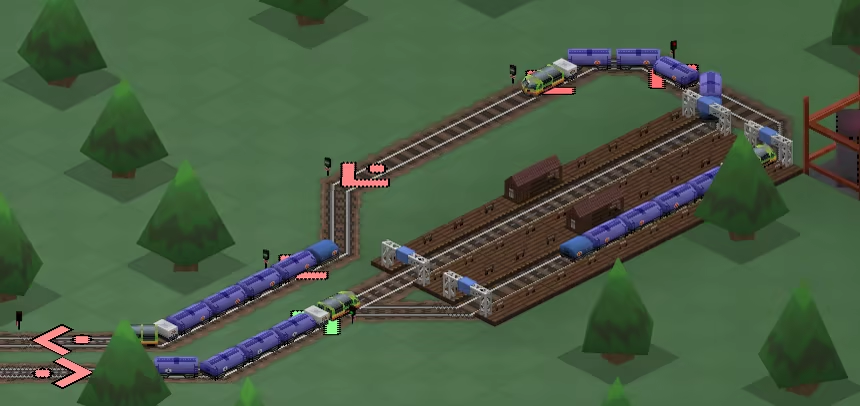
Master the use of Signals to increase throughput and eliminate traffic jams. Trains will never crash or break down, however!
The Town
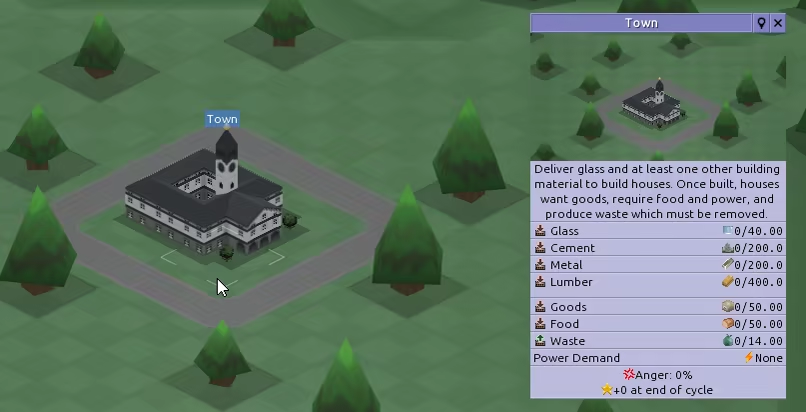 Grow the town by supplying building materials for additional reputation points, but do not forget it is your responsibility to serve the people.
System Requirements
Will my PC run this? →Minimum
- OS *: Windows XP
- Processor: AMD Athlon 64 X2
- Memory: 1 GB RAM
- Graphics: ATI Radeon HD 4670
- Storage: 64 MB available space
- Additional Notes: Two-button mouse required. (Not touch-friendly)
Recommended
- OS *: Windows 7
- Processor: Intel Core i7-4600M
- Graphics: Intel HD Graphics 4600
- Sound Card: Any Sound Card
- Additional Notes: Scroll wheel mouse recommended
Supported Languages
Latest news
Patch NotesOfficial
Bugfix Update 161
Reduced tendency for mountains to get a 1-step bottom lip since previous update Fixed Nuclear Plant producing twice as much metal as it was supposed to and displaying glitchy numbers at full metal storage Self destructing orders will no longer generate a "useless load order" event Giving a shunt order to a train that is currently returning to the core will now make that train continue returning to the core after completing the shunt Giving a new shunt order to a train that is currently doing a shunt order will now make that train return to the core after completing the shunt if the previous shunt order was marked as such When giving a train a shunt order where the target train is already involved in a shunting operation with a third train, the third train's shunt order will be cleared. Fixed incorrect error message when failing to lower terrain Fixed bug where petroleum limit contract amount setting was not included in savegame data Fixed Power Link description incorrectly giving reputation +/- amounts for the fully upgraded versionRead full article on Community Announcements (Odmog)AnnouncementsOfficial
Graphics Options, Slope Variation, Power Link
This update contains the following changes: Modified terrain generation algorithm to produce more variation on mountain slopes Added Power Link Station, enabling import/export of Power for Reputation Fixed bug where overproduction power from Steam Power Plants was not used by Dams or Electrofuel Plants Waste Power Plants will no longer burn Waste if the current demand can be met by Dams (unless the former is ordered to overproduce) Fixed bug where upgrading Solar/Wind/Hydro power plants did not update the min/max power generation stats in the power monitor until a reload Increased plastics cost for wind turbine from 15 to 16, and base power output from 1500 to 1600 Electrofuel plant now has a power limit slider Landscaping raise/lower cursor icons are now animated Added options for water and terrain graphics to improve frame rate on computers close to the minimum requirements Windows that are glued to another window are now brought to the front when that window is being focused Fixed corrupted text and potential crash for some "useless load order" messages Useless load order messages now use the definite article where applicable Fixed incorrect background color in some windows while the power monitor was open in the background Changed import card description to avoid text clipping for semiconductor import card {STEAM_CLAN_IMAGE}/46033375/4ea3521cbee194ae547189878b7c14315f007047.png The modified terrain generation tries to make more varied geometry on mountainside slopes. This can often reduce the amount of landscaping you need to do to build tracks there, especially when trying to limit the track slope (to make it better for trains insufficient traction). {STEAM_CLAN_IMAGE}/46033375/b9d0630b74572371a9f7c35247f80a3023f365df.png The Power Link Station must be placed on the edge of the map, and will automatically import or export power according to demand, costing reputation for import and generating reputation for export. Delivering Metal and Semiconductors will upgra...Read full article on Community Announcements (Odmog)AnnouncementsOfficial
Vehicle Reuse & Balance
This update contains the following changes: Added a mode to reuse existing vehicles when cloning trains Ctrl-clicking the Return To Core button will now cause the train to unload its resources at the core Combustion/Waste power plants now have a slider in the UI to force overproduction Reduced value of "Move Industry" card from 10 to 4 Adjusted resource capacities for wind/solar farms to be equal to turbine/panel cost Added diagnostic events for trains executing useless load orders (such as unloading at a fully expanded wind farm) Increased minimum number of ore deposits in hard mode from 1 to 2 (& max 3 to 4) Fixed a typo in the load amount tooltip Housing Targets and Export Targets now have progress bars in the contracts UI Connector particles (between train stations and industry buildings) will now animate while the game is paused Fixed bug where connector particle for train station reconnection did not animate as intended Fixed bug where Workers' Pride event log messages did not point to the structure in question Workers' Pride no longer shows up in the urgent tab because of industries whose production deadlines have already passed Fixed occasional z fighting glitch on wooden train stations Fixed train temperament settings not being loaded correctly from a savegame, also causing network desync on join Improved train behaviour when editing the current order while it is loading or unloading The new Train Cloning mode allows you to reuse existing vehicles when cloning trains. It will look for empty vehicles in stopped trains, starting from the top, and steal them. This can save you some time, especially when working with wooden or composite carriages (which are not fully recyclable). It does, however, require some care as you might accidentally cannibalise trains that you mean to put back into service later. The new unload-at-core function makes it easier to empty out trains before putting them out of service. It is also useful when there is an urgent need to retur...Read full article on Community Announcements (Odmog)AnnouncementsOfficial
Difficulty Levels
This update contains the following changes: Added some difficulty presets under "Start Game" Added dedicated random seed button in Custom Game menu Trial game map size reduced from 128 to 96 Reduced Semiconductor Factory production speed from 15 to 10 Reduced Random Industries cost from 12 to 10 Fixed a bug where trains were sometimes able to phase through a single tree or farm field immediately after a station platform Fixed a bug where trains were not able to proceed to the end of a station platform built on the edge of the map when starting less than 1 tile from the edge Fixed a bug where it was possible to get a train to stop and load/unload partially inside the train core by upgrading tracks under the train as it was entering the core Fixed a bug where mouse tool icons were not visible while paused with "Allow actions while paused" enabled Fixed a bug where power from tidal generators was misclassified as geothermal in the power monitor Fixed typo in the running cost tooltip Added command line flag for requesting a specific audio backend Further progress on future translation support In previous versions, pressing "Start Game" would send you directly into an easy mode. You can now access this mode by pressing "Start Game" > "Easy Mode". This mode is good for beginners wanting to learn the game. "Normal Mode" uses the same settings as Challenge Mode, except that the Timekeeping Mode is set to "Allow actions while paused". The new "Hard Mode" has increased difficulty for every setting except Timekeeping Mode, and activates both "Workers' Pride" and "Export Targets". This mode is meant to be played with intensive use of the pause function, and requires good knowledge of the game's systems. "Trial Mode" uses the short game settings from the Demo. (The Demo is not currently available on Steam.) You can load these presets in the Custom Game menu if you would like to change the rules. The new command line flag takes the following form: caBackend= where is one of the f...Read full article on Community Announcements (Odmog)AnnouncementsOfficial
Waste Power Plant & general improvements
This update contains the following improvements: Added Waste Power Plant Reduced tidal generator output from 1.5 MW to 1 MW Modified Industrial Aid priority order for "high level" industries Buffed Relaxed Zoning card to reduce distance by 2 instead of 1 Added house cost table to Town UI Fixed several bugs where card extra information windows tried to read invalid ingame state when opened in the progress menu Fixed bug where the Export Negotiation extra info button would crash the game Any Import card and ordinary import cards now have extra information windows Too few orders notification will no longer appear for trains that will stop automatically Altered fuel refinery model to eliminate z fighting with nearby structures Revised GREASY.MID Fixed a bug where import contracts could not be created after resuming from a Limited Term game over In addition, the windowing library has changed from GLFW 2.7.9 to GLFW 3.4, bringing the following improvements: The game window now has an icon Changes to the fullscreen option can now be applied without restarting the game Issue where screen resolution was changed for no reason on Linux should be fixed Issue where mouse movement was affected by DPI scaling in fullscreen mode on some Windows systems should be fixed Mouse cursor will no longer malfunction when using absolute pointing devices (e.g. touch screens) in fullscreen mode The default hotkey layout is now more consistent across different keyboard layouts However: Existing custom hotkey settings for users with non-english keyboard layouts have been broken and need to be restored to default or manually recreated The game window will take longer to open on some systems The Waste Power Plant adds a new use for the Waste resource. It is able to generate a good amount of power (18MW peak), but in doing so it burns through Waste exceptionally quickly, so this is not sustainable. However, like the Steam Power Plant, it is able to adapt its output to match the current demand, and ...Read full article on Community Announcements (Odmog)


