

Screenshots

 Watch trailer on Steam ↗
Kimbap Heaven Simulator
Joyful Jo · Published by Joyful Jo
Positive — 87% positive (30 reviews)
Last updated 19 Oct 2026
Run your own Korean restaurant in Kimbap Heaven Simulator. Dive into a realistic cooking experience—wash, blanch, and roll your way to success. Satisfy customers with delicious recipes, manage your finances, and expand your business to build a culinary empire.
£13.75
Lowest price we've ever recorded
View on SteamPrices can lag the live Steam store — always confirm before buying.
Price history
Indie, Simulation, Early Access, Casual · 2026 · More £5 - £15 games
Manage and cook up a culinary empire as you run your own Korean restaurant in Kimbap Heaven Simulator. Enjoy a realistic and engaging simulation that blends cooking challenges with business management for an immersive experience.
About this game
Do You Know Kimbap Heaven?
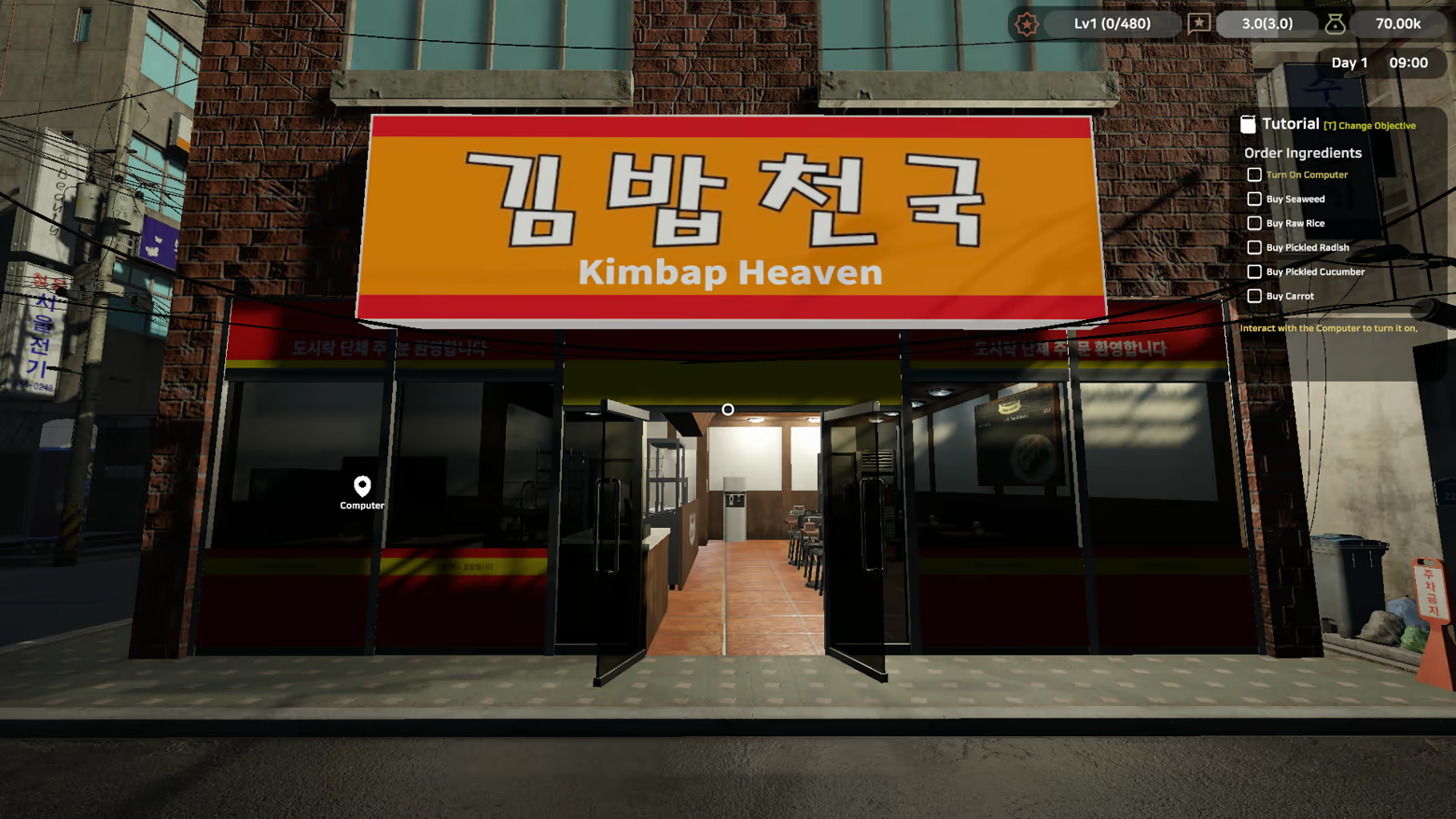
In <Kimbap Heaven Simulator>, become the owner of Korea's most beloved restaurant. 'Kimbap Heaven' can be found in every neighborhood, serving Kimbap and various Korean dishes that everyone loves.
Now it's your turn to run one. Experience a real day in the life of a Kimbap Heaven owner - carefully prepping fresh ingredients, and handling a flood of orders.
Cook Everything from A to Z
You'll buy real seaweed, get a rolling mat, wash rice, and cook it. Slice pickled radish, stir-fry carrots, blanch spinach, and fry eggs. Place ingredients on the seaweed, roll it up tightly, and slice it into perfect pieces. Then finally, serve it to your customers.
Every step matters. Burn something and you'll waste ingredients. Make customers wait too long and they'll get angry. But cook everything perfectly? You'll earn rave reviews.
Manage, Grow, and Expand
Order ingredients through the supply console and manage your inventory. Buy too much and food spoils. Buy too little and you'll run out of stock. Earn honest reviews and star ratings from customers to build your restaurant's reputation.
You can increase your store grade by attracting many customers, establishing a professional and impressive interior, and maintaining a high reputation. Reach higher grades and unlock more dishes. Start with basic Kimbap, then progress to tuna Kimbap, ramen, donkatsu, and fried rice. Purchase better cooking equipment, upgrade your restaurant, and improve efficiency to build your ultimate Kimbap paradise.
Key Features
Complete Kimbap Heaven Management Experience - From purchasing ingredients to cooking, serving, and managing
Realistic Korean Cooking Simulation - Prep and cook various ingredients just like in real life
Unlockable Ingredients - Expand your menu as you level up
Authentic Kimbap Recipes - Learn real recipes while playing
Beautifully Recreated Korean Streets - Immersive backgrounds filled with Korean culture
...And hidden mystery
Are you ready to ascend to paradise?
System Requirements
Will my PC run this? →Minimum
- OS: Requires a 64-bit processor and operating system
- Processor: i5
- Memory: 4 GB RAM
- Graphics: GTX950
- Storage: 10 GB available space
Supported Languages
Latest news
Patch NotesOfficial
Patch Note 1.33.4, Hotfix Demo 2.2
Changes :Added new language support. New languages: Japanese, Russian, French, Traditional Chinese, and Portuguese.Added a feature that makes it easier to place objects at higher positions.Empty autosave slots are now displayed in a thinner format, making the manual save slots easier to see.Added a button to the Load screen in the title scene that opens the local save file folder.Fixed an issue where parts of buildings near the backyard could appear clipped or see-through.Restored the missing rank bonus information on the PC.Demo 2.2 Fixes :Fixed an issue where changing the resolution or display settings, or deactivating the game while in fullscreen mode, could cause the resolution to change unexpectedly and make the settings confirmation popup appear multiple times.Read full article on Community Announcements (js.lee)AnnouncementsOfficial
Additional Notice Regarding the Save System Changes
Hello, this is Joyful Jo.Following the recent update that changed the save system, we have received reports from some players that their save files cannot be loaded or that they are unable to save their game. Unfortunately, we have not yet been able to identify the exact cause of these issues.We sincerely apologize for the inconvenience.Below are some possible steps you can take with the current version.If this is your first time launching the game after the update, it is normal for an empty “Autosave” section to appear at the top when selecting Continue or Load.Please scroll down using the mouse wheel. You should then see the “Manual Save” slots below. Your save data from before the update should have been transferred to these slots.If you still cannot find your previous save files after trying the method above, please download all files stored in your Steam Cloud using the link below and send them to us by email. These files may help us identify the issue and possibly recover your save data.Steam Cloud save file download page: https://store.steampowered.com/account/remotestorageapp/?appid=4206910Please send the files to: js.lee@joyfuljo.krIf anyone has already managed to resolve the issue, we would greatly appreciate it if you could let us know in the comments or by email at what point or after which action the issue was resolved. This information could be very helpful in identifying the cause.We will do our best to resolve this issue as quickly as possible.Thank you.Detailed Information About the Save Slot Changes and TroubleshootingThe following section provides more detailed information about the recent save slot changes and possible troubleshooting steps.For most players, following the instructions above should be sufficient. However, if you need to investigate the issue in more detail, please read the information below.The way save data is handled has changed.Previously, save data was stored in Slots 1–3. This has now been changed to:3 Autosave slots20 Manual...Read full article on Community Announcements (js.lee)Patch NotesOfficial
Hotfix 1.33.3, About multiplayer
Changes :Employees who become transparent when you get close to them can no longer be selected. You will now interact with objects behind them instead.Employees’ red hats will now also become transparent when you get close.Fixed an issue where customers waiting in line outside the restaurant would occasionally fail to enter when an employee was clearing a table after customers had left.About Multiplayer Update : Multiplayer is currently our highest development priority and is now undergoing testing. We know many of you have been waiting for it, so we’re working hard to get it ready and make it available to everyone soon.Thank you, as always, for your patience and support. We hope you’ll look forward to it!Read full article on Community Announcements (js.lee)Patch NotesOfficial
Patch Note EA 1.33.2
SystemAdded key binding support. You can now assign most controls to your preferred keys, with the exception of certain buttons such as Left Click, Right Click, ESC, and Q.(The Q key is currently disabled temporarily while we test a new feature.)With the addition of key bindings, the Options menu has been reorganized into separate tabs by function.Some UI elements have been redesigned to better support customizable key bindings.Added an X-axis inversion option.Added real-time save functionality. You can now load multiple save points from within each save slot, including both automatic and manual saves.By default, there are 3 autosave slots and 20 manual save slots.The game automatically saves when you finish the day and proceed to the next day. If more than 3 autosaves are created, the oldest one will be deleted first.Existing save slots will automatically be converted into Manual Save Slots 1, 2, and 3.When focusing on a table where customers are currently eating, a UI will now appear comparing the ordered dishes with the served dishes. This makes it easier to identify which part of the order was served incorrectly.Added visual effects for successful and failed orders.EmployeesEmployees can now be deactivated and placed on leave. When an employee is set to inactive, you will not pay their salary during that night's settlement, and they will not come to work the following day.Removed the automatic dismissal of employees when you do not have enough money to pay their wages.If you cannot afford employee salaries, you will now be unable to proceed to the next day. You must place enough employees on leave until the salary requirement can be met.Employees now wear hats so they can be more easily distinguished from customers.Facilities, Objects, and Other ChangesFurther optimization has been carried out. The graphics of some less noticeable buildings have been simplified, and nearby buildings will now switch to simplified graphics when viewed from a distance.Removed the c...Read full article on Community Announcements (js.lee)Patch NotesOfficial
Hotfix 1.32.1
Fixed an issue where objects located under the PC could not be interacted with.Read full article on Community Announcements (js.lee)


