

Screenshots

 Watch trailer on Steam ↗
Touhou Creator
しろ · Published by しろ
5 user reviews — 100% positive (5 reviews)
Last updated 19 Oct 2026
Program Your Own Danmaku! Touhou Creator is a Danmaku programming game where you can create Touhou Spell Cards using a simple programming language.
£7.99
Lowest price we've ever recorded
View on SteamPrices can lag the live Steam store — always confirm before buying.
Price history
Indie, Early Access · 2026 · More £5 - £15 games
Explore the world of Danmaku creation as you program your own Touhou Spell Cards with Touhou Creator. Dive into early access and unleash your creativity through this unique indie game developed by しろ.
About this game
Program Your Own Danmaku! Touhou Creator is a Danmaku programming game where you can create Touhou Spell Cards using a simple programming language.
Beginner-Friendly Educational Programming Language
In Touhou Creator, programming is done using an educational language called "MiniScript." Since specific functions for creating Danmaku are built-in, you can create impressive Spell Cards with just a few lines of code.
Test Your Code Instantly
Press the "Run" button to immediately test your Danmaku patterns. Use trial and error to refine your code and create your ideal Spell Card!
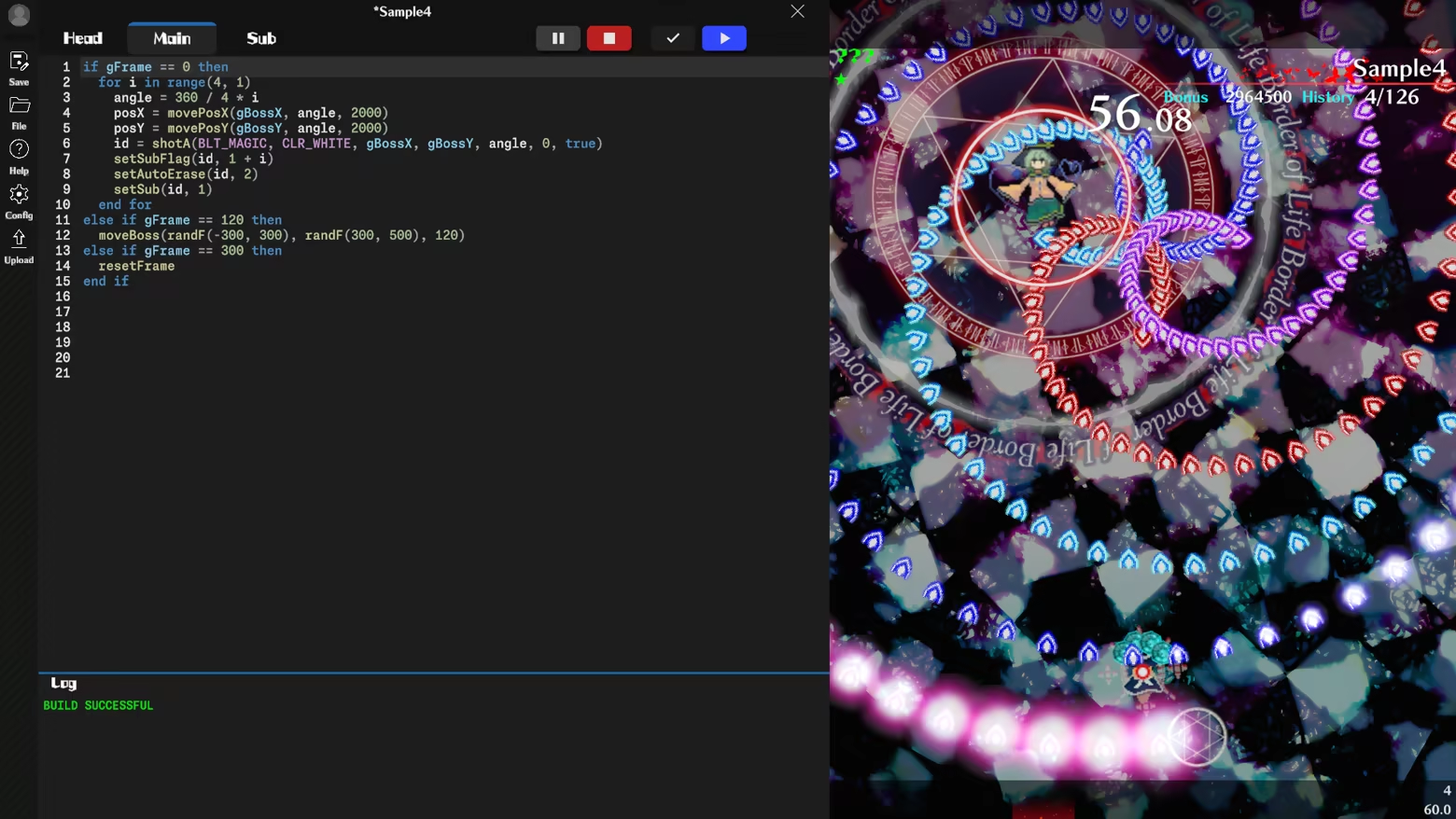
Share bullet patterns online
Share your bullet patterns online and play creations from around the world.
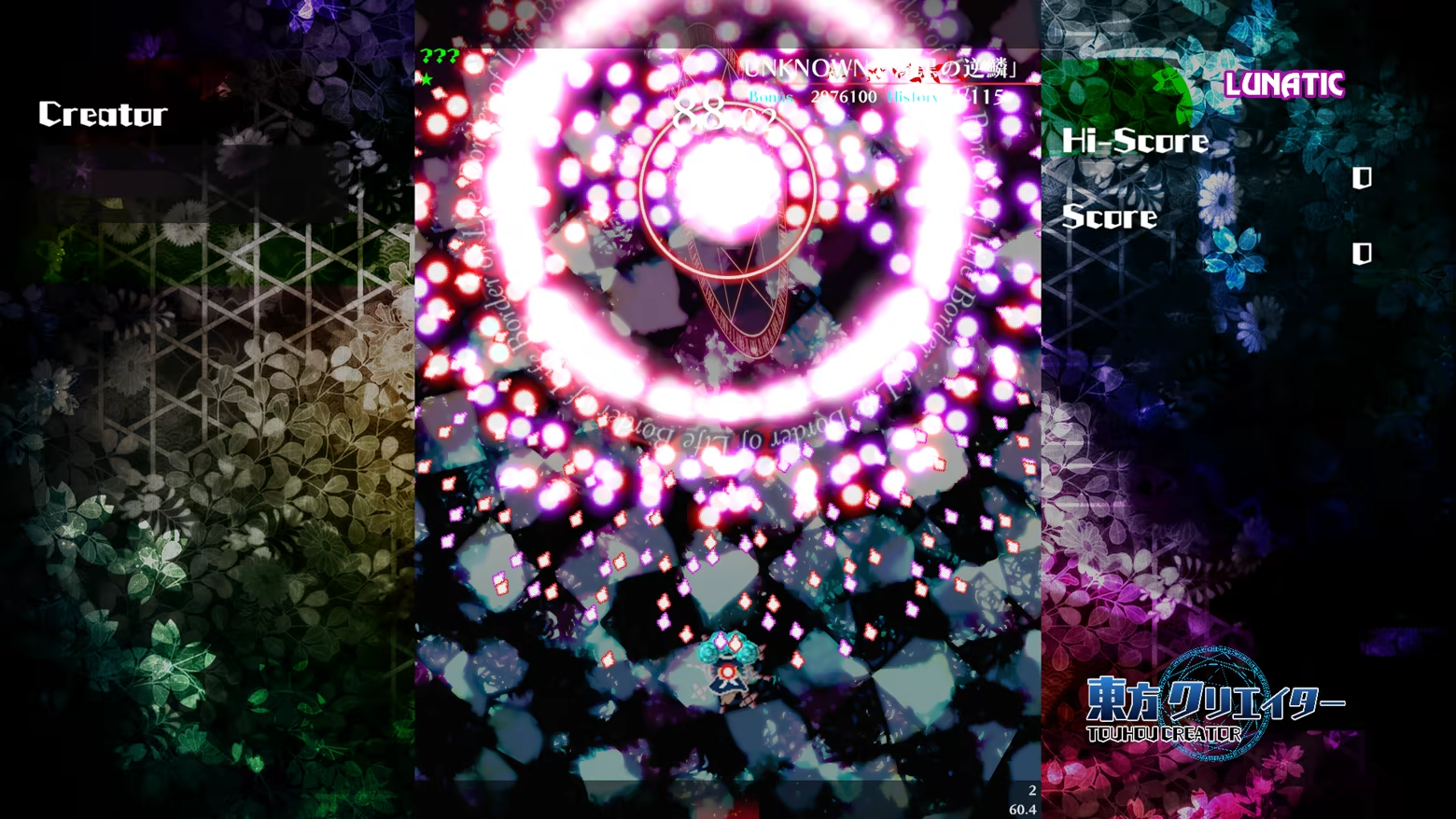
Link with "Touhou Madouroku"
The game is fully compatible with the mobile game "Touhou Madouroku." Danmaku patterns created in the mobile version can be played directly in Touhou Creator.

*Touhou Creator is a fan game based on the Touhou Project.
Powered by "CRIWARE".CRIWARE is a trademark of CRI Middleware Co., Ltd.
System Requirements
Will my PC run this? →Minimum
- OS: Windows 10
- Memory: 4 GB RAM
- Storage: 2 GB available space
Recommended
- OS: Windows 11
- Memory: 16 GB RAM
- Storage: 32 GB available space
Supported Languages
Latest news
AnnouncementsOfficial
The official Discord server is now open!
The official Discord server is now open!It's a community space for sharing the spells you've made and helping each other learn how to make them.A lot of you have asked for one, so I'm really happy to finally open it.I'll be checking in regularly, but I usually can't reply to individual questions or DMs.For bug reports and support, please keep using the Steam discussions as before.Join here: https://discord.gg/wb2hp3HfR4Read full article on Community Announcements (swtria)Patch NotesOfficial
Update Notes v0.2.3b
This update adds a new Challenge mode where you solve MiniScript exercises, along with plates and nicknames shared with Touhou Madouroku. It also includes a lot of improvements and fixes for the code editor. \ - Added a mode where you solve MiniScript exercises There are 30 problems across five difficulties, from Easy to Extra. When you clear a problem, you'll see how your solution compares with other players on three metrics (Lines, Steps, and Characters): the distribution, your top %, your rank, and the top 5 players. You can also play offline. Your records will be sent once you're back online. \ - The menu now has four options: Play / Learn Danmaku / Create / Quit Game - Learning Mode and Challenge are now under Learn Danmaku - Settings moved to the gear icon in the top right \ - Your plate (name, nickname, Steam avatar, and plate art) is now shown in the bottom left of the start screen - Click your plate to open the Profile screen, where you can choose your plate and nickname (1st and 2nd parts) - Your plate and nickname also appear in the details on the search screen and in the author field on the play screen * This data is shared with Touhou Madouroku, so plates and nicknames you've set there show up as they are. * Some plates are currently blank. I'm planning to replace them with new art in a future update. \ - While you're typing inside a function's parentheses, the editor now shows the function's syntax and a description of the current argument Press Esc to close it. - The Help and argument descriptions now use the BLT_XXX / CLR_XXX / ENM_XXX identifiers instead of numbers for bullet types, colors, and enemies - Added Sample10 to the samples - Fixed a bug where pressing Esc would undo your edits - Fixed a bug where autocomplete suggestions could be accepted unintentionally (Enter now accepts a suggestion only after you pick one with Up/Down; otherwise it inserts a new line) - Pasting is now treated as a single action, so one Undo (Ctrl + Z) reverts it - Fix...Read full article on Community Announcements (swtria)Patch NotesOfficial
Update Notes 0.2.2b
\- Added Patchouli Knowledge (identifier: Patchouli)\- Added the enemy / getEnemyLife / setEnemyLife functions- Added arrow bullets (identifier: BLT_ARROW)- Added sDeath to the Sub variables\- Added Chapter 4\- Added a Favorites feature to the search screen\- Danmaku must now be cleared in a test play before it can be uploaded\- Improved the usability of the danmaku editorRead full article on Community Announcements (swtria)Patch NotesOfficial
Update Notes 0.2.1b
This update is mainly focused on bug fixes.\- Added the Mobile Link feature. (The Touhou Madouroku side will be updated at a later date.)- Added Drive to the editor.\- Fixed a bug where laser hitboxes were larger than intended- Fixed a bug where lasers wouldn't trigger grazing- Fixed an issue where the game couldn't connect to the network in certain regionsThanks for playing, and see you in the next update!Read full article on Community Announcements (swtria)AnnouncementsOfficial
UpdateInfo0.2.0b
\- Flandre Scarlet (identifier: Flandre)Comes with a dedicated character portrait and BGM (identifier: th06_15).\- Added Learning ModeChapters 1 through 3 are available now. We plan to add up to Chapter 9 to cover the fundamentals of programming.\- Updated the logo\- Your Steam account icon is now displayed\- The Steam icon of the user who submitted each spell is now displayed\- Fixed some of Rumia's spritesRead full article on Community Announcements (swtria)


