

Screenshots

Talescape: Write. Branch. Play.
Aureola · Published by Aureola · Official site ↗
Content notice: Talescape itself contains no explicit or adult content. However, it allows user-generated stories created by independent authors (“Bards”). Some stories may include mature themes or imagery if properly labeled according to Talescape’s Content Guidelines. Such content is optional, community-moderated, and clearly marked for age-appropriate audiences.
Last updated 28 Sept 2026
Play well-crafted interactive stories shaped by mood and choice, or create your own branching story without coding.
Indie, Free To Play · 2026 · More free games
Explore and craft interactive narratives in Talescape: Write. Branch. Play., an indie title where every decision shapes the story. Experience or author your journey, all without needing to code.
About this game
Talescape is a platform for playing and creating interactive stories. From visual novels and branching narratives to point-and-click adventures and experimental story games, Talescape supports a wide range of interactive experiences. Players explore stories shaped by choice and emotional tone, while creators build scenes, dialogue, logic and releases with visual tools. No coding required.
Play visual stories where choices reveal new paths and outcomes
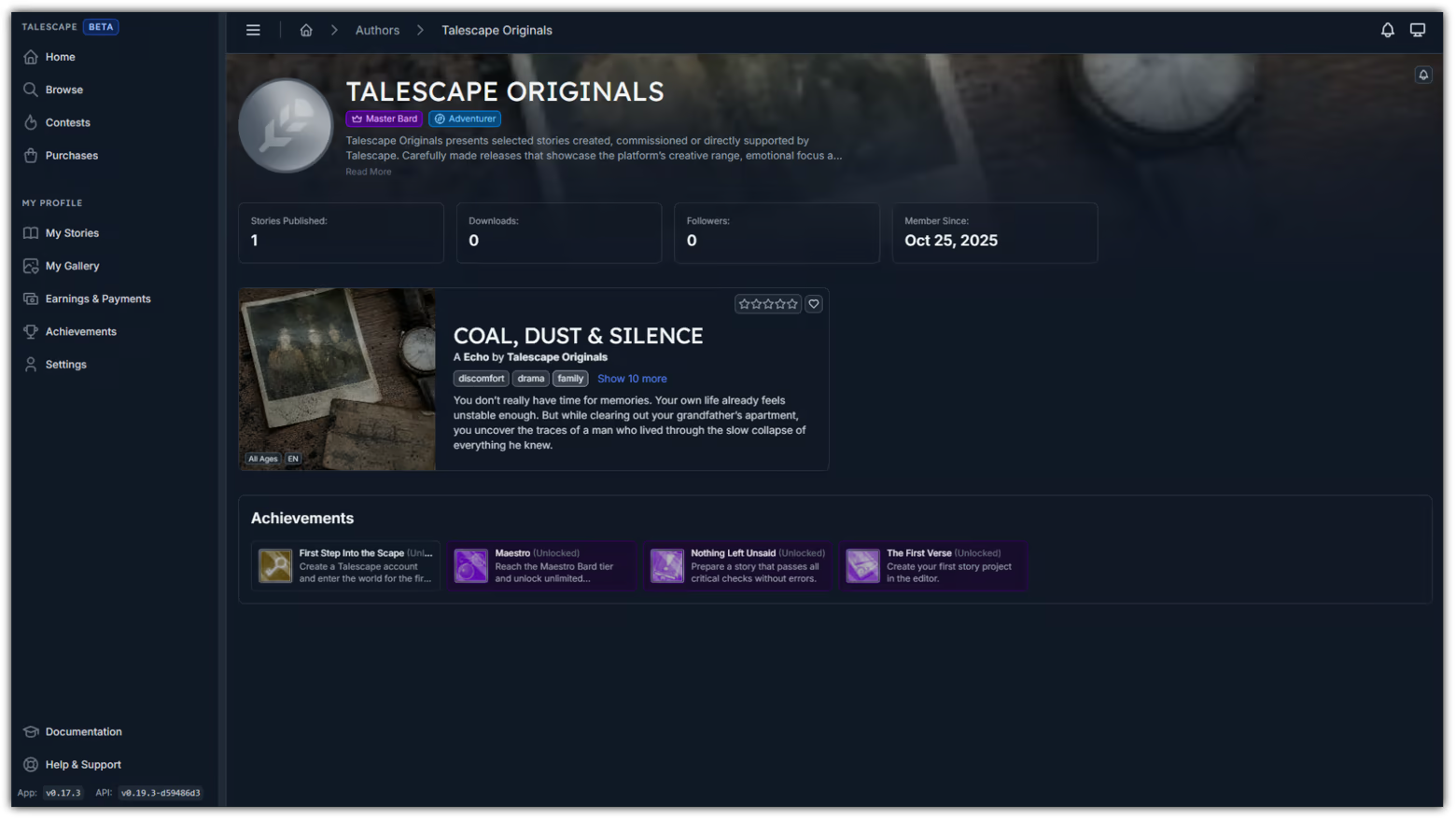
Find stories by emotional tone, theme and creator
Create your own visual novels, point-and-click stories and narrative games
Preview, debug and validate branches before release
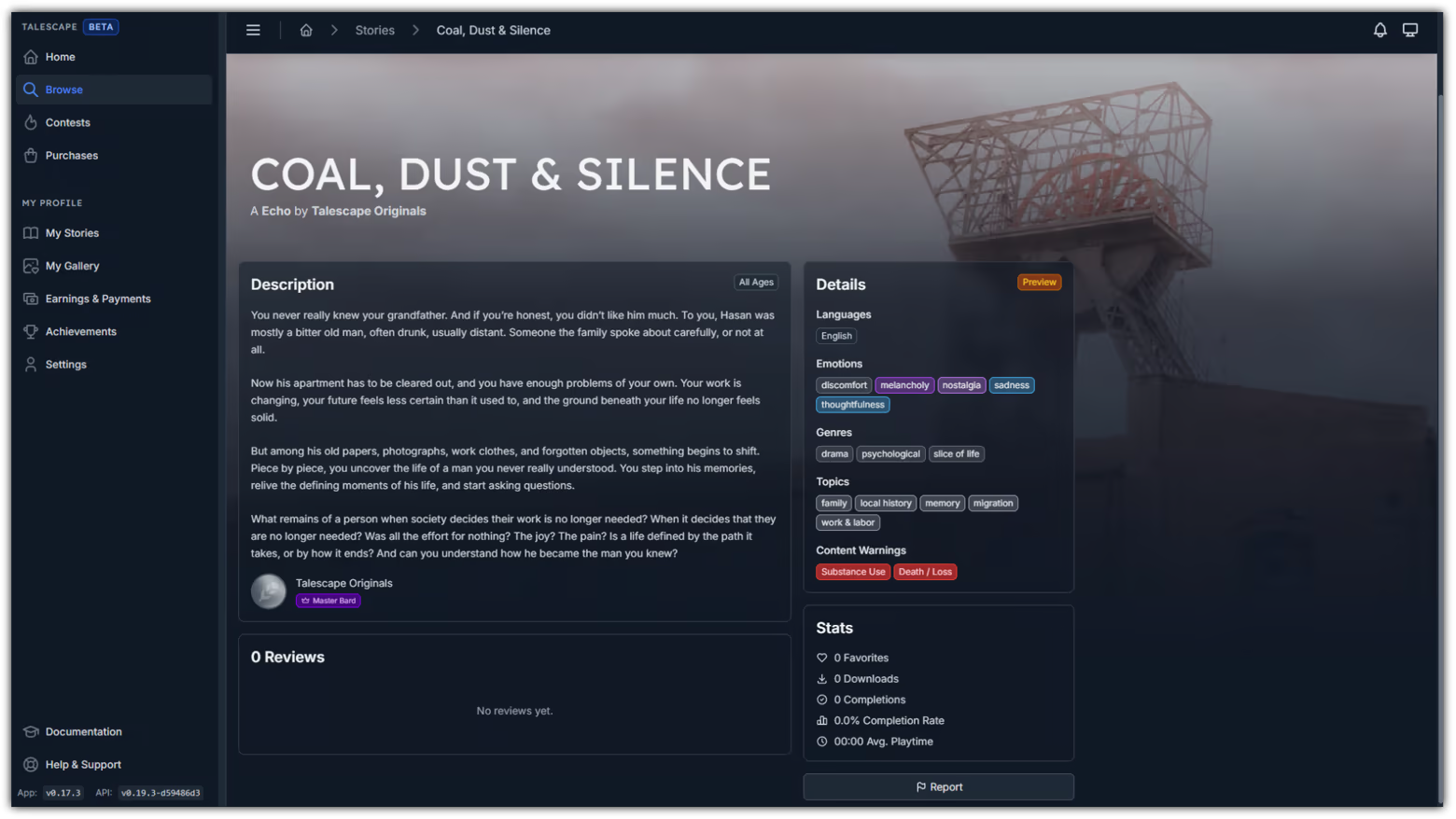
Find the Story You Want to Feel
Talescape is built around stories with intent. Every story is crafted with player choice at the center of the experience.
Players can browse by genre, theme and emotional tone. Talescape calls these emotional categories Dream Types:
Daydream — warm, hopeful and light
Nightmare — tense, unsettling and dark
Vision — surreal, strange and experimental
Echo — quiet, reflective and memory-driven
In Talescape, players are called Dreamers, and playable stories are called Tales.
Dreamers can:
Discover Tales by Dream Type, theme and creator
Make choices that reveal new scenes and outcomes
Explore with visual novel pacing and point-and-click interaction
Follow Bards and return to favorite voices and worlds
Review, collect and revisit Tales as the library grows
Create Stories Without Building an Engine
Creators get a visual workflow for turning ideas into playable stories: build scenes, write dialogue, add logic, test the result and prepare releases from one place. In Talescape, creators are called Bards.
Bards can:
Build scenes with backgrounds, characters, objects, exits and detail views
Write branching dialogue with choices and multiple presentation styles
Add logic with variables, conditions, items, timers and achievements
Preview scenes, chapters, dialogue or the full story
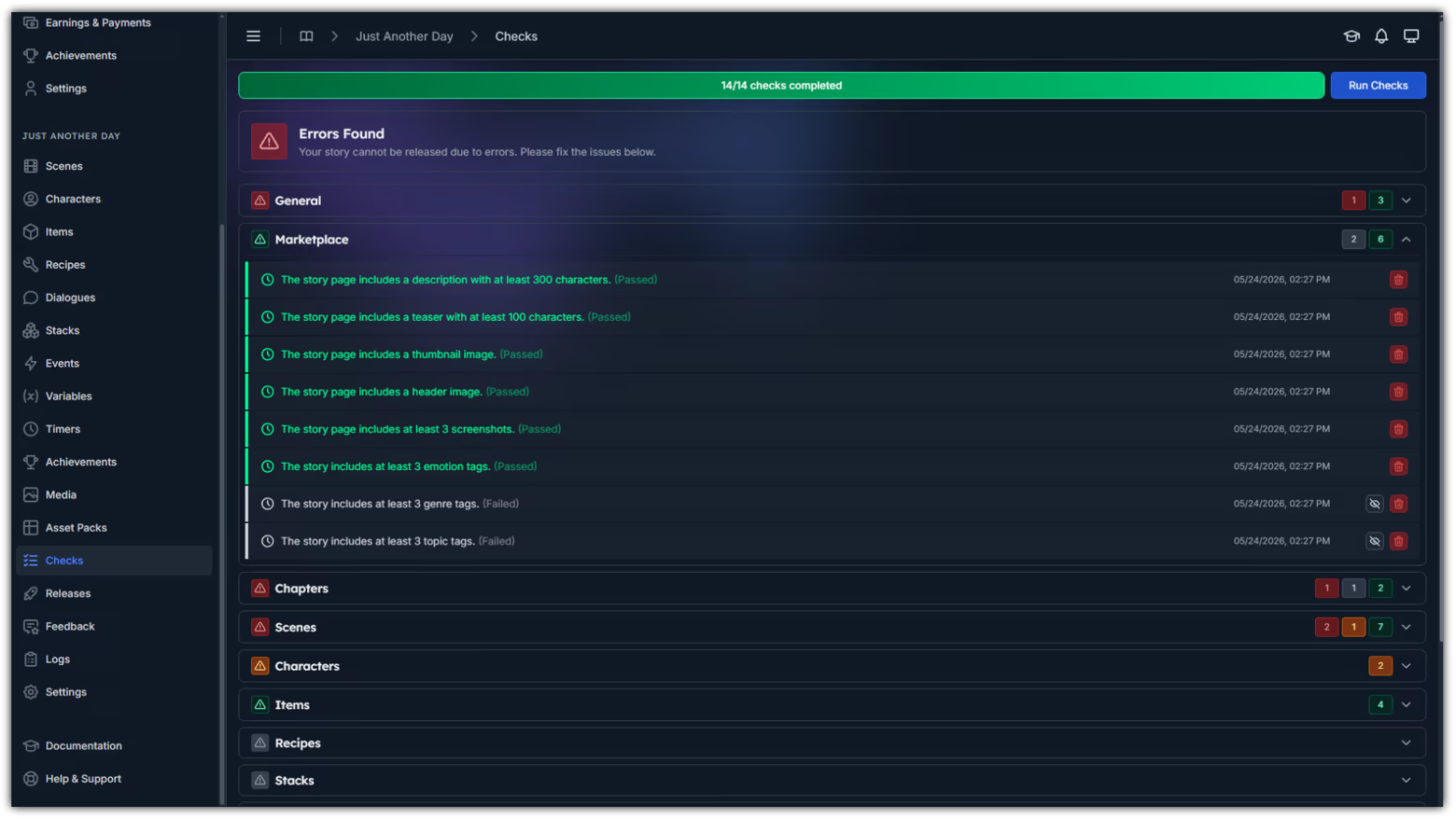
Use debug tools and checks to catch missing media, broken paths and release blockers
Prepare releases through guided checks, review and marketplace publishing
Build, Test, Publish
Talescape supports stories that mix visual novel pacing, point-and-click exploration, puzzle logic and emotional discovery.
Testing is part of the workflow. Preview what players will see, inspect story state while debugging and run checks before review, so creators can fix problems before Dreamers reach them.
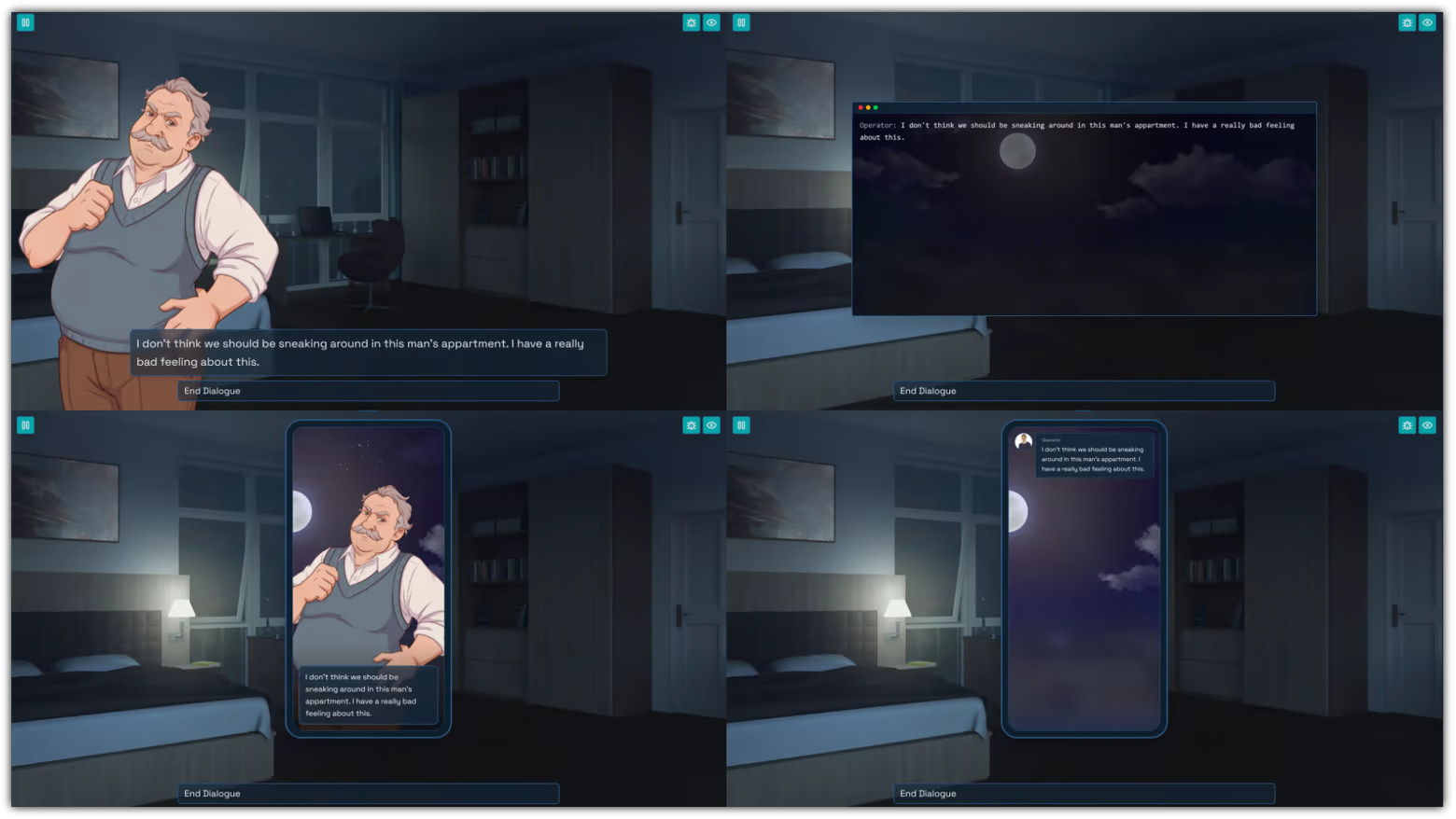
Creator Beta
Talescape is currently in Creator Beta. Early creators are using the completed platform to build and publish the first Tales, populate the story library, and prepare the marketplace for its wider public launch.
The Road to Release
Talescape is opening in stages so that its first stories, creators and player community can grow together.
Closed Beta (Completed) The editor, player and core platform workflows were tested and refined with early users.
Creator Beta (Current Phase) Early Bards are creating and publishing the first Tales, building the initial library and preparing the marketplace.
Public Beta (Steam Release) Talescape opens to players on Steam, with the first published Tales available to discover and play.
Full Release The platform, publishing workflow and marketplace move beyond beta as the library and community continue to mature.
Ongoing Development Talescape will continue to expand with new creator tools, player features and platform improvements after release.
Join the Creator Community
Join the official Talescape Discord to meet other Bards, share your work, follow Creator Beta updates and learn how to help build the first generation of Tales.
Publish and Grow
When a story is ready, Talescape guides it through release preparation, pricing choices, automated checks and review. As the platform opens beyond Creator Beta, published stories can appear in the Talescape library or marketplace with creator profiles, story details, emotional tones and reviews.
You stay the author of your work while Talescape handles the path from draft to playable release.
Write the world. Branch the path. Play the story.
System Requirements
Will my PC run this? →Minimum
- Requires a 64-bit processor and operating system
- OS: Windows 10 (64-bit)
- Processor: Intel Core i3 or equivalent
- Memory: 4 GB RAM
- Graphics: Integrated graphics (Intel UHD or equivalent)
- Network: Broadband Internet connection
- Storage: 500 MB available space
- Sound Card: Standard audio device
- Additional Notes: Internet connection required for publishing, collaboration, and updates.
Recommended
- Requires a 64-bit processor and operating system
- OS: Windows 11 (64-bit)
- Processor: Intel Core i5 or AMD Ryzen 5
- Memory: 8 GB RAM
- Graphics: ntegrated or dedicated GPU with 1 GB VRAM
- Network: Broadband Internet connection
- Storage: 1 GB available space
- Sound Card: Standard audio device
- Additional Notes: Recommended screen resolution 1280×720 or higher.
Supported Languages
Latest news
AnnouncementsOfficial
Atmospheres, Lighting & Animated Scenes - v0.20.0
Talescape App v0.20.0 and API v0.21.0-8890b605 have been released. This update focuses on movement, mood and reusable presentation tools for stories.Reusable Atmospheres for ScenesAtmosphere Presets combine visual effects, such as weather or particles, with optional ambience audio. A preset can be created once and reused across multiple scenes, making recurring locations and moods easier to keep consistent. Updating the preset changes every scene that uses it, while consecutive scenes can share the same atmosphere without restarting it during each transition. Scenes can still use their own custom atmosphere, and story actions can start or stop an atmosphere without changing the scene.Dynamic LightingScenes can now be darkened with a tinted overlay and illuminated with Point or Spot lights. Point lights reveal an area around a position, while Spot lights create a directional beam. Bards can place and shape these lights in the scene editor to highlight characters, objects or parts of the background. The feature is designed for stylized presentation and does not simulate physical shadows or occlusion.Dialogue Character AnimationsA default-style dialogue line can now trigger a short animation on its active speaker. Emphasis, Shake, Tremble, Recoil, Bounce, Sway and Flash provide quick ways to support surprise, nervousness, impact or other emotional beats. The effect belongs to the individual line and does not change the dialogue graph. Chat, phone-call and terminal dialogue styles do not support this option yet.Scene Element AnimationsVisual scene elements can now Rotate, Blink, Flicker, Pulse or Bob. These looping effects can make signs flicker, objects float, machinery turn or environmental details feel less static. Only the visible artwork is animated, so interaction areas, conditions and story logic continue to use the element's original position.Generated Videos (Experimental)The new Videos section in Story Settings can create a promotional trailer or short from me...Read full article on Community Announcements (support)AnnouncementsOfficial
Multi-Language Stories & introducing the Codex - v0.19.0
The next version of Talescape has been released.This update adds multi-language stories. Bards can now prepare stories in more than one language, and Dreamers can choose an available story language separately from the general Talescape interface language. This means you can keep the app menus in one language while reading a story in another.Translated stories can stay playable while a language version is still being completed. If a translated line is missing, Talescape may show the story's original text instead, so Dreamers can continue playing and Bards can keep reviewing the translation over time.This release also introduces the Codex. The Codex is an unlockable lore book for players. It can be used for world details, glossary terms, journal notes, clues, characters, places, factions, mysteries and other discoveries that become available while playing.Bards can create Codex Entries in the editor, organize them into simple categories and unlock them through story actions. This makes it possible to reveal lore at the moment it matters, let players return to important information later and have the story react to what the Dreamer has already learned.Story Settings have also been updated. Your story's main language and available translations now live in the General section, alongside the story title, Dream Type and other core identity details.Full release notes: https://talescape.com/en/about/journal/multi-language-stories-introducing-the-codexRead full article on Community Announcements (support)AnnouncementsOfficial
Linux + SteamOS Support & introducing Florins - v0.18.0
The next version of Talescape has been released.This update adds Linux support. In addition to Windows and macOS, Talescape is now available on Linux and SteamOS. Steam Deck support has not been thoroughly tested yet, so if you run into issues, please report them on Discord.This release also introduces Florins. Florins are a way to say thank you to your favorite Bard, similar to tips. Talescape does not take a share from Florins given to Bards. They can be bought directly or included as part of subscriptions, giving subscribers a way to support the authors whose stories they enjoy.Subscriptions are now available in test mode. Prices are not final yet, and the setup may still change while the workflows are being tested. Author payout requests are also available in test mode, so authors can start checking the payout flow before real payout processing is enabled.Savegames have also been updated for the newest set of editor features. Automated saves are stored at the beginning of each scene, and manual saves can be created whenever you want. The number of saves available per story depends on your subscription.Full release notes: https://talescape.com/en/about/journal/linux-steamos-support-introducing-florinsRead full article on Community Announcements (support)AnnouncementsOfficial
Creator Beta Starts Now
Talescape is now entering Creator Beta on Steam and itch.io.The platform is ready for the first Bards to create and publish Tales, build the initial story library, and prepare the marketplace for Public Beta.You can download Talescape now. After registration, new accounts must be manually approved before access is unlocked.During Creator Beta, purchases remain in development mode and creator payouts are disabled. These systems will be activated in a later phase.Join the official Discord for updates, support, feedback, and Creator Beta discussion.Read full article on Community Announcements (support)AnnouncementsOfficial
Stacks, Dialogue Styles & the Road Ahead - v0.17.0
A new Talescape update is now available.This update includes several larger editor and platform changes, plus a number of fixes from smaller patch releases that were not covered in separate posts.Main changes:Added Stacks for reusable pools of items, scenes, inline scenes and dialogues.Added dialogue display styles: default, chat, phone call and terminal.Added Story Previews, so story pages can be visible before purchase or full release is enabled.Added inline creation and editing for related elements like characters, items and variables.Added Steam Achievement sync through user settings.Added app translations for French, Italian, Spanish (Spain), Portuguese (Brazil) and Simplified Chinese.Added automatic media optimization for uploaded images and audio.Improved asset pack import handling, including clearer warnings and import results.Expanded release checks for missing scene backgrounds, missing item visuals and other validation cases.Improved inventory handling, timers, debug tools and editor workflows.Steam Achievements are now properly configured. You can sync your Talescape achievements with Steam from your user settings. This platform-sync approach is currently used for Steam and will also support other platforms in the future.The launcher has also been prepared for the upcoming itch.io release. It works differently from the bundled Steam app because it loads application logic remotely. Initial startup can be a little slower, but updates can be handled automatically through the launcher.Full journal entry: https://talescape.com/en/about/journal/stacks-dialogue-styles-road-to-itchioThe itch.io launcher will be released shortly, and Talescape will then move from the closed beta into a more open creator beta.Read full article on Community Announcements (support)


