

Screenshots

 Watch trailer on Steam ↗
8-bitBot
Eike Decker · Published by Eike Decker · Official site ↗
Last updated 13 Oct 2026
8-bitBot is a programming puzzle game where you place simple instructions in a program to make your bots transport objects in a factory environment.
Simulation, Casual · 2026 · More free games
Design efficient bot programs to transport objects through a factory maze in 8-bitBot. Experience the intricacies of programming puzzles in a casual yet engaging simulation crafted by Eike Decker.
About this game
Use simple instructions
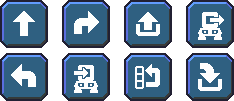
to perform simple tasks
or more complex tasks
by aligning the instructions on a grid:
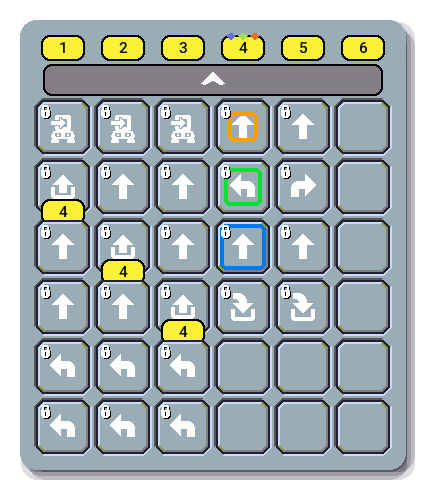
8-bitBot is about having fun finding solutions to simple and complex problems using basic principles of programming and watching how programs play out.
Staying true to the name, 8-bitBot has hardware requirements that feel like a blast from a past:
The whole game requires only a few dozen megabytes of disk space and less than 100MB of RAM to run.
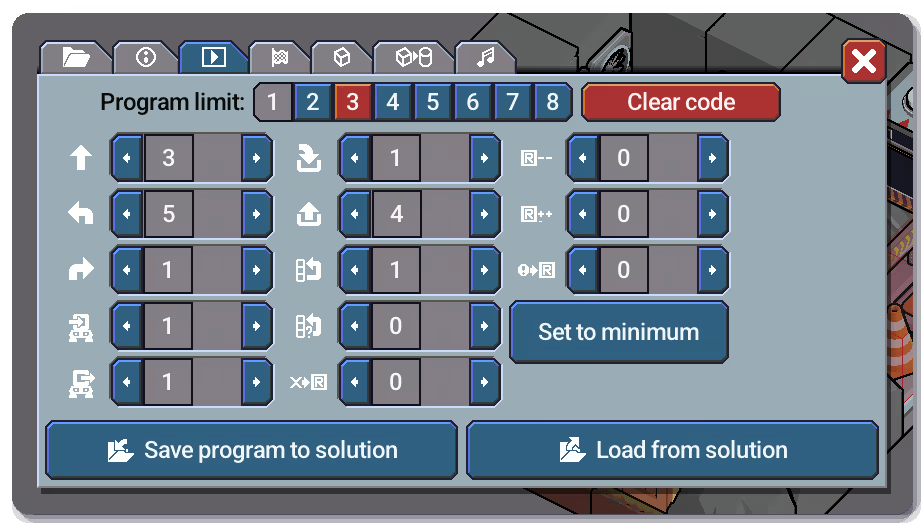
Also, the game comes with an awesome sandbox level editor!
The rich sandbox configuration options allow setting up all options needed to create your own challenging levels:
System Requirements
Will my PC run this? →Minimum
- Requires a 64-bit processor and operating system
- OS: Windows 10
- Processor: 1GHz CPU x86
- Memory: 1024 MB RAM
- Graphics: integrated GPU
- Storage: 100 MB available space
Recommended
- Requires a 64-bit processor and operating system
- OS: Windows 10
- Processor: 1GHz CPU x86
- Memory: 1024 MB RAM
- Graphics: dedicated AMD or Nvidia GPU
- Storage: 100 MB available space
Supported Languages
Latest news
AnnouncementsOfficial
Chapter one reworked
The levels of the initial release tried to please all players with one sequence of levels and that did not quite work out: Beginners struggled with concepts introduced too quickly and experienced players got bored too quickly because of the slow progress.The pathway is now splitting early on, offering the choice between two ways: A standard route and an advanced one.The standard route is taking more time to iterate the concepts - and often allows solving levels by just describing full pathways. This won't provide all stars for a level, but this way, no one should get blocked.So a lot of levels have been replaced with new ones or tweaked a little bit here and there. For example, you can meet quite early on new companions: Sheep!Clearly, B0B (the bot) and the sheep get along quite well! Next to that, the sheep need help!There are now four sheep in the first chapter that require assistance. It is never mission critical, but who would not help these woolly little friends? Try the demo to earn their gratitude!Another quality of life improvement: Context menus in the programming panel:The burger menu opens a menu where you can load and save entire program builds:The program headers are now clickable as well and it is now possible to clear/copy/paste/select the individual columns, making it more convenient to move things around:A right click on a instruction will open a specific context menu for the selected instructions:And YES, you can select multiple tokens in a column by holding SHIFT while clicking. This enables you to move multiple instructions around, making building different solutions easier.I still need to introduce these features via tutorials so all players can learn of these, but now at least you know about these new features :DThere are quite a few more suggestions by players and I try to get these in where I can. If you have wishes or ideas how to improve the gameplay, always let me know :) - easiest way: The discord server: https://discord.gg/8Dc6Jw57BXI ho...Read full article on Community Announcements (zet23t)Patch NotesOfficial
Demo version update
First: Thanks for playing the demo! It means a lot to me to see people playing my game!That said, I got a bit of feedback and while I have not managed to get it all in, I tried improving a few things - also using the telemetry data that some players thankfully shared with me. More about that at the end of the post.TooltipsThe game has tooltips now for several elements in the game: When hovering the odd numbers on top, it is also now much more informative what it all means:Hopefully that will help players to get started. Chapter transitionI noticed in the telemetry that most players stopped playing at the end of chapter 1. However, there are a few levels in chapter 2 that can be played in the Demo as well! So here is now a chapter finished celebration that leads the player to the next chapter:BenchmarkingMost players (who have shared statistics) have a fairly good performance of well over 50fps. But some player PCs are struggling and got me looking into potential optimizations and also benchmarking. When the game performs badly, it will ask now if it should do a benchmark that can be sent to my telemetry server. Here is how the test is looking likeSheep!Spoilered above, but that is another thing I started working out last week: Adding sheep to the game. I want to use them in puzzles for solving tasks; bringing or herding sheep to different places or shearing them. I think these would make a fine addition to the game in terms of cuteness:StatisticsAs mentioned above, I have now a few statistics. Around 40 players shared their stats (Thank you :)) and it shows that the first chapter is taking players around between 40 and 80 minutes to solve. This is quite a bit more than I expected and I guess I have to keep the puzzles more simple for a longer time. This remains the greatest challenge for me so far: Estimating how difficult a level is for a player.So much for now...So that sums up this quite active week - thank you everyone who played my game, I am really happy to se...Read full article on Community Announcements (zet23t)AnnouncementsOfficial
8-bitBot Demo is now available
I just pushed the Release button on the Demo version and you can download and play it here now.The demo features the first chapter and unlocks already the level editor with a few decorations and tile types - if you manage to solve all the logic puzzles first!Let me know what you think of the game and join the Discord server if you want to share solutions, feedback, or just talk about the game.Read full article on Community Announcements (zet23t)AnnouncementsOfficial
New instructions dropped
First, this is what is possible now in my latest development build:What you can see in the video is a maze and how the blue bot is navigating the maze executing the program on the right which consists of 18 instructions, forming the program that executes the left-hand-rule, that can be used to navigate flat mazes. This was possible before these new instructions, but it was complicated and extremely slow since it would have needed more instructions and each instruction would take one turn - something you can see in the video not being the case, thanks to the New TURBO instructionBut lets have a look:The top-left instruction with the flash enables the turbo mode. That means that the bot will execute up to 16 instructions within one step that are not making the bot or anything else move. I fondly remember the turbo button on my first PC, which I can't find a picture for, but the wikipedia article has this photo, which explains sufficiently well what I have in mind:So what happens in 8-bitBot when turbo is active is, that instructions such as function calls, gotos and return instructions (so instructions that don't make things move) are executed until an instruction is hit that waits (no instruction or NOP) or makes the bot or a box move. This decreases the number of cycles in this maze from over 300 to under 68! But it does make debugging harder, so disabling turbo is useful to understand what is going on.Why is turbo mode an instruction?Since turbo is skipping steps, it changes the duration of executing the programs, which changes the duration how long bots need to do complex tasks. This means that the programs run differently. I first considered a "smart" fast playback that would detect if there is any movement in the scene and if no, it skips that step, but that felt less intuitive; a bot pauses its motion because a box in a different part of the level is moving?Making it an instruction solves the problem described above and furthermore, I can naturally introduce it...Read full article on Community Announcements (zet23t)


