

Screenshots

 Watch trailer on Steam ↗
iRobot Factory
Einfach Genial gGmbH · Published by Einfach Genial gGmbH · Official site ↗
Mixed — 64% positive (11 reviews)
Last updated 28 Sept 2026
Solve logic puzzles and obstacle courses in this robot simulation game! Immerse yourself in the exciting world of robotics and programming! Create your own robot, connect logic blocks and teach it to solve challenging tasks!
Indie, Simulation, Free To Play · 2025 · More free games
Navigate through complex obstacle courses as you craft and program unique robots. Immerse yourself in the intricate world of robotics and challenge yourself with diverse logic puzzles.
About this game
Can your robot solve every level?
Immerse yourself in the exciting world of robotics and programming in the iRobot Factory! You can create your own robot and teach it to solve tasks - simply by connecting logic blocks together.
Your robot will be completely on its own as it tackles the levels. In order for it to succeed, you have to prepare it!
Build your own robot!

Choose from a variety of building blocks and assemble your robot! Customise it to do what it needs to do in the level! Wheels allow it to move. Sensors allow it to perceive its surroundings. Gripper arms allow it to pick up objects and carry them with it.
Programme its abilities!

Link logic blocks to teach your robot what to do! Programme how it reacts to the world around it so that it reaches the level's goal!
Send a signal to the wheels to make them turn. Read the signal from a sensor to extend a gripper arm at the right moment. Link several signals so that your robot can swerve out of the way when it rolls towards a wall. You can programme this and much more for your robot!
There are lots of levels to solve
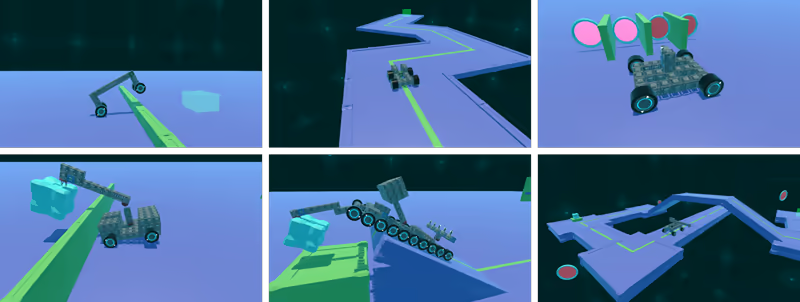
Solve tricky tasks in increasingly challenging levels - from small obstacles to big puzzles where you have to combine all your knowledge! Start by building a robot with working wheels and finish by creating complex machines that master several different tasks.
System Requirements
Will my PC run this? →Minimum
- OS: 10
- Memory: 4 GB RAM
- Storage: 150 MB available space
Supported Languages
Latest news
Patch NotesOfficial
Update 2.6.1 – Bug fixes, improved robot building, light design theme and more
Thank you very much for your feedback! We’ve made a number of improvements and hope you enjoy this update to iRobot Factory! We’d love to hear more comments. We’re particularly interested in knowing whether you play iRobot Factory at home, or whether you also use it at school? List of changes: Improved Robot Building - Robot blocks can now be moved! (except for joints) - Right-clicking deletes blocks in build mode - The middle mouse button opens the settings menu in build mode - DEL deletes nodes in programming mode - You can switch between build modes using keyboard shortcuts or the TAB key New Features - Light design theme: In the main menu, under ‘Settings’, you can now switch between light and dark themes. - New menu item in main menu: ‘Level Editor’ for importing and playing levels created using the Level Editor. Although the level editor itself hasn’t been released on Steam yet, it is now possible to import levels created using it. Other Improvements - Tooltips appear instantly, are now displayed at the bottom of the screen and are no longer visible in screenshots. - Tutorial pop-ups: you can now navigate forwards and backwards or skip them. - Shorter loading times: the menu transition animation now only plays when switching between the menu and the game Bugfixes - Beat sensors and ball machines can be configured in Build mode again - ‘NAME bug’ fixed: no more non-functional leftover nodes - Undo/Redo in Programming mode now works correctly; no more faulty connections or disappearing nodes - Visibility of the color sensor tick box improved in Dark Mode - Audio settings UI corrected - Tutorial pop-ups and new block information should now be displayed reliably. - And lots more minor bug fixes and optimisations.Read full article on Community Announcements (Einfach Genial gGmbH)


