

Screenshots

 Watch trailer on Steam ↗
OiiAi Cat
YongBoi · Published by Breadfast Tea · Official site ↗
Very Positive — 98% positive (60 reviews)
Last updated 10 Oct 2026
A chaotic virtual desktop cat that spins when you type, screams "OiiAi," tracks your word count, and rewards your keyboard fury with meme-powered madness.
Indie, Simulation, Free To Play, Casual · 2025 · More free games
Explore the chaotic world of OiiAi Cat, where typing turns your desktop into a frenetic dance of spinning feline madness. Track your word count and unlock meme-powered rewards in this free-to-play, casual simulation from YongBoi.
About this game
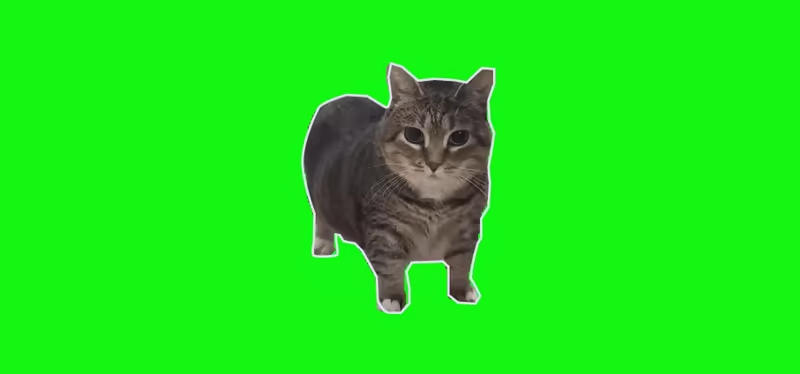
OiiAi Cat is a free, fun, and meme-fueled virtual desktop pet that brings chaos and charm to your everyday typing! Whether you're working, studying, or just smashing your keyboard for fun, OiiAi Cat reacts in real-time — spinning wildly, making its iconic "OiiAi" sounds, and counting every word you type.
This is more than a meme — it's a quirky productivity companion with unlockables, achievements, and ridiculous visual flair (coming soon).
---------------------------------------------
✨ Key Features
Real-Time Typing Reaction
The cat spins whenever you type. Stop typing? It stops spinning. Simple, satisfying, and hilarious.Meme Sound Madness
Enjoy the chaotic "OiiAi" meme audio that plays while typing — you can even unlock alternate sound packs.Typing Word Counter
Tracks how many words you’ve typed while the cat is active. Think of it as your productivity (or chaos) score.
---------------------------------------------
Whether you want to boost your productivity with a fun twist or just watch a cat spin out of control while yelling “OiiAi!”, this virtual desktop companion is the purr-fect sidekick. And yes — it’s totally free.
---------------------------------------------
Get ready to type. Get ready to spin. Get ready for OiiAi Cat.
Follow Ethel the oiia cat on Instagram: @oiiacat_ethel
System Requirements
Will my PC run this? →Minimum
- OS: Windows 10 (Home, Pro, or "please don't crash" Edition)
- Processor: Potato (dual-core if it’s feeling spicy)
- Memory: 2 GB RAM
- Graphics: Whatever came with your monitor
- Storage: 300 MB available space
- Sound Card: Can it beep? That counts
- VR Support: Try it. We dare you.
- Additional Notes: Runs on your uncle’s office PC from 2009
Recommended
- OS: Windows 11, for that extra catnip
- Processor: Intel Core i9 or AMD RYZEN 9 7950X3D, because spinning is serious
- Memory: 128 GB RAM
- Graphics: NVIDIA RTX 4090 for ultra-realistic spin physics
- Storage: 999 GB available space
- Sound Card: Dolby Atmos Surround Cat™ Certified
- VR Support: Coming 2037
- Additional Notes: Works better if you meow at your screen
Supported Languages
*languages with full audio support
Latest news
Patch NotesOfficial
Bug Fixes Patch Notes (04/05/2026)
Fixes & Stability Improvements Fixed UI settings saving/loading correctly Resolved UI not updating based on UI settings values Fixed multiple AutoStart issues, including startup failures Fixed drag system bugs Fixed Drag initiation delay/friction Fixed Incorrect drag position near screen edges Fixed Toggle logic inversion (previously reversed behavior) Updated overall UI (Settings, Close, and general layout) Improved settings text clarity and consistency Increased size of tick/untick UI elements for better visibility Updated sprite outline rendering Minor naming refinements in settingsRead full article on Community Announcements (6_WaNteD_9)


