

Screenshots

 Watch trailer on Steam ↗
Sandboxels
R74n · Published by R74n
Very Positive — 95% positive (1,172 reviews)
Last updated 8 Oct 2026
Falling-sand sandbox game with 500+ elements, chemistry, fire, life, food, and anything you can imagine.
£0.89
Lowest price we've ever recorded
View on SteamPrices can lag the live Steam store — always confirm before buying.
Price history
Indie, Simulation, Casual · 2025 · More under £5 games
Build and experiment in Sandboxels, an indie simulation where you can craft anything from simple structures to complex chemical reactions. With over 500 elements at your disposal, this casual yet deep game invites endless creativity.
About this game
Workshop Support
Sandboxels now supports the Steam Workshop - Browse and publish saved canvases in-game!
About the Game
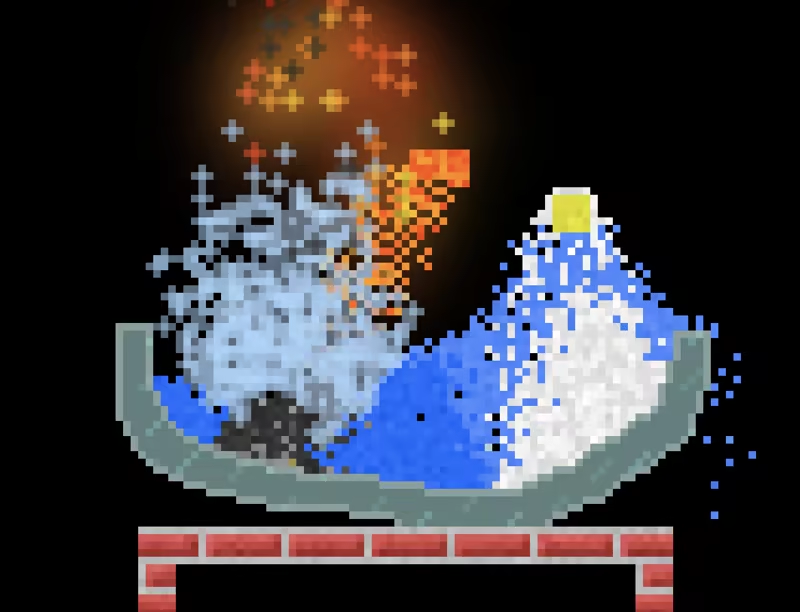
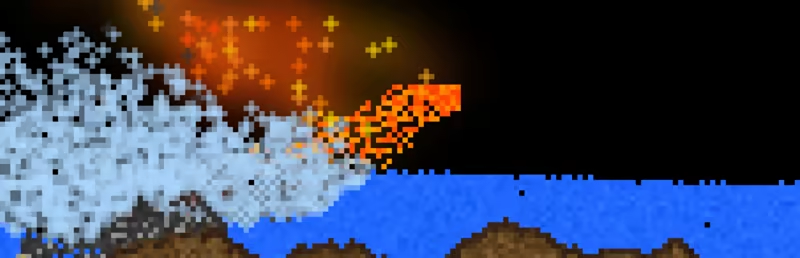
Sandboxels is a falling-sand game featuring heat simulation, electricity, density, chemical reactions, cooking, and fire spread. With over 500 unique elements to play with, Sandboxels is a great simulator to pass the time and relax.
Play the classic Sandboxels browser game on Steam with extra perks:
Steam Workshop support - Browse and publish saves directly in-game
Unlimited save file management - No more save slots!
No advertisements
Bigger screen space
Rich Presence for Discord
Support the developer!
There are thousands of interactions between the many materials, plants, animals, fluids, and powders in the game. Experiment with chemistry, cook food, grow an ecosystem, and more.
Simply click or use your touchscreen to select a category, like Liquids, then pick an element, like Water. Drag on the canvas above to place your pixels, and watch them interact with others!
System Requirements
Will my PC run this? →Minimum
- OS: Windows 10
Recommended
- OS: Windows 10
Supported Languages
Latest news
Patch NotesOfficial
Sandboxels v1.15: Update of the Century
We’ve added some of the most requested features EVER in this large update to Sandboxels. Let’s go through the most promising ones!Undo & RedoHave you ever misclicked, used the wrong element, or just regretted a decision? You can now easily go back multiple brush strokes with the Undo and Redo buttons!And yes, we refreshed the Control Bar with all new pixel art icons! This makes room for these new controls, and more to come.Editing ToolsWe added 5 new tools to make editing the canvas easier.The first 4 are all related: Select, Copy, Cut, Paste. These are pretty self-explanatory if you’ve used any image editor before.You can also apply many tools to selections, including the Erase tool to delete every pixel within it.We added a LOT of keyboard shortcuts to help power users edit super fast. Many of them should be familiar and intuitive:Hold Alt and drag on canvas to quickly start a selection.Copy: Ctrl + CCut: Ctrl + XPaste: Ctrl + VMove: Ctrl + M (Cut and Paste)Duplicate: Ctrl + D (Copy and Paste)Erase: Ctrl + BackspaceFlip: X (Horizontal) or Y (Vertical)Rotate: Ctrl + Undo: Ctrl + ZRedo: Ctrl + Shift + Z / Ctrl + YThe last tool, Mask, lets you hide pixels behind a Fuse, which can be revealed by shocking it.Finally for editing, we added a toggleable grid display to line up pixels easier!Elements & ReactionsBesides tools, we added 3 new elements and a LOT of recipes to make existing ones.Cinnabar, a mineral made from Sulfur and Mercury.Sandstone, which is replacing the Packed Sand element.Spice, a new powder in Foods that can be used to make Sauce.New reactions let you produce Plant, Wood, Bone, Sand, Dirt, Oil, Hydrogen, Vinegar, Bleach, Milk, Primordial Soup, DNA, Bird, Incense, and Molasses. There are also more nuclear fusion reactions.Did you know Alcohol can basically cook an Egg in real life? Well we added that too.Search RevampThe Info Panel has been transformed into the all-new Search Panel!It shows much more info on elements, and in a much cleaner way. On top ...Read full article on Community Announcements (R74n)Patch NotesOfficial
Sandboxels Update: Pushers, Text Display, Draggable Humans + 100
Sandboxels v1.14 is out now with long-awaited features and many less-awaited details.PushersSandboxels now has a Pusher machine!When powered, it pushes pixels in a direction. This is great for transportation needs that Pipes or Portals don’t suffice, such as a conveyor belt or moving a pixel group!TextThere is a new Text display element!It dynamically reacts to color, size, and even some special elements, like Rainbow.When placing Text, the underlying pixels are visible, but will be hidden once deselected.They even support special variables for displaying temperature, charge, and more.Human ImprovementsWe overhauled the code for Humans to use that new pixel-grouping system. Don’t worry, old saves with Humans will be migrated seamlessly when loaded.Humans can be dragged without breaking apartHumans can swimHumans can now control pixel groups when they are included - maybe you can make a mech?Rapid Fire Changes!There were OVER 100 minor changes this update - here are just some of the best ones:Heat Loss setting: Slowly return to room temperature over timeSetting to show tick count againPixel groups can be cut into multiple pieces with EraseEstonian language supportMagical reactions were added to make recipes for many special elementsStatic can be paintedBorder has a special reaction when Rainbow is underneathTo see ALL the changes, see the full changelog below.Full Changelog\+ Pushers + Push pixels and groups with electricity + Add to a group to move all of its pixels at once+ Text element + Place a text display on the canvas + Actual pixels show while selected or hovering + Dynamically responds to size and color + Absorbs the color of certain special pixels, like Rainbow+ Humans can be safely dragged+ Humans can swim+ Heat Loss setting: Slowly return to room temperature over time+ Setting to show tick count again+ Pixel groups can be cut into multiple pieces with the Erase tool+ More Shift-Select functionality: + Replace can specify which element(s) to replace + Smas...Read full article on Community Announcements (R74n)Patch NotesOfficial
Sandboxels UI Update
This minor update refreshes the look of the UI in preparation for upcoming updates. Please provide feedback and be patient as we work through edge cases.All buttons now have a sleek and darker look. The Settings menu has been redesigned to look less chaotic.We have some exciting updates planned very soon!! Try out the new UI and let us know any feedback so we can include it in the next version.If you would prefer to use the old UI, just enable the "old.js" mod and reset the canvas.Read full article on Community Announcements (R74n)AnnouncementsOfficial
Version 1.13.2: Pixel Groups, Cooler (Hotter?) Fire, and 1 billion more features
Our new update to Sandboxels, v1.13.2, is out now! Let’s dive right into the new features and changes.Edit ModeRemember all those weird miscellaneous tools in the Special category? They have been moved to the new “Edit” tab!The “Edit” button is where the “TPS” option used to be, which is now in Settings.We expect to add a lot more editing tools to this tab in the future, but for now we added TWO - Group and Ungroup!Use the Group tool to merge multiple pixels into a single structure, which will make them all move together - even Solids which are usually stationary. They can be dragged and can displace fluids.And if you attach something like a Fly…Graphical UpdatesFire has been given a better transition from yellow to red as it burns. This applies to Cold Fire, too!Liquids and Gases will appear less grainy than other pixels.When placing Lightning near certain elements, such as Neon or Copper, it will change color!We also tried optimizing a lot of the rendering and simulation code, hopefully it makes a difference on your end.More FeaturesFillers can now be painted and will fight other colors:And some more:Icing (also known as Frosting or Buttercream) - a new element made by mixing Butter and SugarShift-Select can set the frequency of a Battery or the element of the Image toolPortals show destination lines when hovered over or selectedWorms can compost more organic materials, like PaperWe also fixed 15 bugs, including a couple nasty ones involving the new Filters and Gates.That’s not all!We have some even bigger things planned. Stay tuned and, in the meantime, read the whole changelog for this update below.\+ Edit Mode ~ Moved Special tools to the edit tab ~ Expect more tools in the future+ Relations - Multiple pixels as a single entity + Group and Ungroup tool in edit tab + Grouped pixels fall and move as one structure + Grouped pixels are ungrouped when broken or changing states + Grouped pixels can displace fluids (Experimental)+ More Shift-Select functionality: + Ba...Read full article on Community Announcements (R74n)AnnouncementsOfficial
Sandboxels v1.13 - Gizmos & Gadgets OUT NOW
We worked hard to bring some highly requested features and improvements to this new Sandboxels update.New machinesFirst, we added the Filter! It acts like a sieve, allowing only certain elements to pass through.It also has a cousin called the Gate, which only allows pixels through if it is powered by electricity.Pipes can interact with these new machines, transferring pixels between them.The new “Shift-Select” option brings extra functionality to existing elements. Just hold shift while selecting any of the following elements:Erase - Only erase certain elementsCloner - Clone multiple elementsFilter - Allow specific states or multiple elementsSensor - Sense specific elementsPortal - Set unique channelsVoid - Only delete certain elementsRandom - Randomly place specific elementsExplosion - Custom explosion radiusAntibomb - Explode into specific elementsTo make room in the Machines category, we merged a few elements and expanded functionality into others. Old saves will seamlessly migrate once loaded into the game.LEDs R, G, and B -> A single customizable LEDSuperheater and Freezer -> Heater and Cooler (Heat or Cool them to control temperature)Tesla Coil and Shocker -> E-clonerNew graphicsAs you may have seen in recent YouTube/TikTok videos, background images and an Outline View are now here!There are 6 default background images to choose from, but you can also use any image URL! To try the Outline View, press the ‘5’ key or select it in Settings.We also improved the UI — Element buttons have a pixelated and colorful border. No more boring grays!New toolsWe added a Ruler tool for taking measurements! This was originally to support people with myopia (nearsightedness), but it can be pretty helpful for everyone.The Drag tool has also been greatly improved! It’s now much faster and smoother, letting you move pixels at record speeds.New everythingThere were over 60 more changes and bug fixes we didn’t talk about!Ever tried to place Humans with Replace Mode enabled? Or use t...Read full article on Community Announcements (R74n)


