

Screenshots

 Watch trailer on Steam ↗
3D Raid River
MLB-Miagui · Published by MLB-Miagui
7 user reviews — 71% positive (7 reviews) · 21 achievements
Last updated 4 Oct 2026
Recover the Console that the Pirates try to destroy anyway. Travel back in time with incredible graphics
£0.89
Lowest price we've ever recorded
View on SteamPrices can lag the live Steam store — always confirm before buying.
Price history
Action, Adventure, Indie, Simulation, Casual · 2025 · More under £5 games
Embark on an adventure where you navigate treacherous rivers and battle pirates to save the future. In 3D Raid River, your actions shape the outcome as you fix broken technology in a visually stunning indie game.
About this game
"Revive the nostalgia of River Raid with realistic graphics, previously unseen stages, and a surprising secret ending. Pilot, destroy and conquer the impossible!"
The Goal is Simple, Destroy Enemies and recover Console Pieces.
From Home you need to take off your Airplane, Just Speed up until it takes a Height where it leaves the takeoff point and you realize that you have more control of the Flight to the sides and that is where you can already shoot.
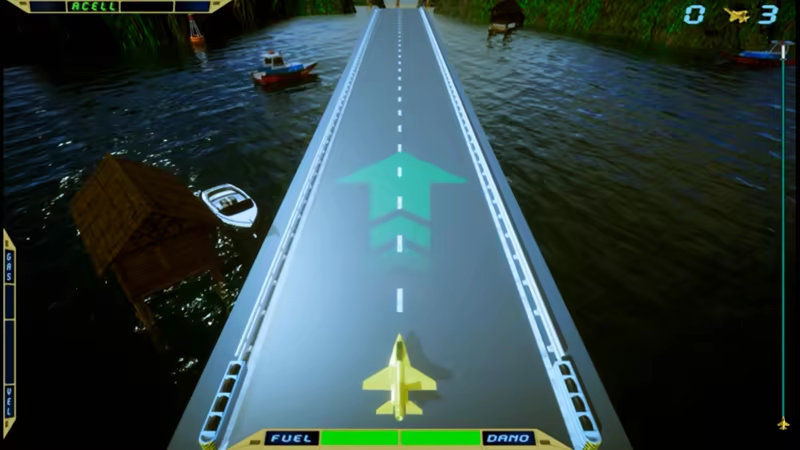
Airplane Control is on the Keys "Up" accelerates, "Down" Reduces or Brakes, "L and R" Go to Right and Left with Airplane. To "Shoot" use the Normal Mouse Click or Spacebar.
The faster Accelerates the Airplane flies but spends more Fuel. You notice when it keeps Accelerated it reaches the Maximum speed level, and it is no more than that so you can release the accelerator, because the Airplane keeps the Flight. So it spends less Fuel than keeping accelerated.
To fuel the Plane just pass the Airship "GAS".
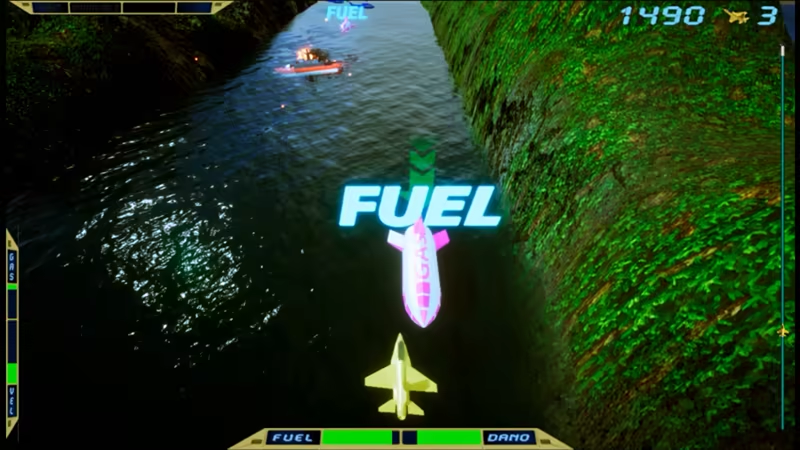
You can also shoot them because they give you points. But if you shoot too close to the airships the explosion is too strong and you end up suffering damage. To repair the Damage just pass in the "FIX" Airship.
The Enemy Helicopter only makes its Patrol flight while the Warship fires missiles at you. The shots are endless and the more you destroy the more you earn points
As soon as you arrive at the End of the Phases, there is another clue where you need to land.
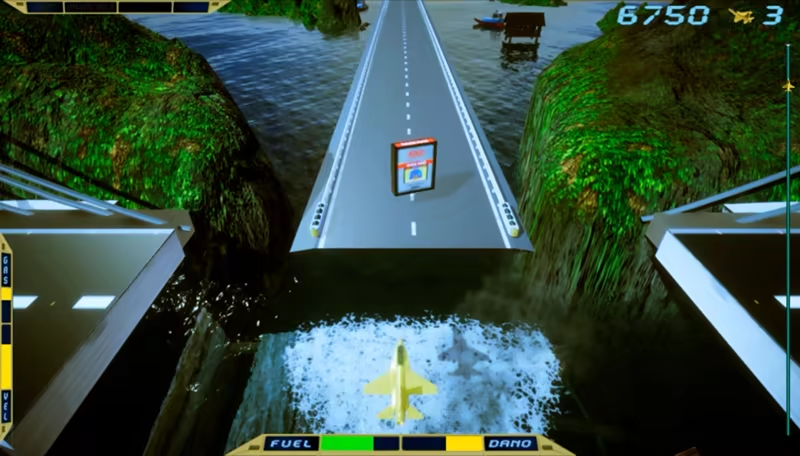
Just hold the brake that it lands until it stops and goes to the next Stage.
"The Rescue of the ATARI" is not just a game; it's a nostalgic mission. Take control of a fighter jet and relive the magic of the classic River Raid with:
🎮 6 Challenging Stages where each Stage has a Console Part.
✈️ Challenging enemies, such as helicopters, ships, and fighters.
🔥 Cinematic scenes that enlarge the story.
🌟 Epic secret phase, with a special ending for the most skilled.
🕹️Invincible unlockable mode to experience nostalgia without limits.
As soon as you Finish the 6 Stages it Shows the End of the Game with all the parts together, as the Difficulty Level has a different ending however, each End has an Instruction of how to get open Bonus Stages, how to Get the Symbol of the "Aviator Star" and what it serves, Tips and also teaches how to go Direct to the Last Special Stage.
Good Adventure.
System Requirements
Will my PC run this? →Minimum
- Requires a 64-bit processor and operating system
- OS: Win10
- Processor: 3ª Geration
- Memory: 4 GB RAM
- Graphics: RX 550 / GTX 560
- DirectX: Version 11
- Storage: 2 GB available space
- Sound Card: Default
- Additional Notes: Graphics in Very Low
Recommended
- Requires a 64-bit processor and operating system
- OS: Win10 / Win11
- Processor: 7ª Geration
- Memory: 4 GB RAM
- Graphics: RX 580 / RTX 1030
- DirectX: Version 12
- Storage: 2 GB available space
- Sound Card: Default
- Additional Notes: Graphics in High
Supported Languages
Latest news
Patch NotesOfficial
Visualize the Jets on the Map
A small but important update.Visualize the Jets on the map. This way it won't catch you by surprise and you'll know if you destroyed it or not.And a slight reduction in brightness during the "Sunset" stage.You're facing the sun where it's setting, so that's when the brightness slightly obstructs your view.Thank you, MLB-MiaguiRead full article on Community Announcements (mlbmiagui)Patch NotesOfficial
I Made a New Build in Unity3D
I bought a better video card and made a new build in Unity3D. Let's see if it fixes anything.I really wanted to know what's happening with the errors so I know what to do. If you could post something about the bugs and errors.Thank you, MLB-MiaguiRead full article on Community Announcements (mlbmiagui)Patch NotesOfficial
Bug Fixes and Adjustments, Highlights and Achievements
The Ending Screens were too dark (even though I used a very dark screen for creation). Some Boats were out of balance on the water. A Secret Achievement wasn't displaying. Fixed Invincible Mode. And Details in the General Ending. .. Thanks for Playing MLB-MiaguiRead full article on Community Announcements (mlbmiagui)Patch NotesOfficial
Damage Correction
When the Plane suffers damage and is tending to one side or failures in acceleration. And fixes Damage by passing in FIX Airship.Read full article on Community Announcements (mlbmiagui)


