

Screenshots

 Watch trailer on Steam ↗
Attack of the PETSCII Robots (DOS)
8-Bit Productions, LLC · Published by NMSE & Co LLC · Official site ↗
Positive — 100% positive (12 reviews)
Last updated 27 Sept 2026
Attack of the PETSCII Robots is a strategy and exploration game. Your goal is to infiltrate these settlements and destroy all of the robots. The trick is finding all of the right tools and learning how to use them to destroy all the robots.
DJCTQ 10
£8.50
Lowest price we've ever recorded
View on SteamPrices can lag the live Steam store — always confirm before buying.
£8.50
Price history
3 Sept 2026Lowest: £8.50 · Highest: £8.5011 Oct 2026
Strategy · 2023 · More £5 - £15 games
Explore settlements to find and deploy the right tools against PETSCII robot hordes in Attack of the PETSCII Robots, a strategic challenge from 8-Bit Productions.
About this game
HOW TO PLAY
Your goal is to infiltrate these settlements and destroy all of the robots. To do this, you’ll need to locate weapons and other tools.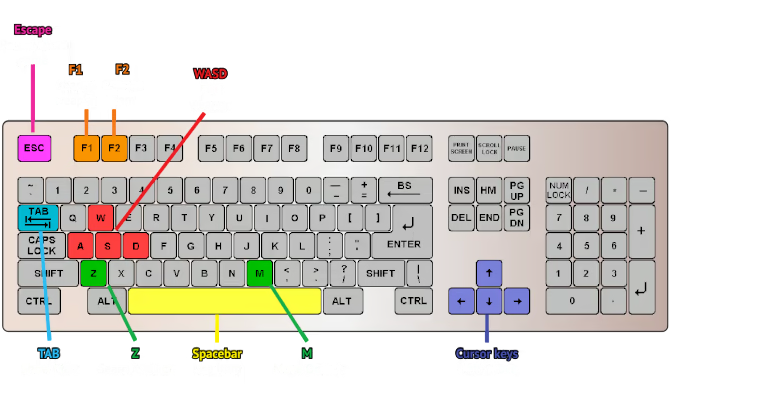
Brains or Brawns?
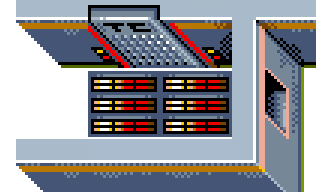
At first glance, Attack of the PETSCII Robots might look like an action shooter game.
However, it’s really not. Think of it more of a strategy and exploration game. While you
are given weapons to fight with, you will never win if you try to fight the robots head
on in battle. The way to victory is by examining each robot situation as a strategy.
In most cases there will be a way to defeat every robot without engaging with them
in a head on battle. The trick is finding all of the right tools, and learning how
to use them.
When can you exit the level?
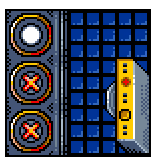
There is a transporter room in every settlement.
However, to prevent unauthorized robots from leaving the settlements, the
transporter systems have been remotely programmed not to activate until
all robots have been destroyed. Once you have destroyed all robots, you will see the
transporter pad activate, then you can step onto it to complete the level.
USING THE MAP
Activating the map is handy not only to see where you are, but to find the remaining
robots.
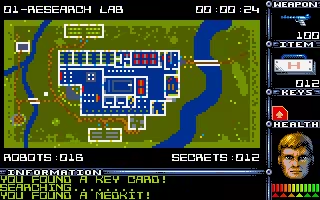
Things to know about the map:
- Activate map by pressing TAB on the keyboard or using the Gamepad.
- When using the gamepad, it toggles between Playfield, Map with Player, and Map with Robots.
- SHIFT-TAB will toggle between flashing the player or flashing the remaining robots.
- You can still walk around and do things while the map is on screen.
System Requirements
Will my PC run this? →Minimum
Minimum:
- OS *: Windows 7
- Storage: 30 MB available space
Recommended
Recommended:
- Storage: 150 MB available space
Supported Languages
English


