

Screenshots

 Watch trailer on Steam ↗
Lethal Application リーサルアプリケーション
Daisessen · Published by Daisessen · Official site ↗
Positive — 97% positive (31 reviews)
Last updated 27 Sept 2026
Fly through the air in the extremely inefficient way of gun recoil. The burst mode activated by pressing two attack buttons at the same time is All health, 3x attack and significantly increase charge speed Instead, full life recovery. If you're going to die, use it and bet on the reversal!
Action, Indie, Free To Play · 2023 · More free games
Dive into intense, free-to-play action in Lethal Application, a 2023 indie gem from Daisessen. Navigate the chaos with burst mode to unleash powerful attacks and recover health.
About this game
Fly through the air in the extremely inefficient way of gun recoil.
Use of sub-weapons and the final use of the Burst Mode is the key to stage clear!
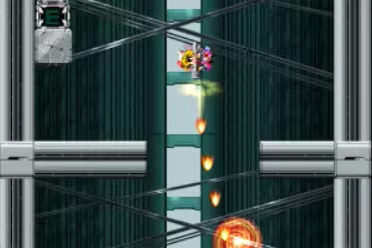
■Tricks
Consume energy just by shooting shots.
It's easier to clear and have fun playing if you climb with momentum rather than fine braking.
When you can't attack the enemy well with recoil Use your secondary weapons wisely.
The burst mode activated by pressing two attack buttons at the same time is All health, 3x attack and significantly increase charge speed Instead, full life recovery.
If you're going to die, use it and bet on the reversal!
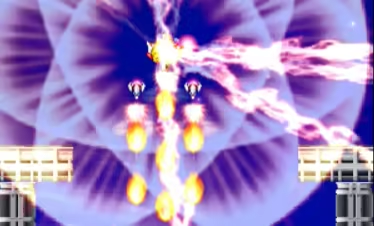
■By the way...
Even if it bursts immediately after the start It is designed to clear all stage.
System Requirements
Will my PC run this? →Minimum
- Requires a 64-bit processor and operating system
- OS *: Windows 7 or later
- Processor: 1.2GHz processor
- Memory: 500 MB RAM
- Graphics: 1 GB RAM
- DirectX: Version 12
- Storage: 200 MB available space
Recommended
- Requires a 64-bit processor and operating system
Supported Languages
Latest news
Patch NotesOfficial
*This bug is Japanese only ゲーム内でのセリフが文字化けする現象の対処法
*This bug is Japanese only 日本語版かつ特定プレイ環境依存で、以下のようにゲーム内のセリフが文字化けする現象が発生しています。 {STEAM_CLAN_IMAGE}/44284544/c021117db27018c58150d245bd319280ad367347.png こちらの対策ですが 下記アドレス↓のDataCフォルダをダウンロードし http://www.daisessen.com/patch/DataC.zip 解凍した「DataC」を同名のフォルダに上書きして修正してください。 上書きする箇所↓(Steamフォルダの場所依存) C:\Program Files (x86)\Steam\steamapps\common\Lethal Application なお、Steamとの紐付けが切れてしまいますが、完全無料化バージョンですので 公式HPにあるこちら↓のアドレスから丸ごとDLするのが手っ取り早く、確実ではあります。 https://daisessen.com/trial/LethalApplication.zipRead full article on Community Announcements (daisessen)Patch NotesOfficial
Modifications to controller inputs
As a countermeasure when the controller input may not work Improved default key placement for games. If you could not enter it with the previous settings, you can install it again after uninstalling. It will be updated to the corrected input settings. * If the controller input still does not work Steam>setting>controller>『Controller Settings』 Turn off all controller Steam Input enablements. {STEAM_CLAN_IMAGE}/44284544/89a6a7a8ab4842b378eea6977ede5b7b920be1f1.png *Because Steam's functionality interferes with the input originally provided by the PC, It works fine with it.Read full article on Community Announcements (daisessen)


