

Screenshots

 Watch trailer on Steam ↗
Twell
Lucas Rob, Frank Nieuwland, Gabriel Bolduc, Thomas J. Peters, Iñigo del Valle · Published by Lucas Rob Holding B.V. · Official site ↗
Positive — 82% positive (11 reviews)
Last updated 27 Sept 2026
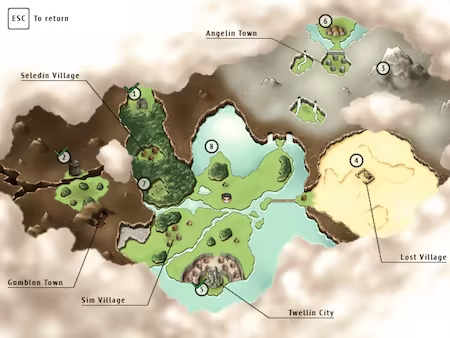
This adventure is about you waking up in this world named Twell. The only thing you can do now is explore what this world has to offer. Explore 8 unique dungeons, discover many secrets and visit many locations.
Action, Adventure, RPG · 2023 · More free games
Explore a mysterious world named Twell as you venture through its 8 distinct dungeons, uncovering hidden secrets. Developed by Lucas Rob, Frank Nieuwland, Gabriel Bolduc, Thomas J. Peters, and Iñigo del Valle, this 2023 action-adventure RPG invites you to discover what lies within each dungeon's walls.
About this game

You wake up in a mysterious world called Twell with no memory of who you are or how you got there. With nothing but your curiosity to guide you, it's up to you to explore this world. Complete 8 unique dungeons, discover hidden secrets, and visit a variety of populated locations.
Twell is an adventure game built in RPG Maker XP, featuring a variety of puzzles, exploration, and a simple action-based battle system.
The game is designed to keep you engaged without overwhelming you with endless dialogue or repetitive grinding. Instead, your journey is about exploration, discovery, puzzles, and challenges with plenty of secrets waiting for those who take the time to look for them.
If you enjoy classic RPG adventures with a focus on exploration and mystery, Twell offers a world full of secrets waiting to be uncovered.
Why is it free?
Creating Twell has been a passion project, and more than anything, I hope that you will play it, explore its world, and have a great time.

- Every dungeon has unique puzzles, enemies, bosses and theme.
- Use key items to solve puzzles and uncover new areas.
- The look of the character depends on which equipment you wear.
- Visit many locations with unique characters to interact with.
- Choose which type of sword you want and which skills you want to learn.
- Side quests are available to you at the start, solve them whenever you want.
- Feel free to play the game in your own order. No hand-holding, but it's clear where to go next.
- The game keeps your progress when it's game over, simply choose a location to continue.
- You can unlock extra challenges for Battle Mode.
- You can also start the game on hard difficulty for some extra challenge.

System Requirements
Will my PC run this? →Minimum
- OS *: Microsoft® Windows® XP/20
- Processor: PC with 800MHz Intel® Pentium® III equivalent or higher processor
- Memory: 2 GB RAM
- Graphics: 1024x768 or better video resolution in High Color mode
- Storage: 150 MB available space
- Sound Card: DirectSound-compatible sound card
Supported Languages
Latest news
Patch NotesOfficial
New update v1.5.10
This update contains some map bugs and some text improvements.Read full article on Community Announcements (LuxesR)Patch NotesOfficial
New update v1.5.9
This update improves the performance of two maps: Angelin Town and Gomblon Mountain. This is especially noticeable on Steam Deck. There are also a lot of improvements when it comes to the font for Steam Deck in earlier (not announced) updates. When starting a new game, it will ask you to choose your OS. In case you already started the game earlier on Steam Deck, you can change it at a save state.Read full article on Community Announcements (LuxesR)Patch NotesOfficial
New update v1.5.3
This updates fixes an issue when changing the way you control the game. Also, there is a Steam Deck official controller layout.Read full article on Community Announcements (LuxesR)Patch NotesOfficial
New update v1.5.2
Now supporting Steam Deck and Xbox controller. You can set it when starting the game or change it by going to a Save State and choose 'Options'.Read full article on Community Announcements (LuxesR)Patch NotesOfficial
New update v1.5.1
When using a controller, the sword and shield icons in HUD are switching places to make more sense with a controller setup.Read full article on Community Announcements (LuxesR)


