

Screenshots

 Watch trailer on Steam ↗
Peaks of Yore
Anders Grube Jensen · Published by TraipseWare · Official site ↗
Overwhelmingly Positive — 97% positive (3,800 reviews) · 53 achievements
Last updated 27 Sept 2026
Travel around The Great Gales to climb challenging peaks in this physics-based climbing adventure set in 1887. Meet like-minded mountaineers, unlock helpful climbing gear, and become a pioneer of mountaineering.
£15.75
Lowest price we've ever recorded
View on SteamPrices can lag the live Steam store — always confirm before buying.
Price history
Action, Adventure, Indie · 2023 · More £15 - £30 games
Embark on a thrilling climb through The Great Gales as you unlock gear and become a pioneer of mountaineering alongside like-minded adventurers.
About this game
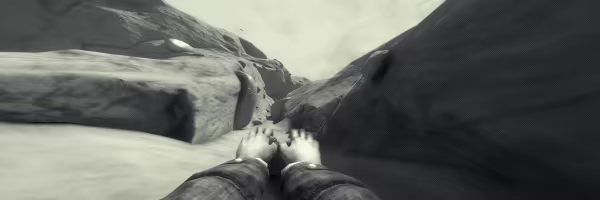
Peaks of Yore is a first-person physics-based "climb-em-up" adventure set in 1887.
Steel your nerves and perfect your climbing skills as you ascend the rock wall, traverse difficult routes, and encounter many challenges and obstacles.
As you venture out, you will meet like-minded mountaineers and discover the serene and picturesque nature of The Great Gales.
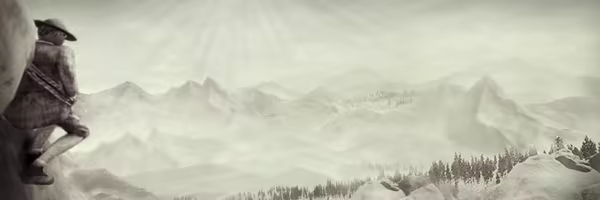
The esteemed Official Ascension Society will be monitoring your progress and determine your potential for participation in further categories of mountaineering.
A Peak-bagging Adventure
Embark on an adventure to summit every boulder, peak, and mountain in The Great Gales.
Ascending the mountains will be treacherous. You will make many attempts, and you will fall many times. Small mistakes lead to greater falls.
Mountains are not fair or unfair, they are just dangerous.
Each peak presents a new challenge as well as new routes to discover.
Master every hold by trial and error. Not every hold is the same.
Unlock climbing gear to help you summit the most treacherous peaks.
Meet a charming cast of like-minded mountaineers.
Find comfort in your cabin as your base of operations and fill it with trinkets found on your journey.
Enjoy the fresh mountain air and quietudes of the mountains, rendered in a picturesque style harking back to the 19th century, or in a dash of color using the Colorful Mode.
Develop your skills as a budding mountaineer to be the first to conquer the unconquerable mountains.
Test your expertise in the unlockable modes You Fall You Die and Free Solo.
Create, Edit, and Play Custom Levels through the Peak Level Editor, with full Steam Workshop support.
Hours of palm-sweat inducing content.
System Requirements
Will my PC run this? →Minimum
- OS: Windows 10 64-bit
- Processor: Intel Core i5-5000 or AMD RYZEN 3 3300X
- Memory: 4 GB RAM
- Graphics: NVIDIA GeForce GTX 900 Series or AMD Radeon RX 460
- DirectX: Version 11
- Storage: 2 GB available space
- Sound Card: Windows Compatible Audio Device
Recommended
- OS: Windows 10 64-bit
- Processor: Intel Core i7-6700 or AMD Ryzen 5 3600
- Memory: 8 GB RAM
- Graphics: NVIDIA GeForce GTX 1070 or AMD Radeon RX Vega 64
- DirectX: Version 11
- Storage: 2 GB available space
- Sound Card: Windows Compatible Audio Device
Supported Languages
*languages with full audio support
Latest news
Patch NotesOfficial
Patch 2.1.2 - Force Zones, Invincibility Zones, and Previous Art Entries
UpdatesAdded Force Zones. You can set these to push the player when entering the zone once, or constantly while they're in the zone. For things like jump pads and whatnot, you're best off enabling the Reset Velocity toggle, so the Force Zone won't have to work against your existing velocity. You can find Force Zones under Tools > World. Added Invincibility Zones. When the player is inside this zone, they cannot be knocked out / fall to death. Can be found under Tools > World.Added Opaque water. You'll find these under Environment > Water. Ice Climbables can now be set as slippery friction type.The Art Contest Painting will now show previous artworks. You can cycle through them with Left and Right when interacting with the painting. Also added the Art Contest painting to the Workshop Outpost.BugfixesFixed an issue with some runtime objects not getting culled by the Distance Activator in custom levels.Fixed some bugs with Summit Stamps in a custom level and showing the correct stamps.Fixed a bug with Collectible Removal Zones visible in the peak page camera.Fixed some UI input field where it wouldn't automatically set decimal values if you started with a full-stop.Fixed a bug with Climbable Ledges (for real this time).Fixed a camera position issue when switching between Quick Playtest mode at large distances.Fixed a bug with the Lantern not enabling and having collision while used as a tool pickup.Fixed some issues with the Object Friction toggle not applying to Duplicates.Fixed some issues with visible UI and certain Zones in the Peak Page Camera.2.1.2a HotfixFixed some Input Field issues.2.1.2b HotfixReversion of some input changes.Read full article on Community Announcements (andosdev)Patch NotesOfficial
Patch 2.1.1 - Minor QOL and Bugfixes
UpdatesAdded a Duplicate Offsets options to the Grid Snap menu to offset duplicated objects in X, Y, and Z, based on either Camera Relative or World Relative space.In Grid Snap options, Scale will now use the defined value as scale increments.The Pocket Watch will now always show the prompt "interact to use" when open. Toggling Keep Placing Objects will no longer auto-deselect objects when toggled.BugfixesFixed a bug where you would get locked out of saving if you deselected while transforming an object.Fixed a bug with Individual Transformations and navigating them using Tab.Fixed a bug with reach force not adding proper force until after being grounded atleast once. - Thanks Kaden!Fixed a bug with Climbable Ledges.Fixed a bug with the Lantern.Fixed a bug where the Top Texture of a material wouldn't set properly.Fixed a bug with Hex color input not applying to selected objects.Fixed a bug where you could enter the Browse and Edit peaks while holding a Compendium.Other minor fixes.Read full article on Community Announcements (andosdev)Patch NotesOfficial
Patch 2.1.0 - Lots of Peak Editor QOL & Bugfixes
Hey everyone.This update involves major improvements and bugfixes to the Peak Editor. Lots of user-requested features and fixes are in this patch, so be sure to give it a read. ːwalterSaluteːUpdatesAdded a Compendium Library in the Workshop Outpost accessible by the Globe, which can be used to browse New & Extra, Local, and All Compendiums that has been subscribed to through the Steam Workshop. You can now also refresh Subscribed Compendiums from the Workshop Outpost, either by entering the Compendium Library, or by interacting with the small Service Bell on the Globe's table.Added Individual Transformation inputs for Position, Rotation, and Scale. Pressing Tab while modifying having an input field selected will switch to the next in the row. This feature should hopefully make precise transformations a bit easier. You can find these in the Tools Context Menu on the right.Added Transformation Snapping. To snap when modifying transformations, simply press "Left Shift" while dragging an axis in order to move, rotate, or scale in discrete steps. You can now find Grid Snap options at the top next to "Toggle Route Measure". Here you can set your preferred snap steps for both position, rotation, and scale. You can also toggle Auto Snap to automatically use discrete transformations. These will persist between sessions.You can now type the name of your Custom Bundle Assets in order to preview / load them on placement. This should work a bit more efficiently than having to duplicate custom assets in order to place them again. Simply fill in the name under the custom assets button / custom collectible button, and place your object. Select on Placement now also works properly with custom assets.Added an Object Friction Type toggle that appears in the Tool Context Menu when selecting environment assets. You can set the friction type between Default (Standable) and Slippery (Non-standable) surfaces.You can now toggle to enable the Routing Flag from the start of a custom level. Th...Read full article on Community Announcements (andosdev)Patch NotesOfficial
Patch 2.0.4 - Hotkey Updates and Bugfixes
Update to HotkeysYou now have the option to toggle the Keep Placing Objects feature, which replaces Keep Selection (Single/Multi)With this On, you'll place objects as normal where it keeps the button selected after you place an object.With it Off, you'll place an object and immediately select it as well as clearing the button.You can hold Shift to keep the selection of placed objects, regardless of this toggle.Keep Placing Objects is toggleable with Tab by default. If it doesn't work, you might need to check your Editor Keybinding.Removed Keep Selection (Single) and (Multi) since this new update streamlines their original purpose.There was an issue where the Snap, Align Rotation, and Random Rotation conflicted with the hotkeys for the base game, so the defaults for these have been changed to the defaults found below. If Snap, Align Rotation, and Random Rotation do not match the hotkeys below in your Level Editor Keybindings, please restore them to avoid binding conflicts.Snap : VAlign Rotation : Shift + RRandom Rotation : Alt + RBugfixesMade the Workshop Outpost's workbench triggerable from the entrance.Made the Rope, Chalk, and Coffee tool tips refresh when used in quick succession.Fixed a bug with the body rotating incorrectly in Full Playtest mode.Fixed a bug where undoing objects and switching between quick play mode and editor would re-enable them.Fixed a bug with the player camera rotation in Quick Playtest.Fixxed a bug with the Route showing up in quick playtest.Fixed a bug with Wind, Snow, and Rain not being saved and loaded properly.Fixed a bug with Lightning triggers not working.Fixed a bug causing a hardlock when switching between Quick Play mode and Editor mode if falling to death was triggered.Fixed a bug when picking up Ice Axes in quick play test.Fixed a bug with the Smoking Pipe particle.Fixed a few bugs with Cruxes.Fixed a host of issues in general with climbing tool collectibles in custom levels.Fixed a bug with the camera focusing during inputs.Read full article on Community Announcements (andosdev)Patch NotesOfficial
Patch 2.0.3d - Crampon Hotfix, other bugfixes
Fixed a few bugs with Crampons, 6pt / 10pt Crampon Collectibles and their Removal Zones. Fixed a bug with the Generated Terrain as well as Terrain Templates not getting properly deleted.Fixed a bug with the player being enabled when editing a level.Fixed a bug with Falling Rock and Falling Ice not being properly deleted.Fixed an issue with Time Attack when doing a "Full Playtest".Fixed some bugs with the Pipe and Rope Collectibles.Fixed some bugs with the Idols UI not updating.Other minor fixes.Read full article on Community Announcements (andosdev)


